Configure Client Secret
This topic describes how to configure a client secret in the on-premises MDM application. It outlines the steps to access the Certificates & Secrets section, create a new client secret, and save its value for future use.
To configure client secret, complete the following steps.
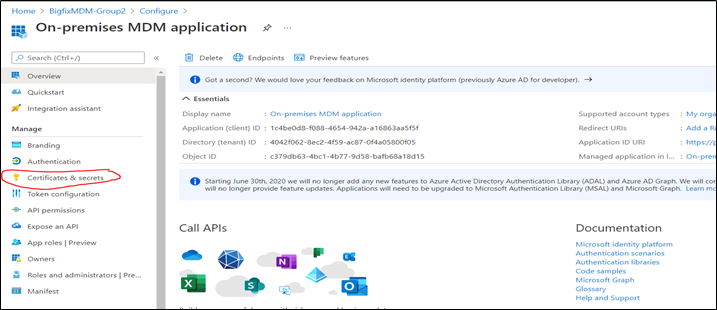
- Navigate to the on-premises MDM application, click Certificates &
Secrets.
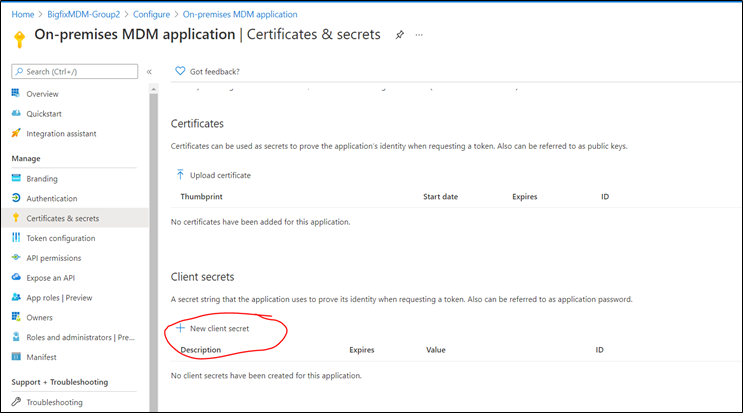
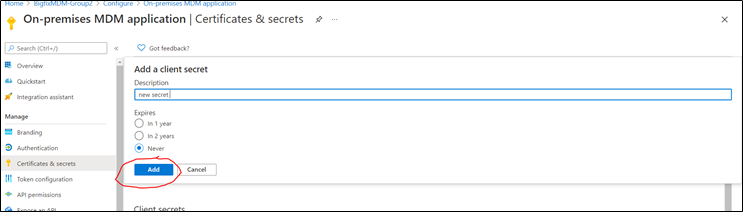
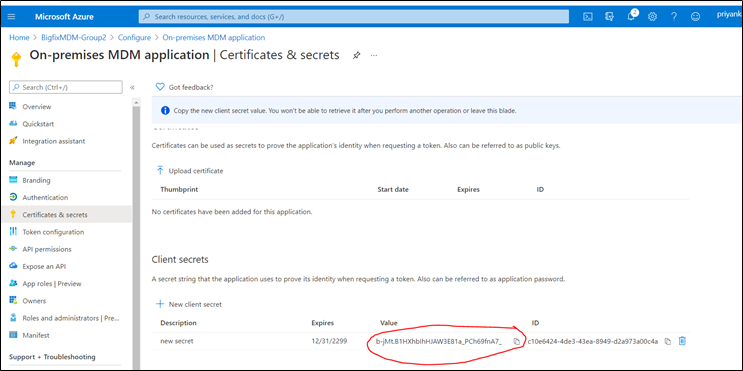
- On the certificates & secrets section click on new client secret and save the
value. Add as show in the below picture.