
Configure Autopilot Group using autopilotcli
This topic explains how to configure an Autopilot group using the
autopilotcli tool by editing the
autopilotconfig.json file in the specified directory. It provides a
sample profile creation object and outlines the group creation command.
Note: Creating multiple Autopilot groups with the same name is
only supported via API, not through the AzureAD Config UI.
Provide the configuration for groups in autopilotconfig.json available in <MDM_HOME>/windows/config/.
- Sample profile creation object
-
{
"@odata.type":"#microsoft.graph.azureADWindowsAutopilotDeploymentProfile",
 "displayName":"AutopilotProfile",
 "description":"Autopilot profile to customize the out of the box experience for the end user",
 "language":"os-default",
 "outOfBoxExperienceSettings":{
 "@odata.type":"microsoft.graph.outOfBoxExperienceSettings",
 "hidePrivacySettings":true,
 "hideEULA":true,
 "userType":"standard",
 "deviceUsageType":"singleUser",
 "skipKeyboardSelectionPage":true,
 "hideEscapeLink":true
 },
 "enrollmentStatusScreenSettings":{
 "@odata.type":"microsoft.graph.windowsEnrollmentStatusScreenSettings",
 "hideInstallationProgress":true,
 "allowDeviceUseBeforeProfileAndAppInstallComplete":true,
 "blockDeviceSetupRetryByUser":true,
 "allowLogCollectionOnInstallFailure":true,
 "customErrorMessage":"Custom Error Message value",
 "installProgressTimeoutInMinutes":15,
 "allowDeviceUseOnInstallFailure":true
 },
 "extractHardwareHash":true,
 "deviceNameTemplate":"ZTD-%SERIAL%",
 "deviceType":"windowsPc",
 "enableWhiteGlove":false,
 "roleScopeTagIds":[
 "0"
 ]
}
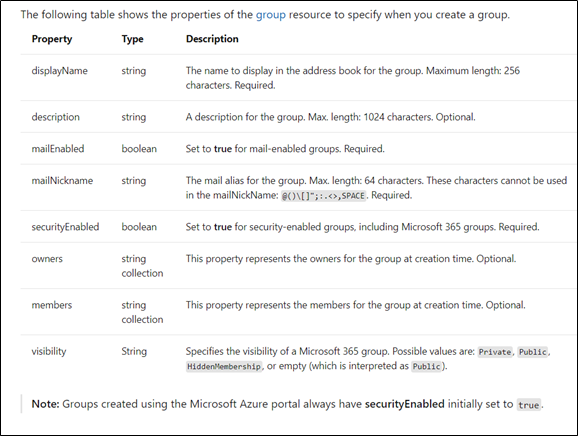
- Group creation command
-
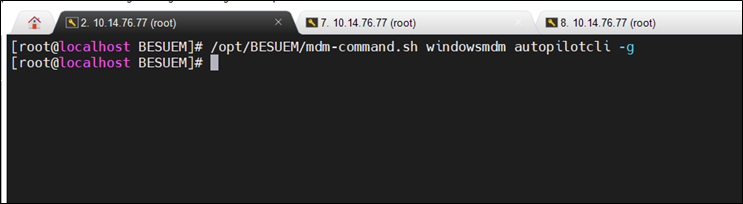
/opt/BESUEM/mdm-command.sh windowsmdm autopilotcli -g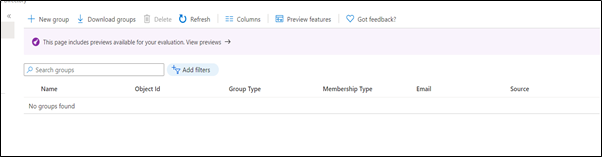
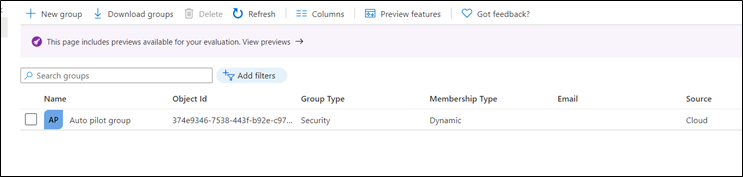
Next step: Configure Autopilot deployment profile