
Configure Autopilot deployment profile using autopilotcli
This topic describes how to configure an Autopilot deployment profile using
autopilotcli by editing the autopilotconfig.json
file and executing the appropriate command. It outlines the required profile settings,
provides a sample configuration, and explains how to assign and review the profile within
the management console.
Provide the configuration for groups in autopilotconfig.json available in <MDM_HOME>/windows/config/.
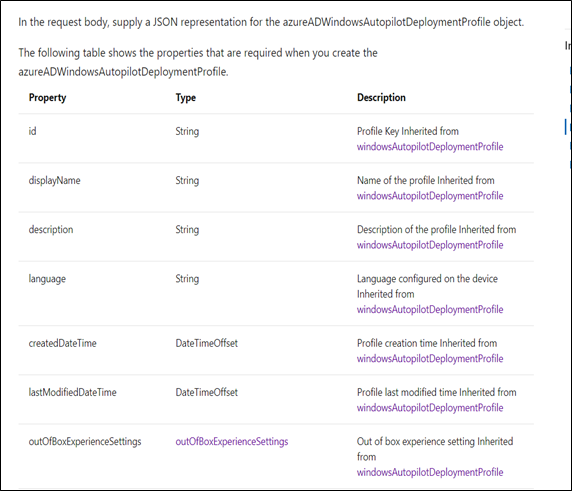
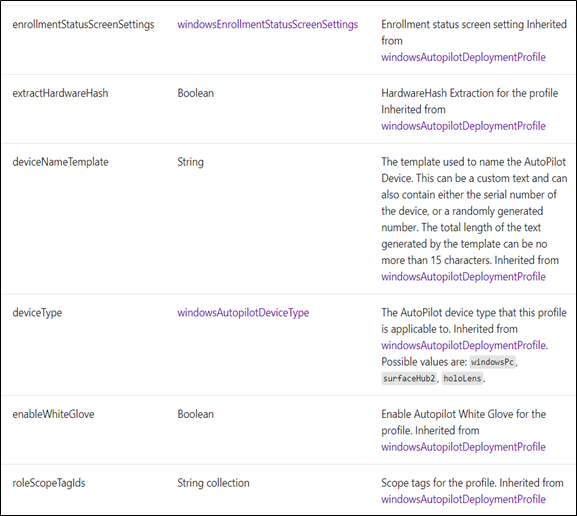
- Sample profile creation object
-
{
"@odata.type":"#microsoft.graph.azureADWindowsAutopilotDeploymentProfile",
 "displayName":"AutopilotProfile",
 "description":"Autopilot profile to customize the out of the box experience for the end user",
 "language":"os-default",
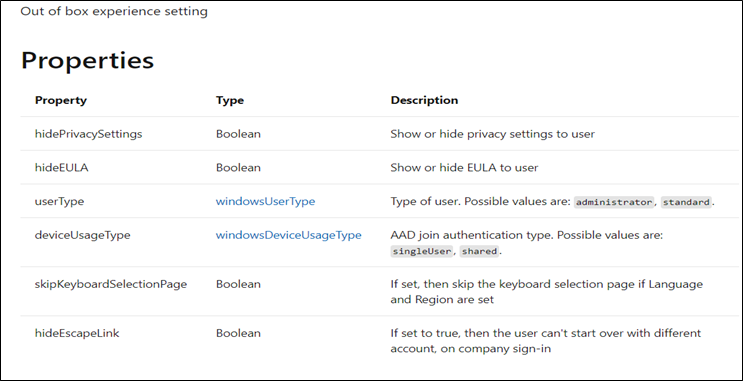
 "outOfBoxExperienceSettings":{
 "@odata.type":"microsoft.graph.outOfBoxExperienceSettings",
 "hidePrivacySettings":true,
 "hideEULA":true,
 "userType":"standard",
 "deviceUsageType":"singleUser",
 "skipKeyboardSelectionPage":true,
 "hideEscapeLink":true
 },
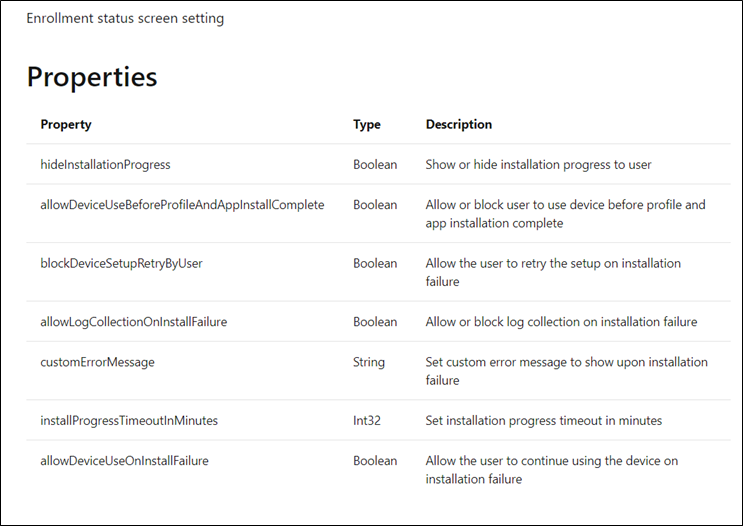
 "enrollmentStatusScreenSettings":{
 "@odata.type":"microsoft.graph.windowsEnrollmentStatusScreenSettings",
 "hideInstallationProgress":true,
 "allowDeviceUseBeforeProfileAndAppInstallComplete":true,
 "blockDeviceSetupRetryByUser":true,
 "allowLogCollectionOnInstallFailure":true,
 "customErrorMessage":"Custom Error Message value",
 "installProgressTimeoutInMinutes":15,
 "allowDeviceUseOnInstallFailure":true
 },
 "extractHardwareHash":true,
 "deviceNameTemplate":"ZTD-%SERIAL%",
 "deviceType":"windowsPc",
 "enableWhiteGlove":false,
 "roleScopeTagIds":[
 "0"
 ]
}
- Profile creation command:
-
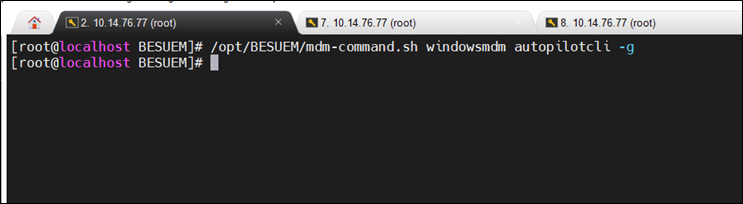
/opt/BESUEM/mdm-command.sh windowsmdm autopilotcli -p

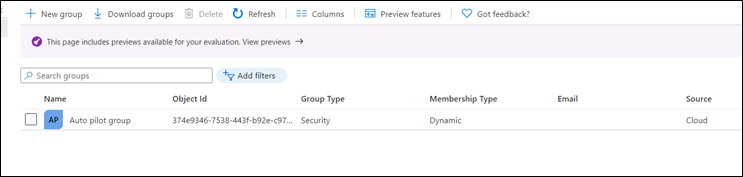
Assign the profile to Autopilot Group created in the second step as shown in the below picture. And then click on next to continue.
Review and Click on create button to create the profile as shown in the below picture.
To view the configured profiles, access the UR 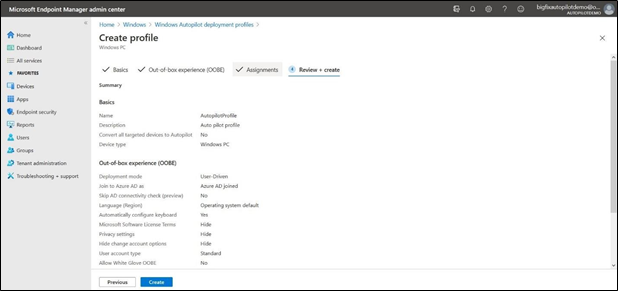
Next step: Configure Autopilot devices and assign users