
Configure Autopilot deployment profile
This topic describes how to configure an Autopilot deployment profile using Microsoft Endpoint Manager. The profile is automatically applied when a device is enrolled, enabling streamlined device setup and management. Step-by-step instructions guide you through profile creation, assignment, and verification.
The profile configured here is applied automatically when a device is enrolled.
About this task: The workflow in this page explains how to configure autopilot deployment profile through Microsoft Endpoint Manager. You can also configure default windows policy within the WebUI. For instructions on how to configure it through WebUI, see Configure default Windows profile.
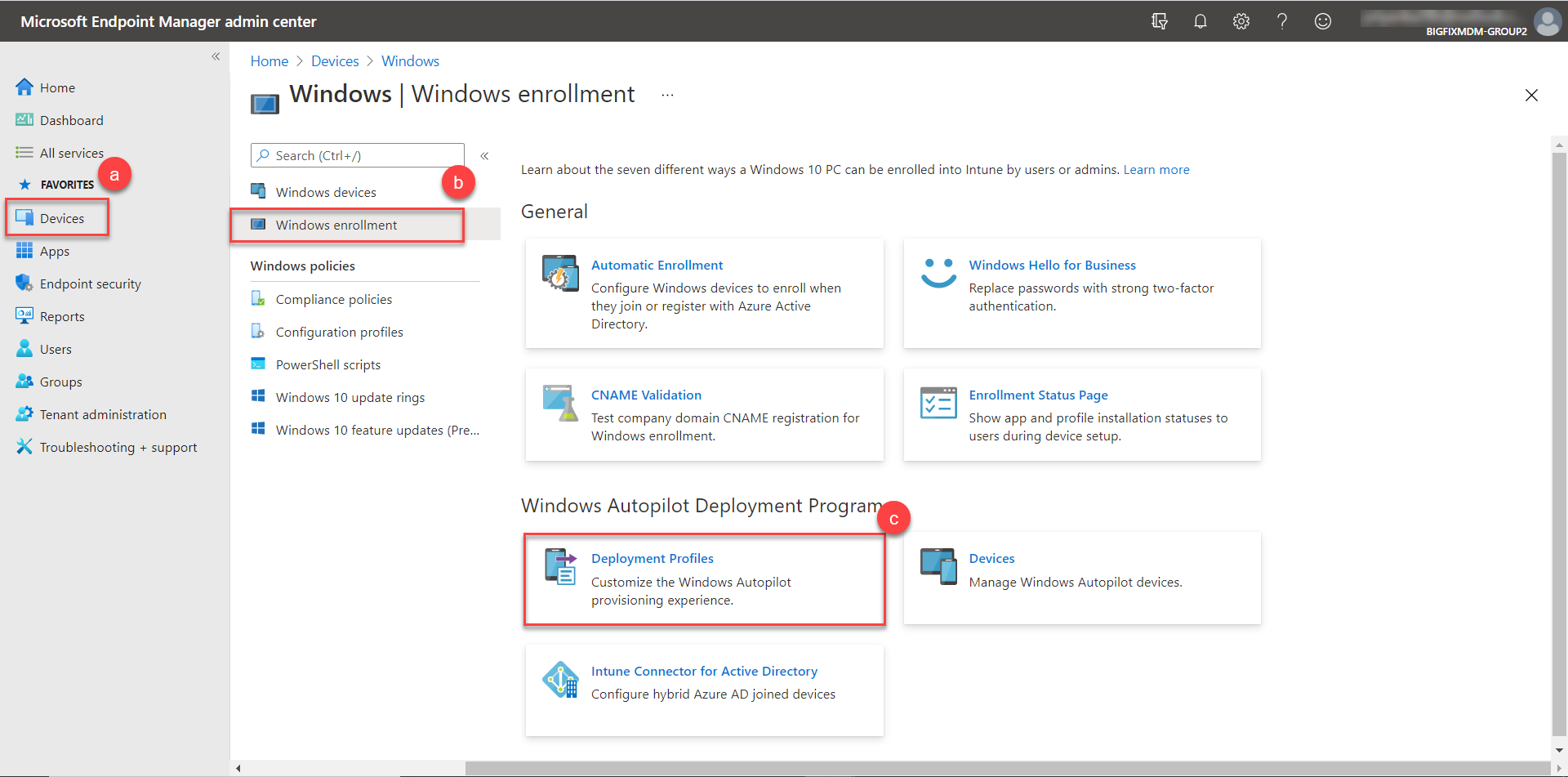
- Login to Microsoft Endpoint Manager Admin Center using https://endpoint.microsoft.com/#blade/Microsoft_Intune_DeviceSettings/DevicesWindowsMenu/windowsEnrollment
link. Navigate to →Devices→Windows enrollment. Under Windows Autopilot
Deployment Program, select Deployment profiles.
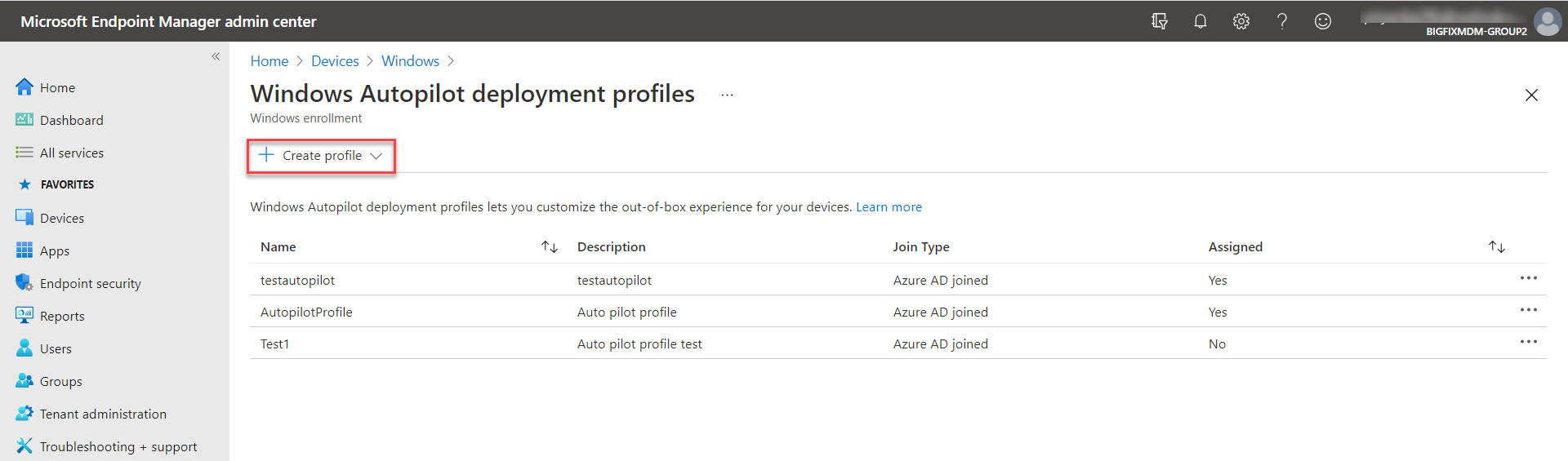
- Click Create Profile and select Windows PC.
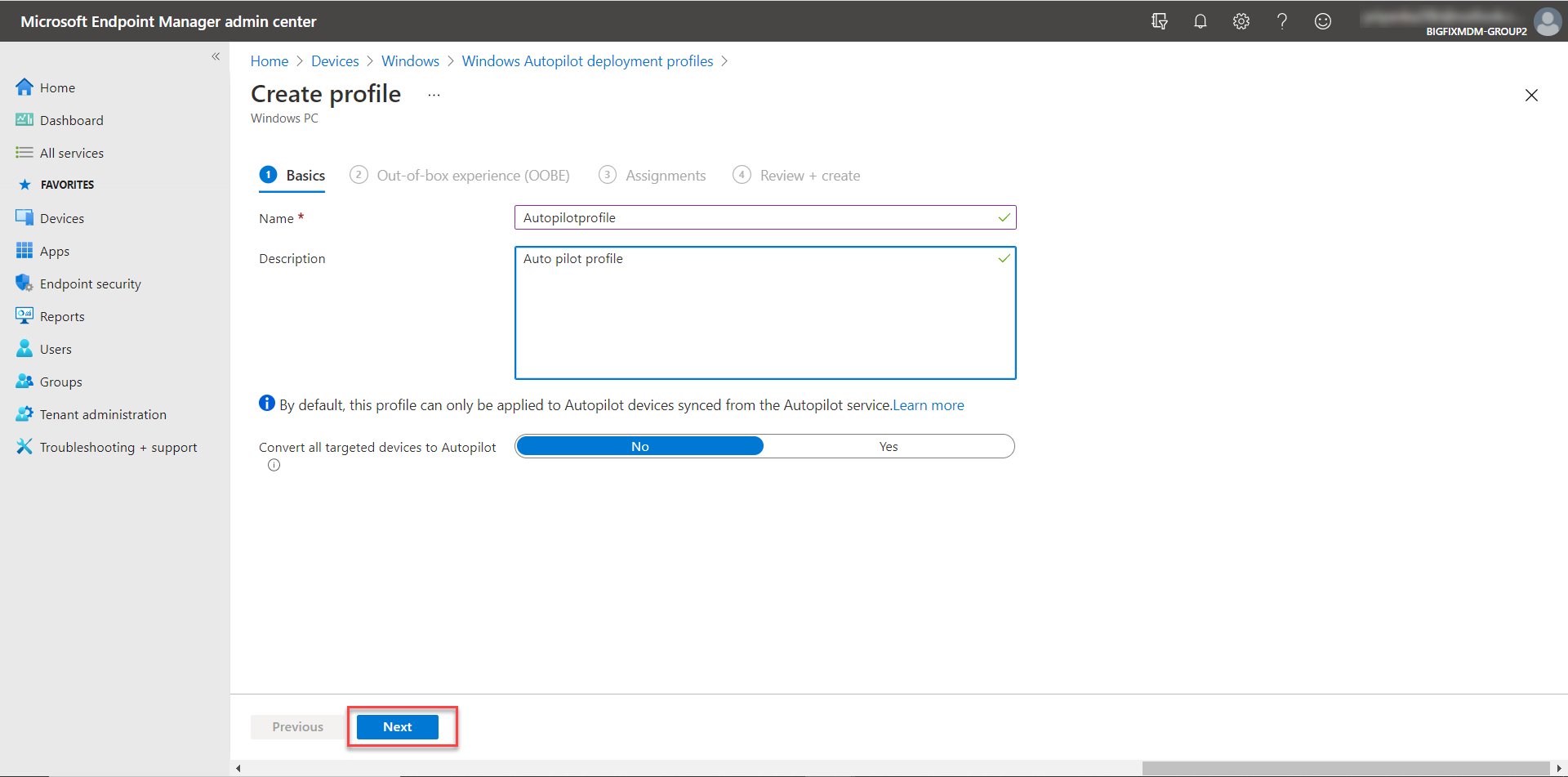
- Enter the name and description of the Autopilot profile and click
Next.
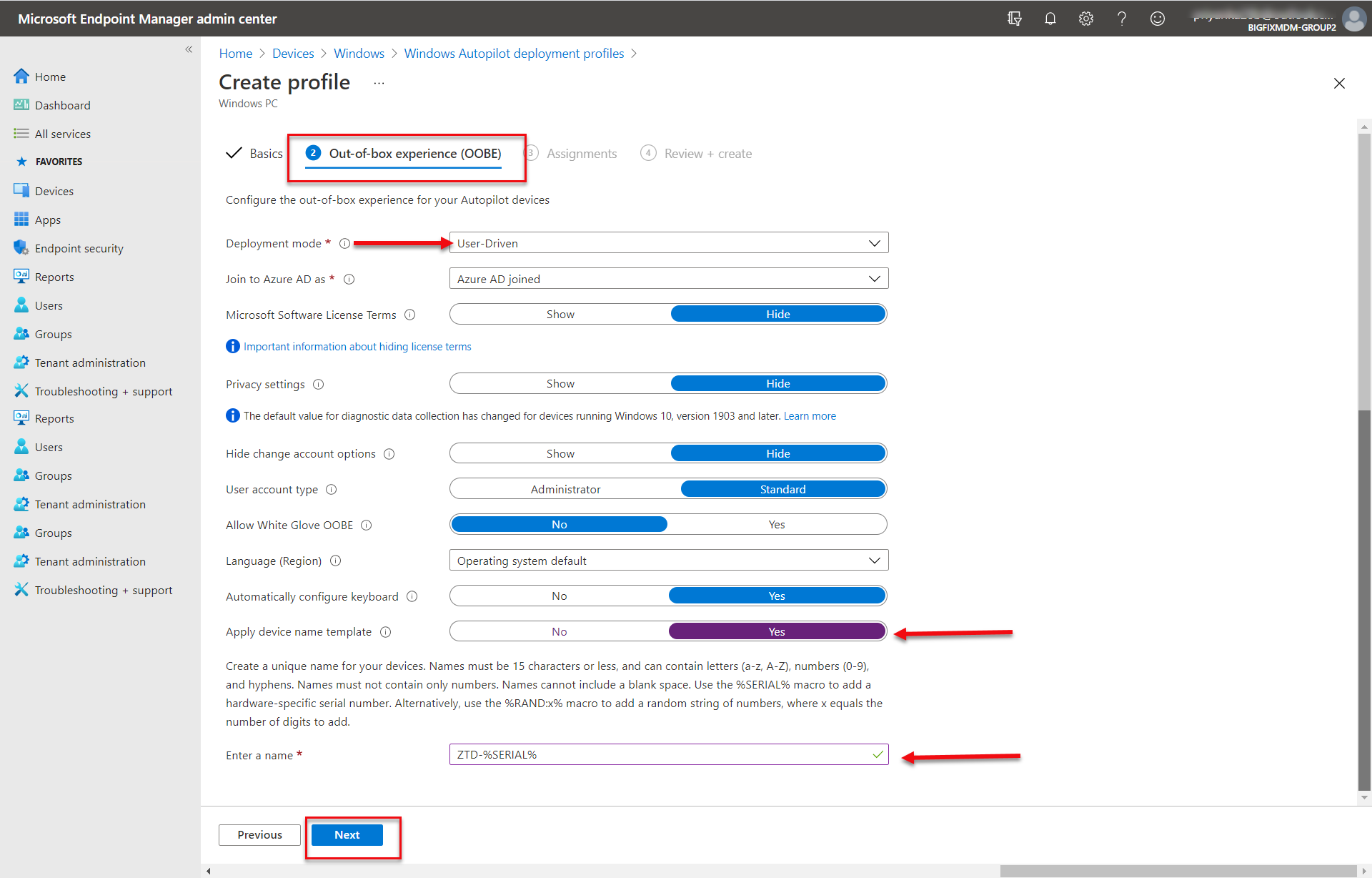
- Configure Autopilot profile Out-of-box experience(OOBE) settings as follows.
Select User-Driven as deployment mode and configure device name template (for
example, ZTD-%SERIAL%). The device that you want to register as a Autopilot Device
must match this device name template. Click Next to continue.
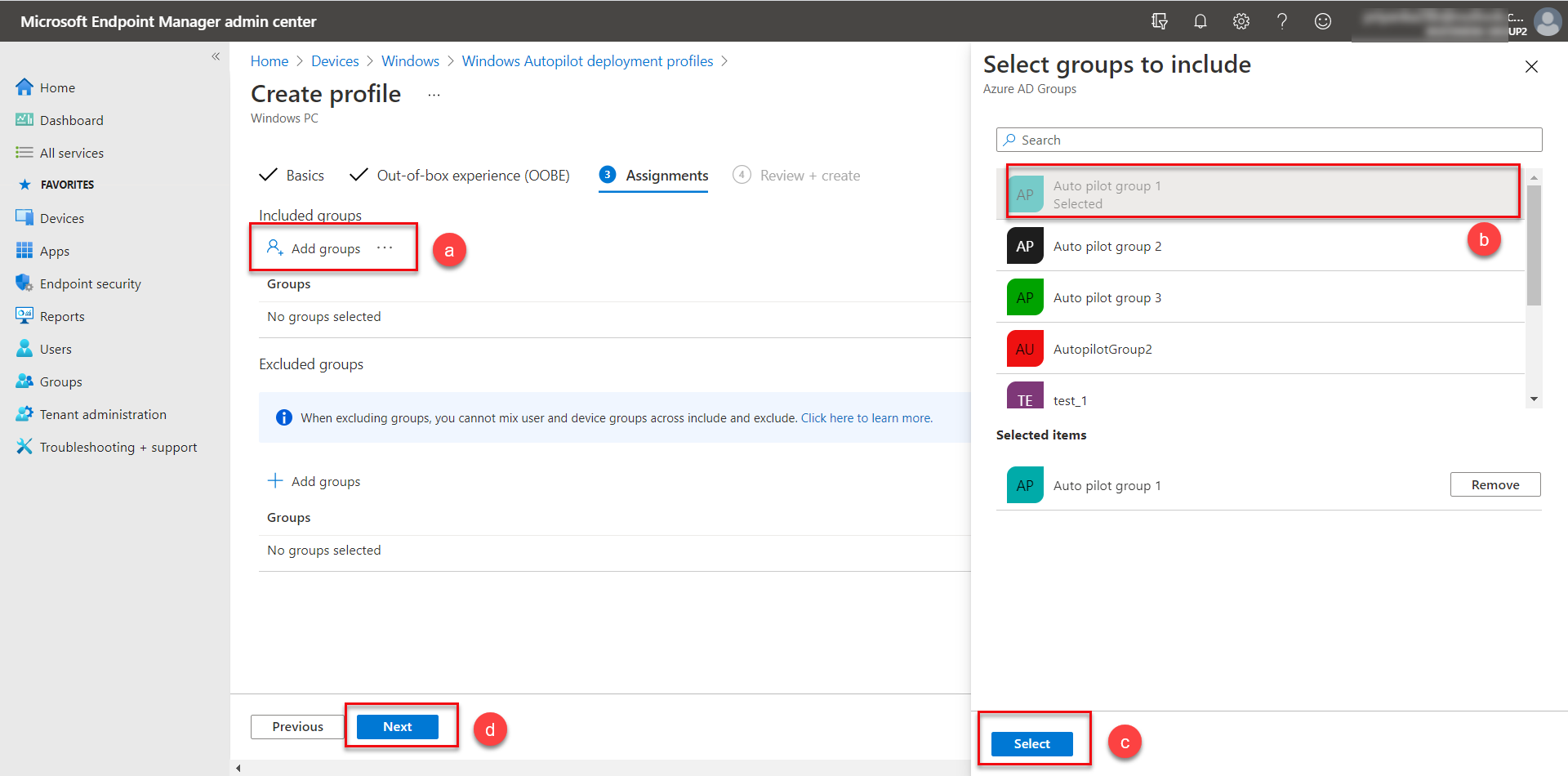
- To assign the profile to the created Autopilot Group, click the Assignments
tab and in the next screen, do the following:
- Click Add groups Select groups to include.
- The Select groups to include screen appears displaying the Autopilot groups. Select the desired groups.
- Click Select.
- Click Next.
- Review the profile details and click Create.
Results: The Autopilot profile is created. To view the configured profiles, access the UR https://endpoint.microsoft.com/#blade/Microsoft_Intune_DeviceSettings/DevicesWindowsMenu/windowsDevices.
Next step: Configure Autopilot deployment profile using autopilotcli