
Handling reports that take a long time to load
Opening a checklist detail page with many Checks or Devices can take time. If it takes more than 15 seconds to load, Security Compliance offers to generate the report in the background so you can keep working.
Procedure
-
When the message
<checklist> is taking a while to load
appears, click Process offline.Click Cancel to keep waiting instead.Figure 1. Process offline prompt 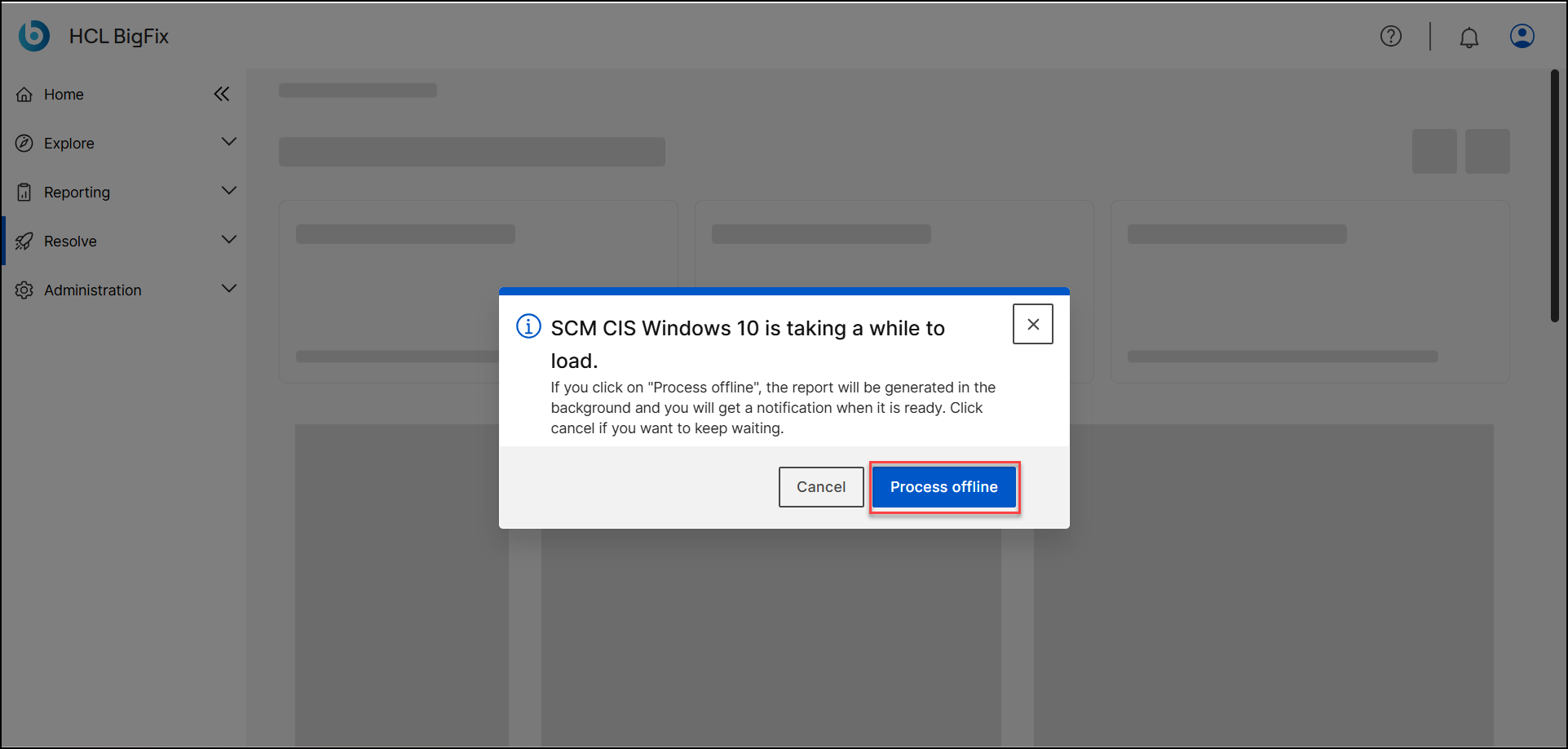
A toast briefly confirms that report generation is in progress, and you can navigate anywhere in the console while it runs. - When the report is ready, open the Notification Center (bell icon) and click the
Checklist report is ready entry, or click View
report in the toast if it is still visible.
Figure 2. Processed report ready in the Notification Center 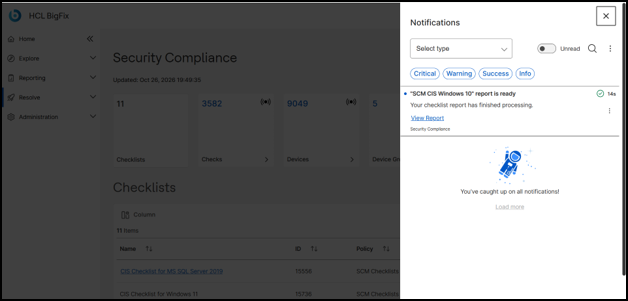
The processed report remains available for 15 minutes after it is ready. If you do not open it within that time, the report expires and you must start the process again.