
The landing page
The landing page is the default entry point. It displays the timestamp of when data was last updated, four KPI cards, and the Checklists grid. The Export and Filter icons are located in the top-right corner.
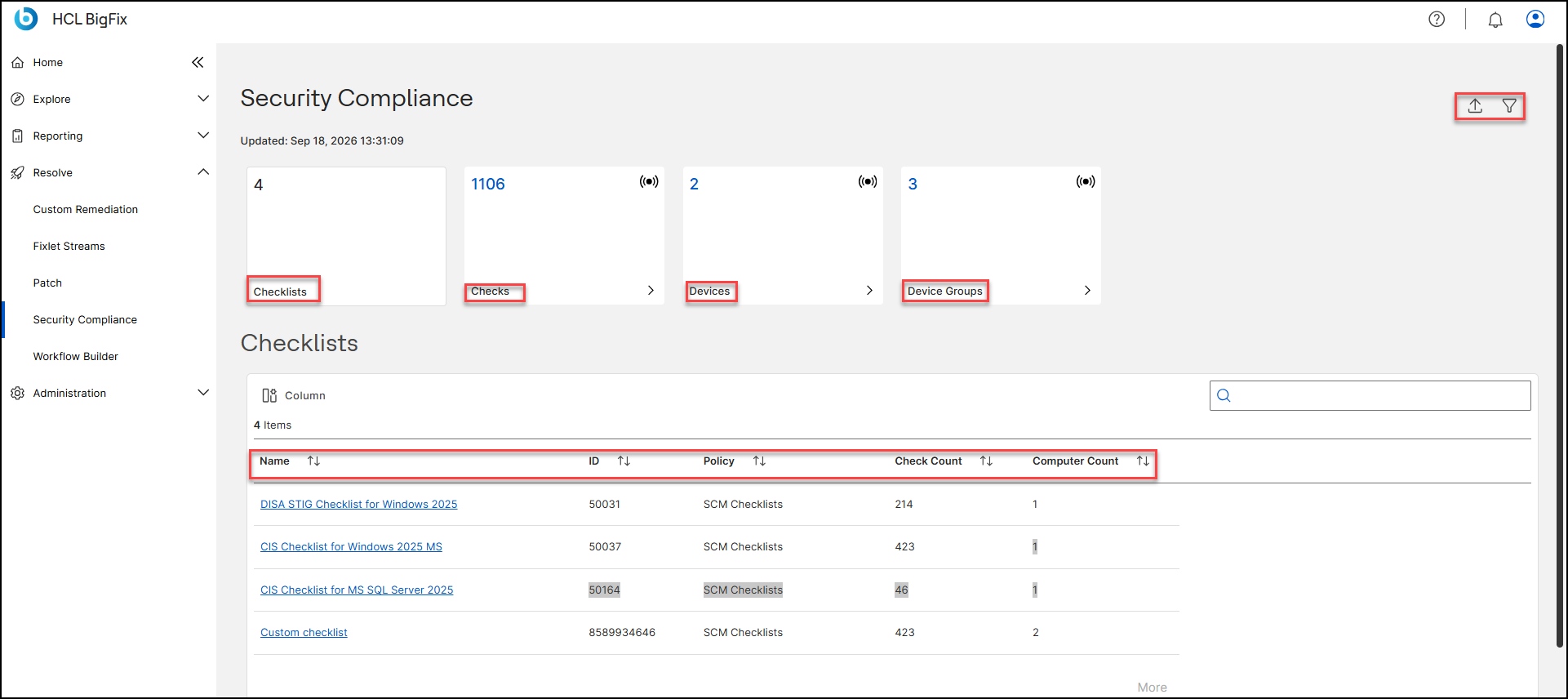
KPI cards
| Card | Shows | On click |
|---|---|---|
| Checklists | Number of Checklists in scope. | No navigation. The Checklists are already listed in the grid below. |
| Checks | Total number of Checks (Fixlets) across all Checklists in scope. | Opens the Fixlet Explorer list view scoped to those Checks. |
| Devices | Devices subscribed to at least one Checklist in scope. | Opens the Devices list scoped to those devices. |
| Device Groups | Device groups that contain at least one device subscribed to a Checklist in scope. | Opens the Device Groups list scoped to those groups. |
Checklists grid
One row per deployed Checklist, with the following columns:
| Column | Description |
|---|---|
| Name | Checklist name. Click it to open the Checklist detail page. If no devices are subscribed to
the Checklist (Computer Count is 0), the name is not clickable and is displayed as plain
text instead of a link.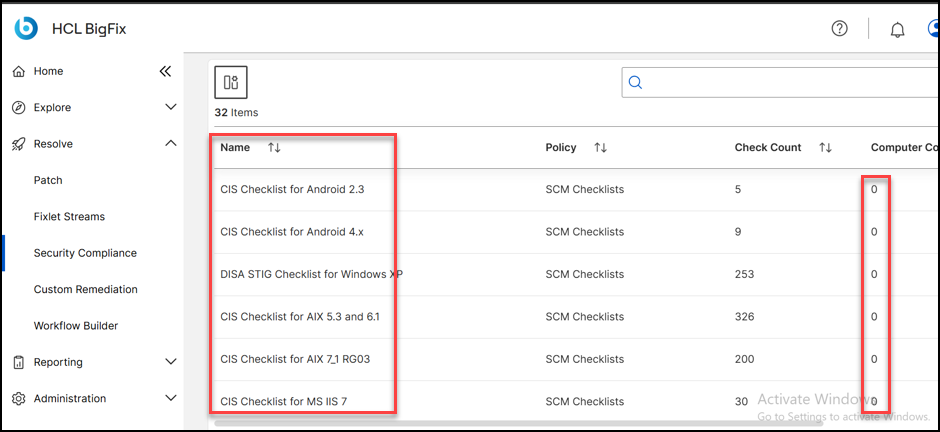 |
| ID | BigFix site ID of the Checklist. |
| Policy | Predefined report that groups compliance results across Checklists. Every Checklist belongs to SCM Checklists by default; this is the universal policy and includes all Checklists automatically, including out-of-the-box PCI DSS Checklists. If the PCI Add-on is licensed and the PCI DSS Reporting site is enabled, PCI DSS Checklists can also feed three additional policies: PCI DSS Requirements View, PCI DSS Milestones View, and PCI DSS Checklists (custom PCI DSS Checklists only). Policies are not user-configurable; you cannot create a custom policy. See PCI DSS policies for what each policy includes. |
| Check Count | Number of Checks in the Checklist. |
| Computer Count | Number of computers subscribed to the Checklist. |
- Use the search box to find a Checklist by name, and click a column header to sort.
- Click Column to choose which columns are displayed.
- The grid shows 10 rows by default. Click More at the bottom-right to load
the rest.
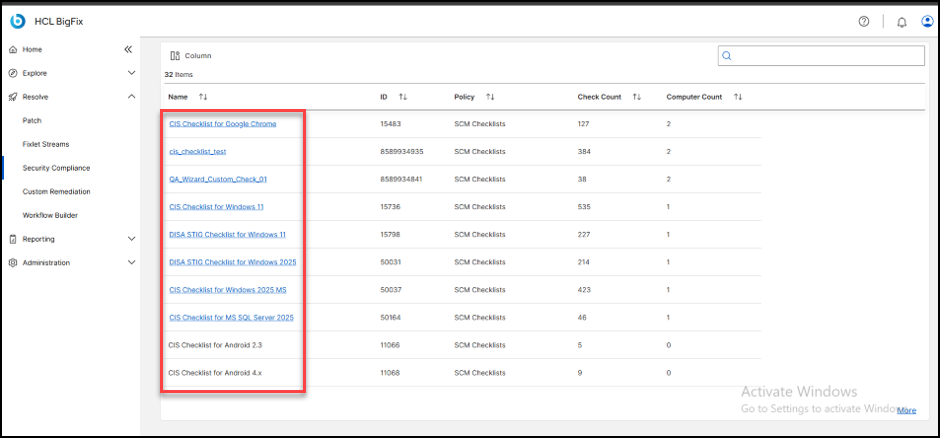
- If no Checklists are deployed, the grid shows
No checklists found. Deploy a checklist to get started.
If a filter excludes everything, it showsNo checklists match the active filter. Adjust your filter to see results.