Power Management daily activity state breakdown
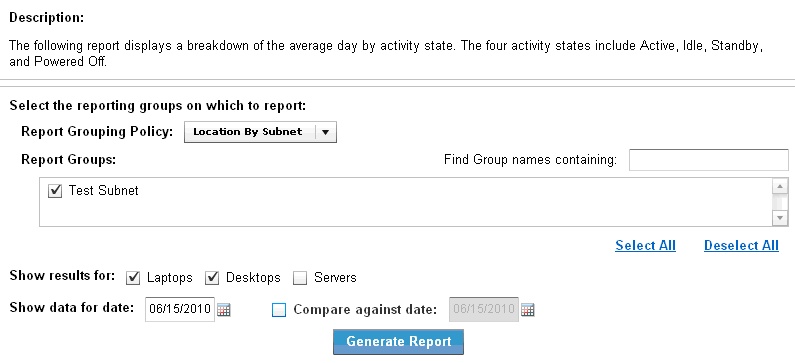
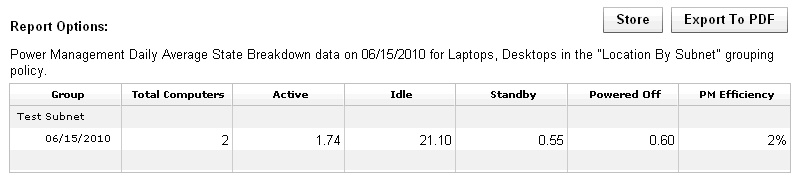
The Power Management Daily Activity State Breakdown report shows how an average computer in your deployment distributes time across Active, Idle, Standby, and Powered Off states in a day, helping you evaluate the impact of power policy changes and identify further savings opportunities.
The activity states are Active, Idle, Standby, and Powered off. You can use this report to evaluate changes you make to your power policies. For example, if many computers have high idle times, you can set a Standby power policy to save significant power. It also supports comparing results between two different days. The comparison function requires that historical power tracking is enabled.
Note:
If you select the current date as the compare against date, the report might take significantly longer to generate, as previous dates are pre-calculated.