
Verifying a domain
Before you can scan a domain on the Internet, ASoC must verify that you have permission to scan it. Verification is not needed for domains that are not available on the Internet (private sites).
About this task
Procedure
-
Type in the domain to verify, then click
Next.
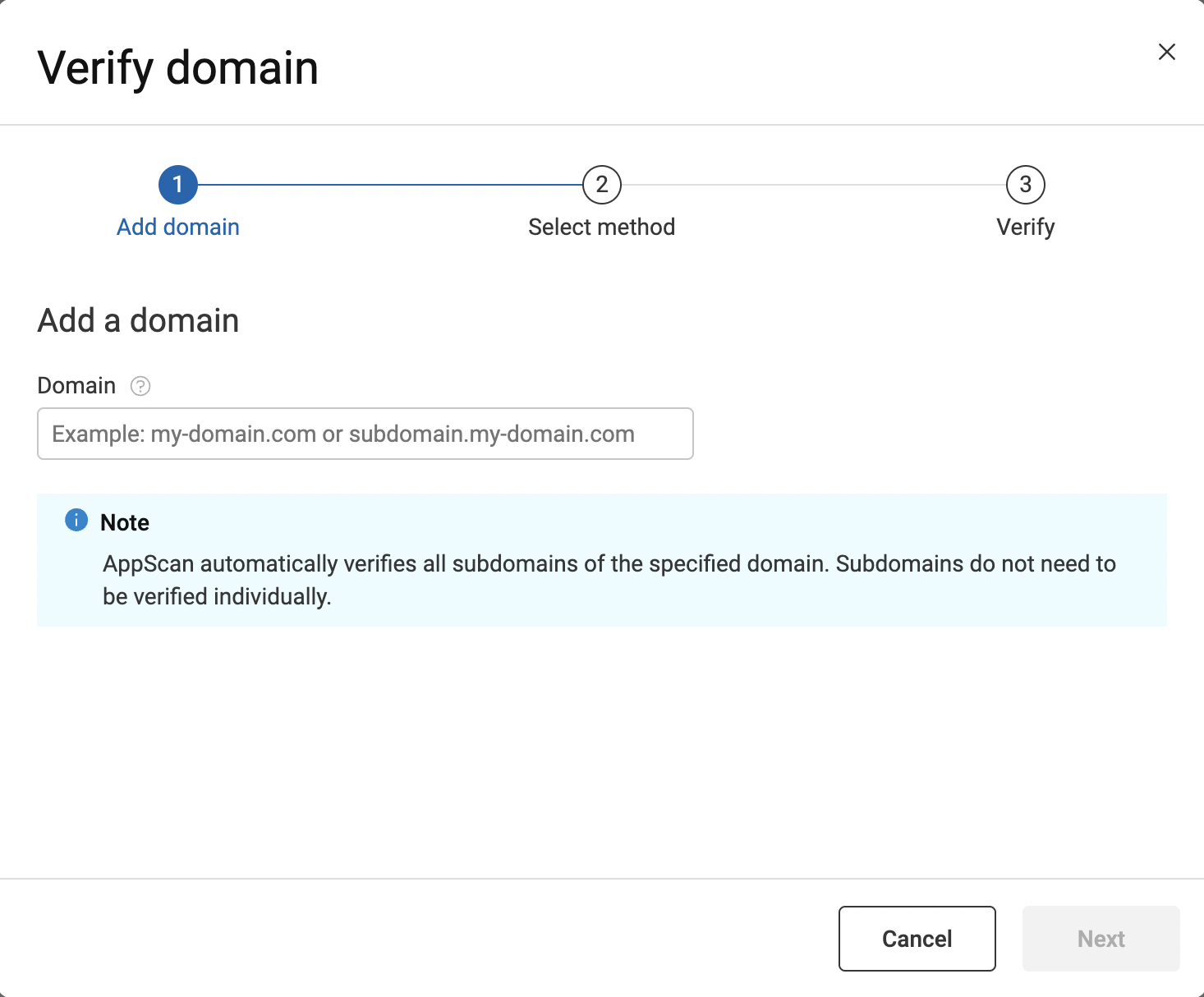 Do not include the protocol. Specify a subdomain only if you want to verify just that subdomain.For example, to verify a domain and all subdomains, enter
my-domain.com. -
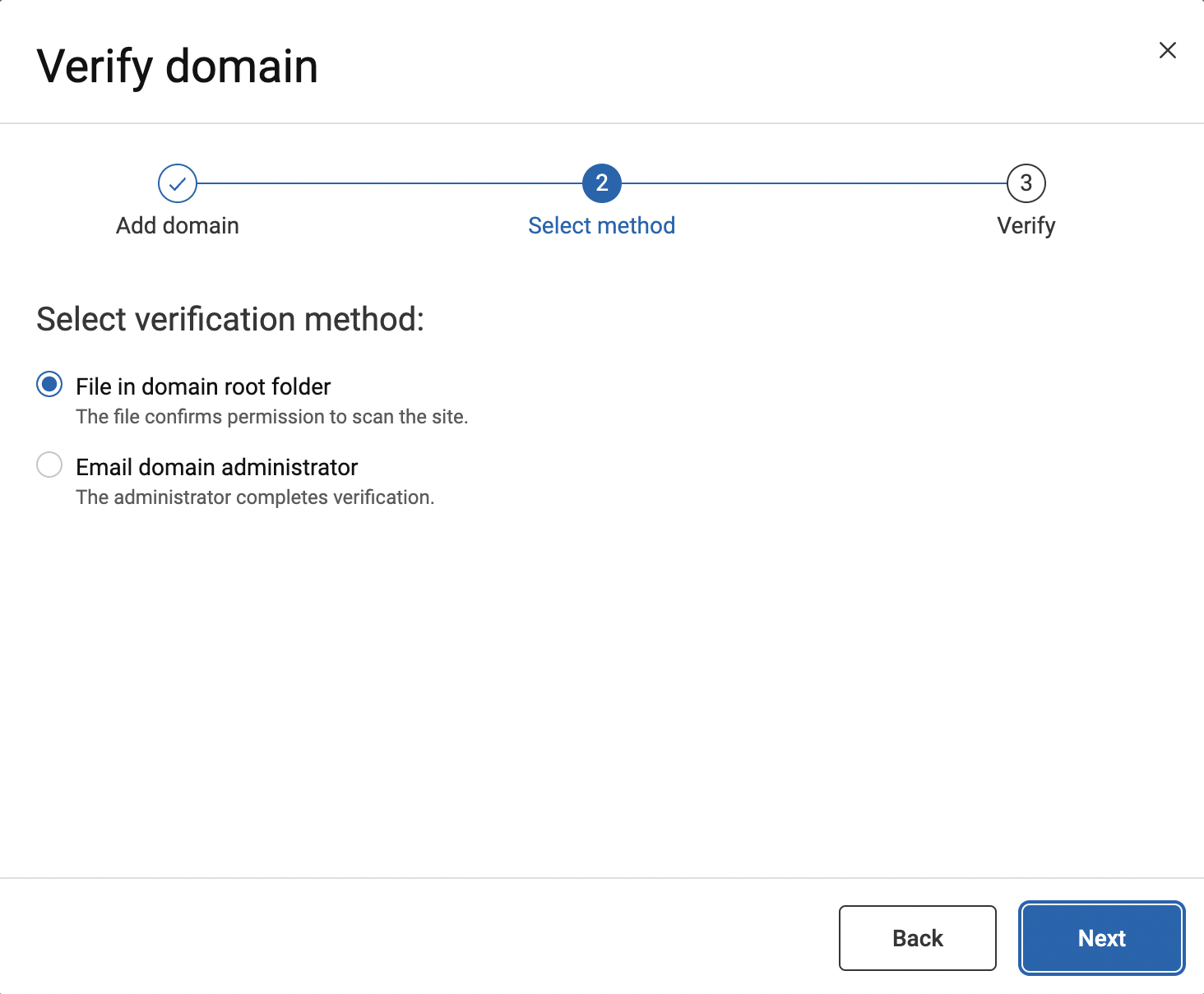
Select your preferred verification method, then click
Next:
- File in domain root folder
- Email domain administrator
-
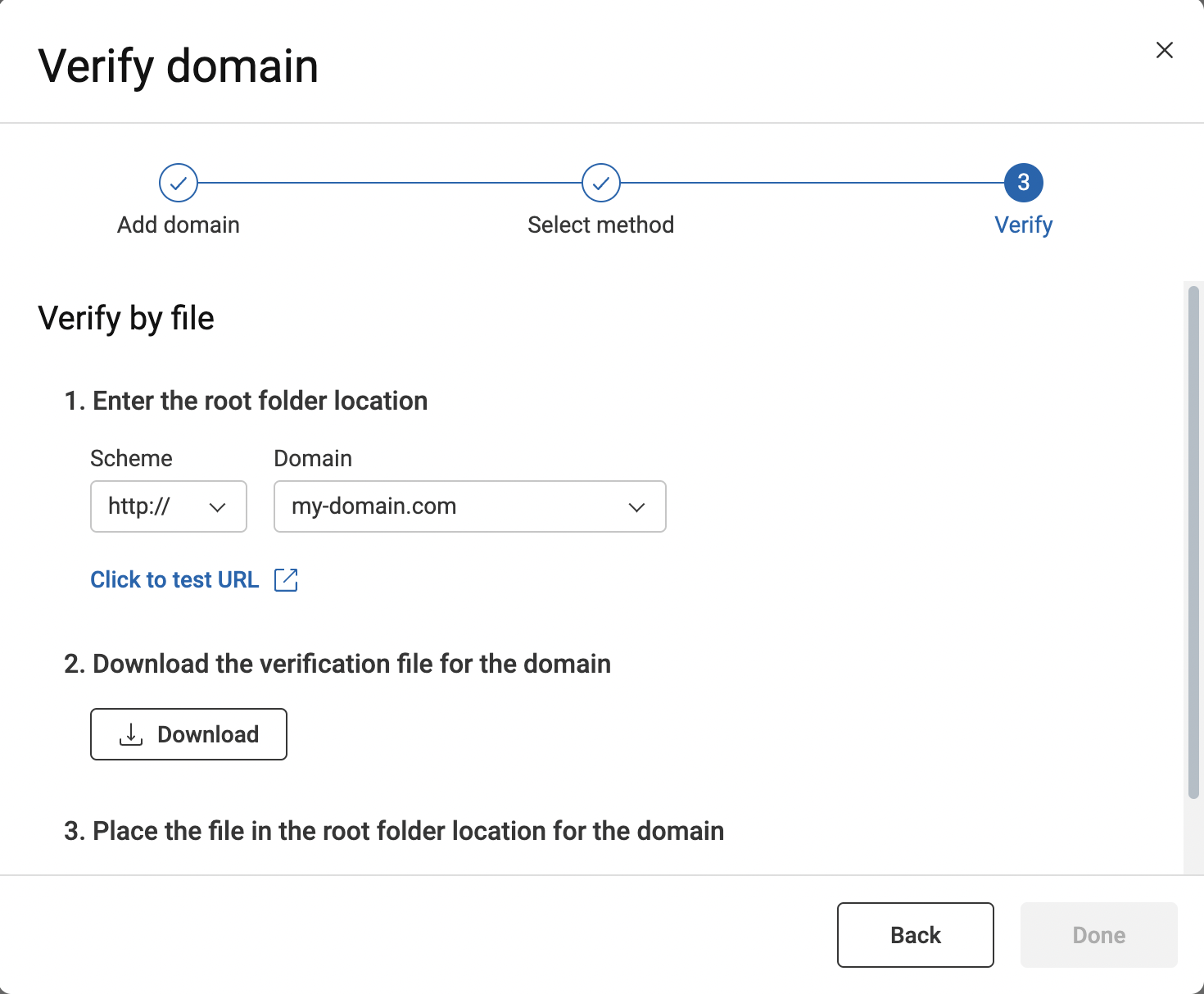
If you chose to verify by file:
-
Place the file in the root folder location for
the domain.
If you do not have permissions to access that location, work within your organization to complete this step.
-
Place the file in the root folder location for
the domain.
-
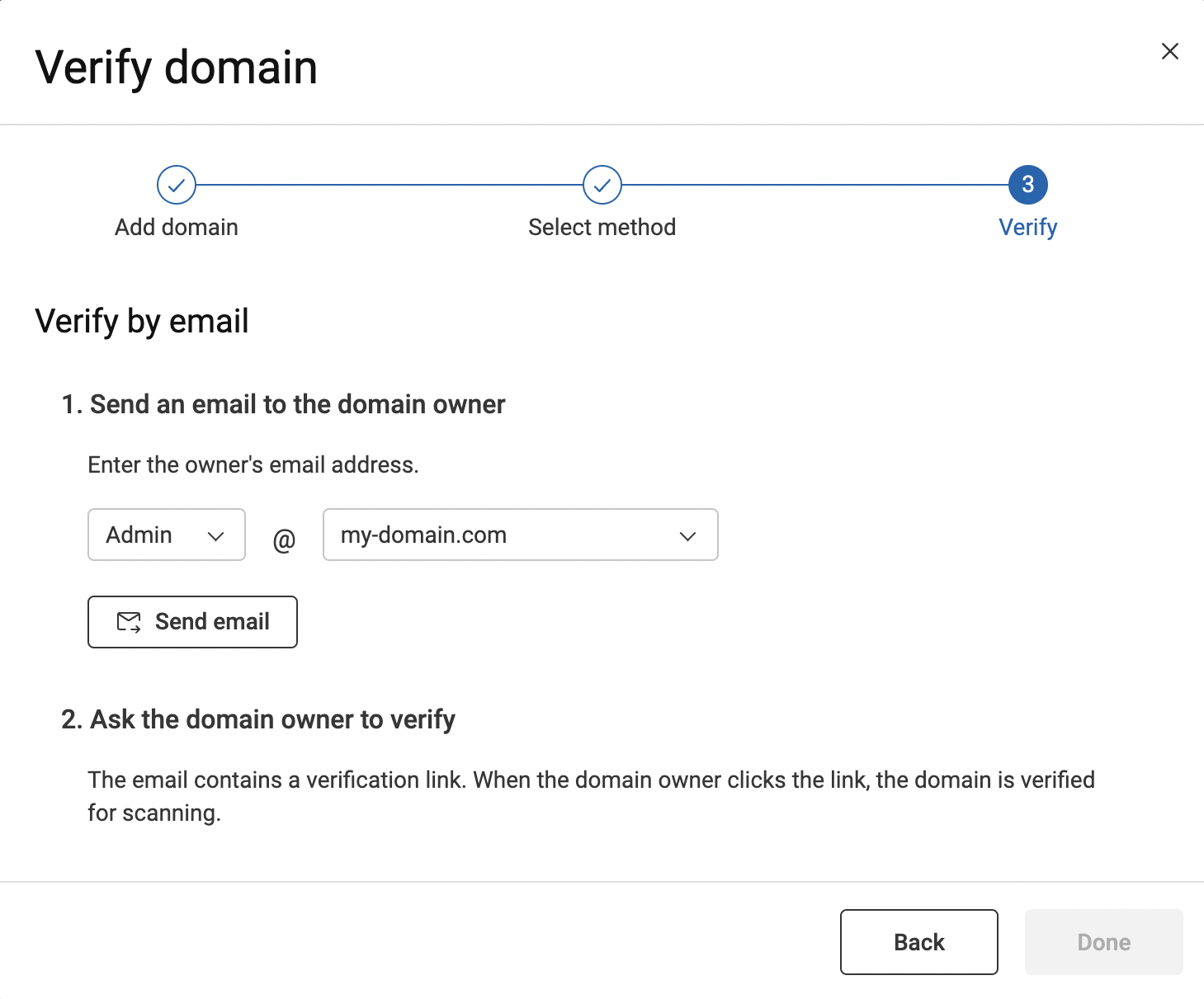
If you chose to verify by email:
- Enter the email address for the domain owner, then click Send email.
- Contact the domain owner directly to ask that they respond to the email
Example
If your application includes links to URLs outside the domain of the starting URL, they must be verified separately to be included in the scan (unless they are private sites and you are using an AppScan Presence). Consider these examples:
Subdomains:
The starting URL is: http://a.com/home/.
The site has links to http://b.a.com, which is a
subdomain of a.com.
The subdomain is automatically included in the verification process but is not scanned by default. To scan subdomains, you must explicitly add them to the 'Domains to test' list in ASoC when you submit a scan or include them in the scan template file.
Parallel or parent domains:
The Starting URL: http://b.a.com/home/.
The site has links to a parallel domain http://c.a.com,
or to parent domain http://a.com, and you want
those links included in the scan.
- Verify
a.com, OR - Verify
b.a.comandc.a.com, and when creating the scan in Create scan > Dynamic (DAST), clear the Include only links in and below this directory check box.