
Sametime web chat enhancement
Notes 14.5.1 provides the following optional Sametime web chat enhancement:
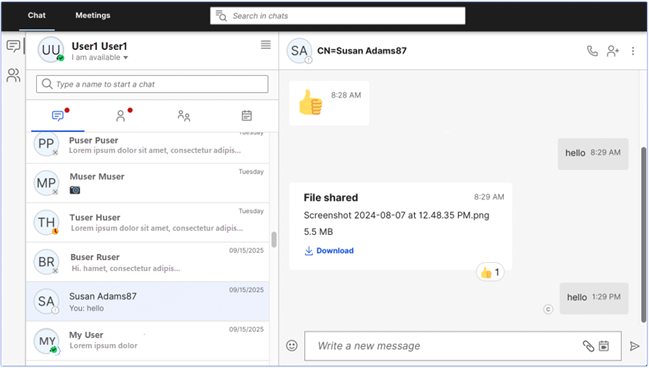
There is a new preference option for Sametime web chat integrated with HCL Notes, offering a modern chat experience that supports read receipts and chat reactions, as well as search for chat messages.
Note: An early version of Windows Sametime server 12.0.4 (provided on
My HCLSoftware Portal with Domino 14.5.1) is required for your organization to be able
to support this feature. Administrators can install the server by following the steps in
Installing Sametime Chat on Windows in
the Sametime 12.0.3 documentation.
To use this feature, you must first change the following default chat setting in Notes Preferences, "Use Rich client chat window," to the new setting, Use integrated web-chat window.
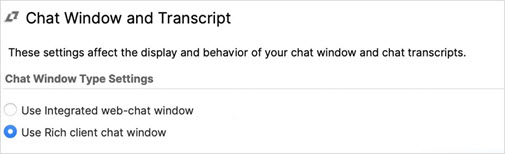
Note: To enable the web chat window as the default, Administrators can
push this setting through desktop policy via managed
settings:
com.ibm.collaboration.realtime.ui/enableEmbeddedWebClient = true
The default for the setting is false. The setting is stored in the notes.ini file plugin_customization.ini.