
Enhanced Properties panel
Notes 14.5.1 offers the following improvements to the Properties panel (InfoBox).
Enhanced Properties panel
The Properties panel offers a modern interface within the side shelf, allowing for user-friendly navigation. You can choose to open it in a new window for increased flexibility. Additionally, it supports round-trip editing. When you’re finished, the panel can easily be closed to free up your area.
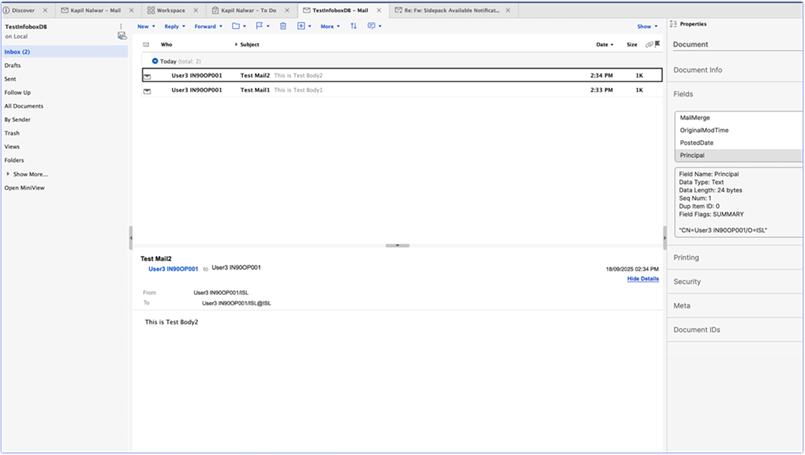
If you want to turn off this new properties panel, use the Notes ini DISABLE_ENCHANTED_INFOBOX=1, or contact your administrator.
If Designer is installed, the old Properties panel will be shown in Notes and Designer.
Open in new window
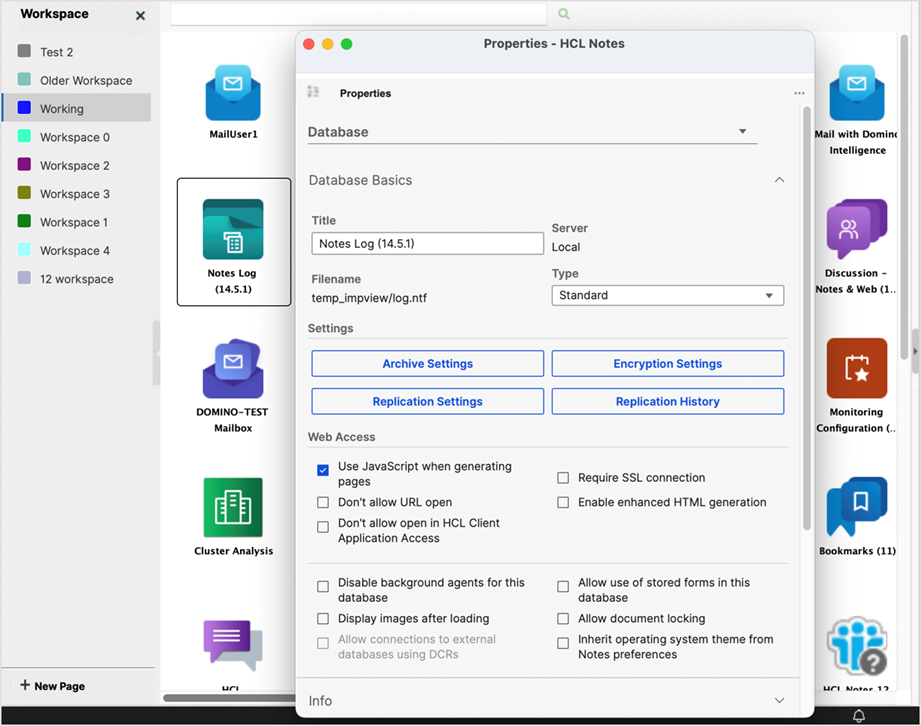
The Properties panel can be opened in new separate window that you can resize to make much larger. Standard docking and undocking of the new window is supported.
Asian language support
The panel now supports the Asian language character set.