
Managing local replicas
Use the Replication page to replicate all local replicas of an application or a specific one. Also use this page to delete a local replica.
About this task
Procedure
-
To open the Replication page, tap on the Replication button on the
global action bar.
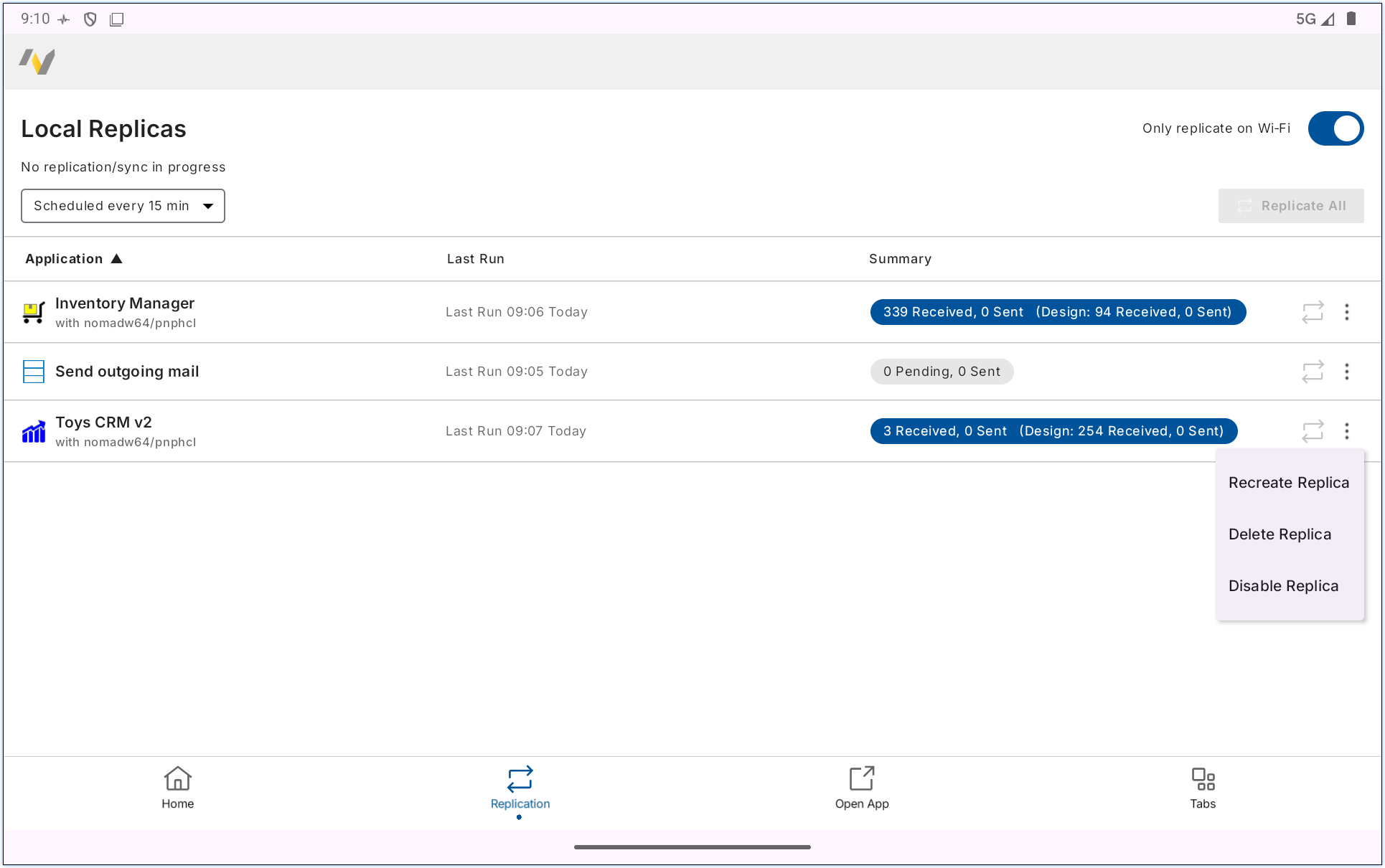
A list of your local replicas is shown that includes the last replication time and replication summary for each one.
-
Choose an action:
- To replicate all local replicas, select Replicate All.
- To replicate a single local replica, tap a replica's replicate
 button.
 - To delete a local replica, press the replica's overflow menu button and select Delete Replica.
- To re-create a local replica, press the replica's overflow menu button and select Recreate Replica.
- Set a schedule by tapping the top left drown down menu. Select between Replicate every 15 minutes, Replicate every hour and the default Turn off schedule.
-
Toggle on the Only replicate on Wi-Fi toggle to force replication to
only occur when the device is connected over a Wi-Fi connection.
Note: If receive an error when using the Delete Replica or Recreate Replica action then turn off scheduled replication if enabled, restart the HCL Nomad client, return to the Replication page, then re-try the Delete Replica or Recreate Replica action.