
Solution
- Open iAutomate Web URL and login with Super Admin credentials.
- Go to Actions -> Manage Organizations menu and expand New Organization.
Figure 1. Organizations 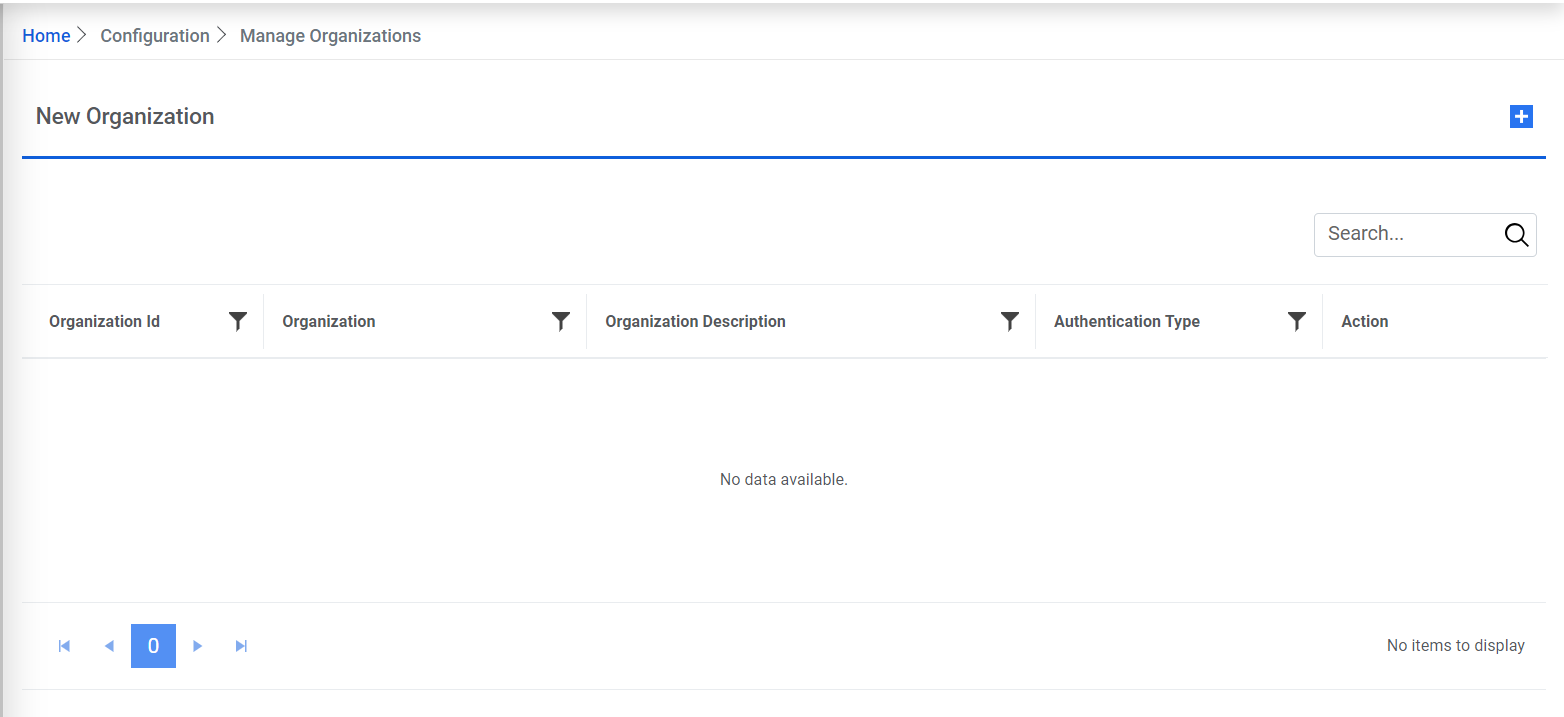
- The Create Organization form appears.
- Enter the Organization Name as MyCompany.
- Enter the Organization Description.
- Click Choose File to upload the organization’s Logo.
- Select Service Now against Incident Management module.
Figure 2. Create Organization 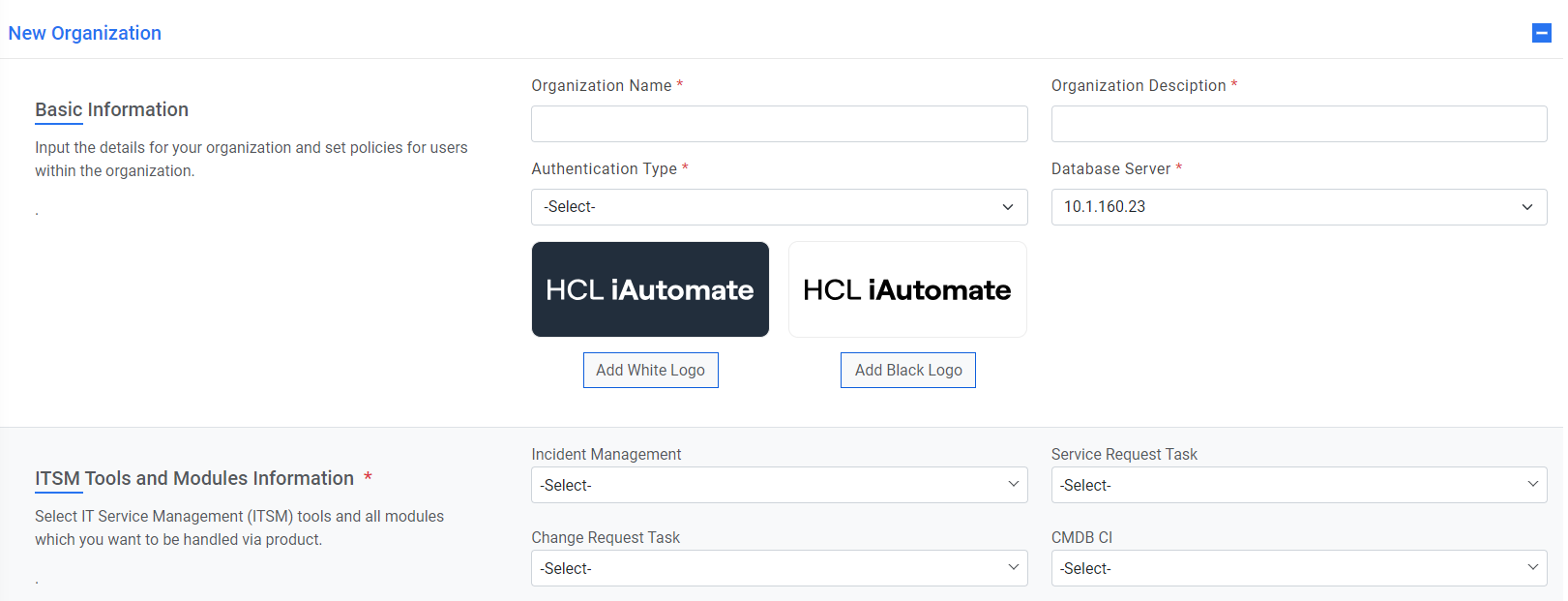
- Select ITPAM as the Runbook Tool.
- Select Database Server available from the dropdown.
- Select the Authentication Type as Form Based.
- Click Save once all the information is populated. The organization will be created.
Figure 3. Create Organization (Cont.) 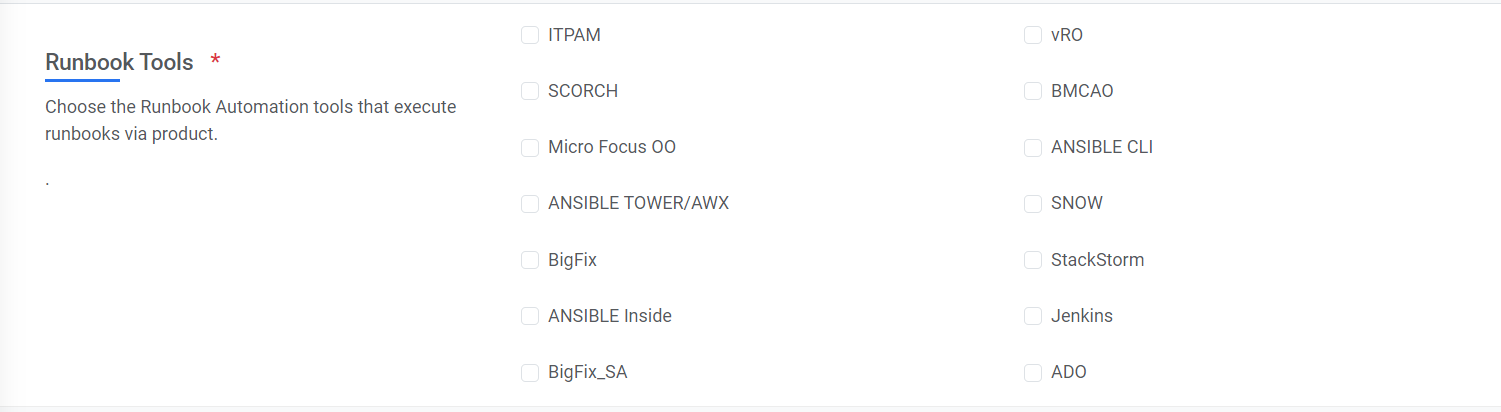
- To view the newly created organization and its details, go to
Actions and click Manage Organizations menu option.
Figure 4. Create Organization (Cont.) 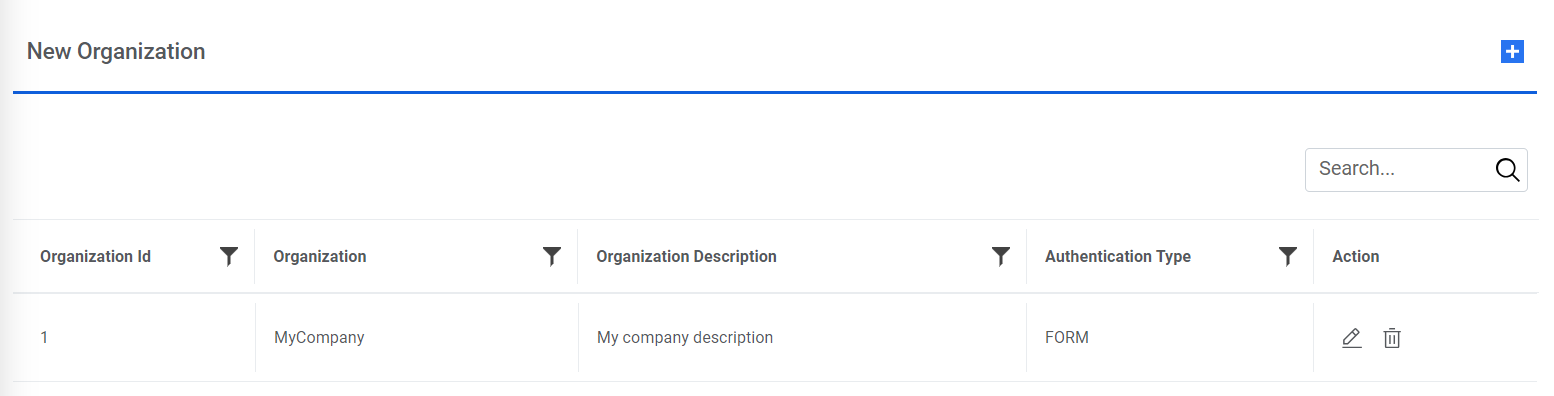
- A list of available organizations with the newly created MyCompany organization will be visible in the list. You can edit the information or delete the organization by clicking on the respective icons under Action section.