
Solution
- Open iAutomate Web URL and login with Organization Admin credentials.
- Go to Configuration and click Build Models.
Figure 1. Build Models 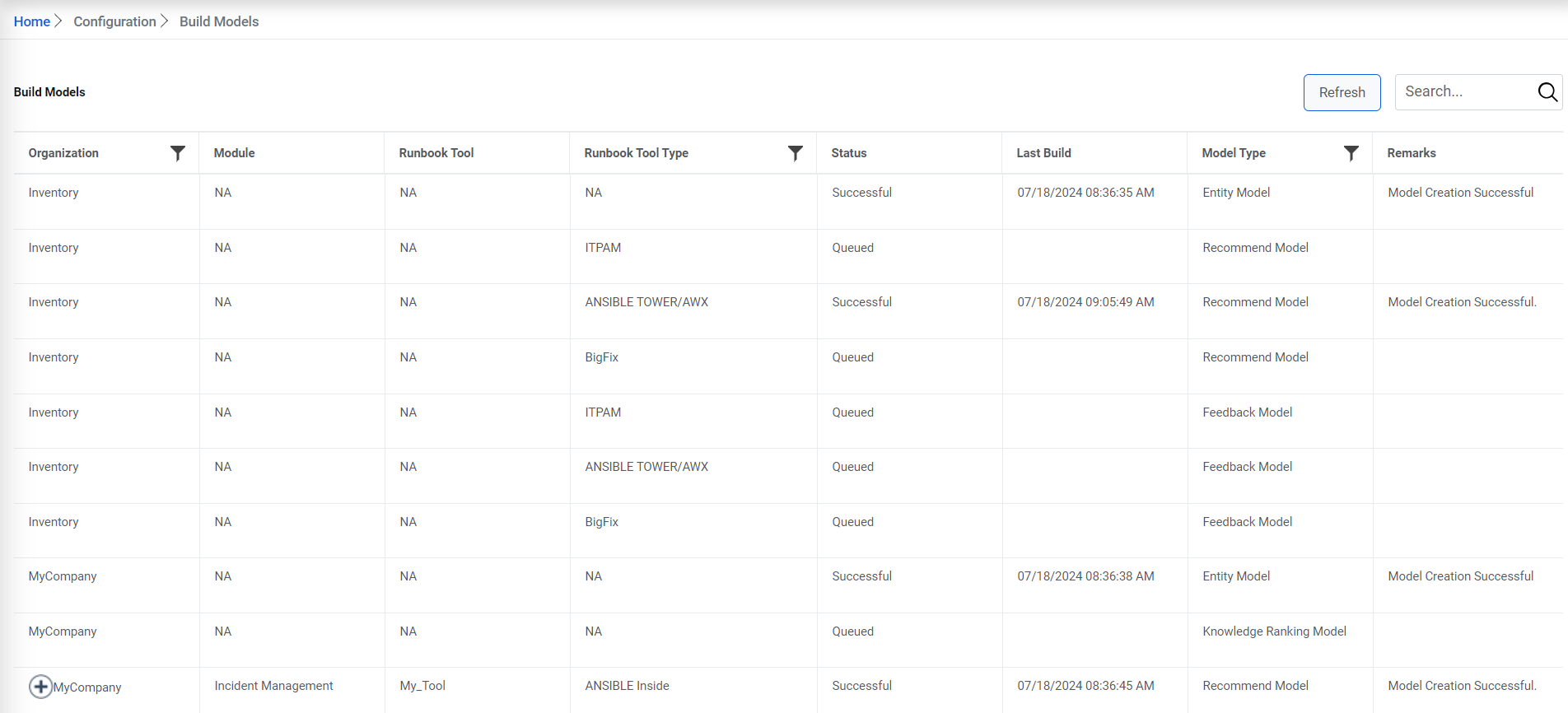
- Ensure that you have three models appearing on the Build Model
screen with respect to your organization as mentioned below:
- Entity Model having organization information only.
- Recommendation Model having organization and module information only.
- Recommendation Model having organization, module and runbook tool information only.
Figure 2. Build Models (Cont.) 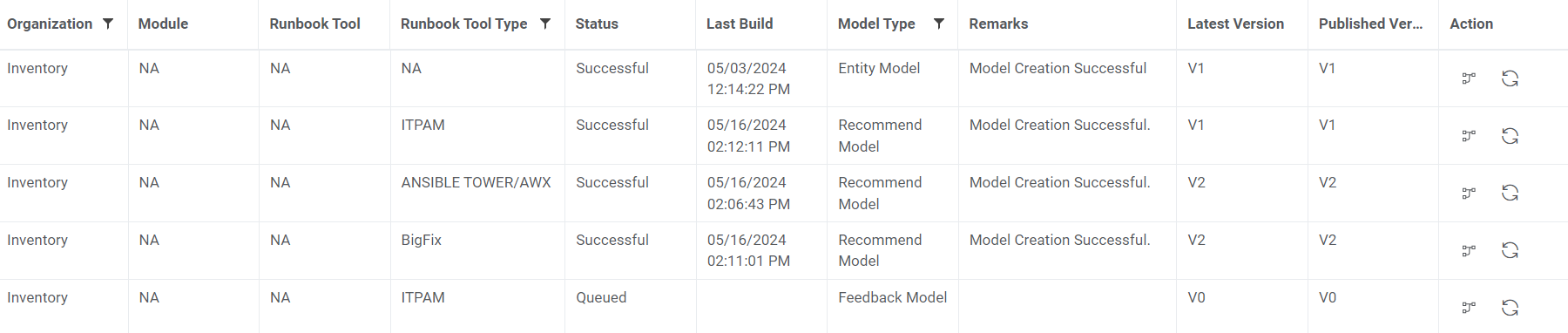
- Click gear icon to build the Entity Model first. Once entity model build is successful, Recommendation Model Build having organization, module and runbook tool information, needs to be triggered.
- Once the build for Recommendation model is successful, you will get recommendations for incidents landing into your console.
Note:
This actions on this screen are necessary whenever you are making changes to manage Runbook page to rebuild models.