Could not get any response
| Issue Description | Error message ‘Could not get any response’ appears when iParse is being hit. |
|---|---|
| Modules Impacted | iParse |
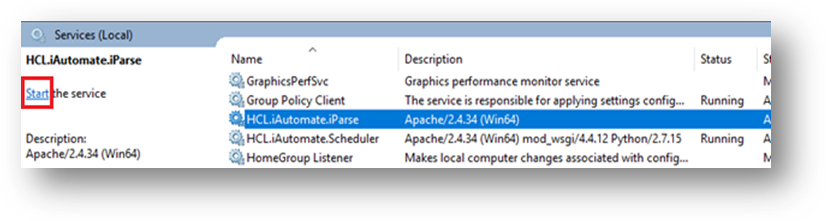
| Probable Root Cause | HCL.iAutomate.iParse service is not running |
|
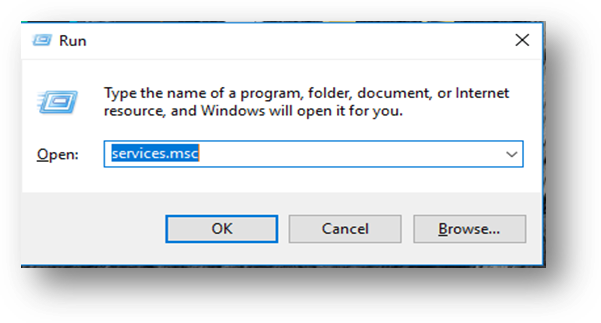
Resolution Steps:
|
|

| Issue Description | Error message ‘Could not get any response’ appears when iParse is being hit. |
|---|---|
| Modules Impacted | iParse |
| Probable Root Cause | HCL.iAutomate.iParse service is not running |
|
Resolution Steps:
|
|