
Install PWA App on Edge Browser
The following step describes the installation of Progressive Web App (PWA) in Edge Browser.
About this task
Procedure
- Open the tenant-specific URLhttps://tenantURL.bigfixaex.com/ in edge
-
Click the 'Install PWA App' option in the search bar.
Figure 1. PWA APP in edge 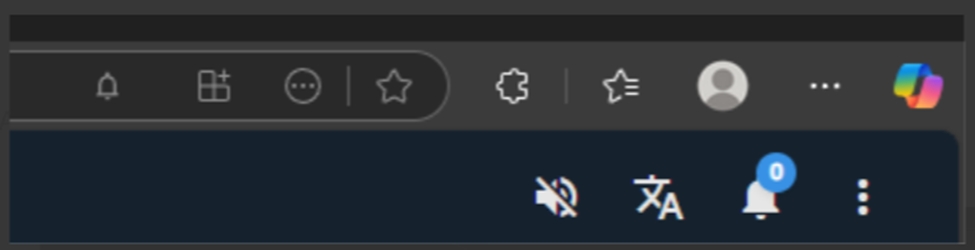
-
on clicking on the 2nd icon it prompts for installation.
Figure 2. Confirmation Message 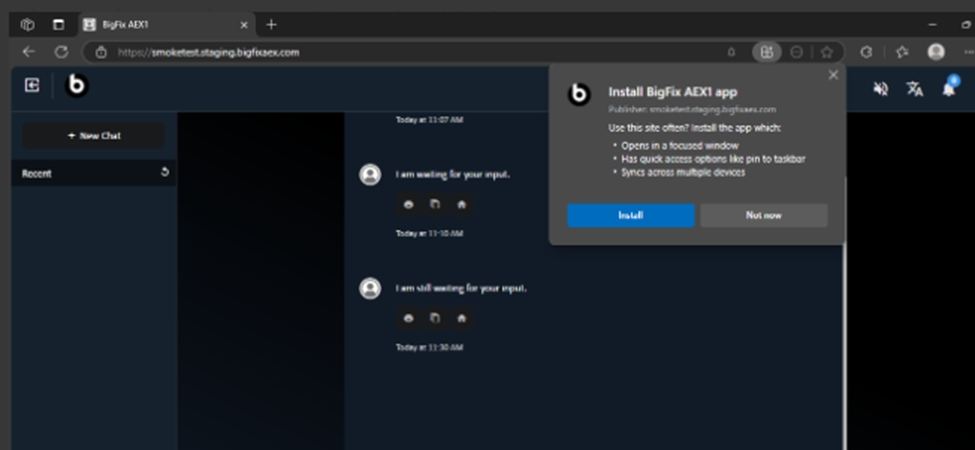
-
On clicking install, it prompts to check the options as shown in the figure
below:
Figure 3. Confirmation Message 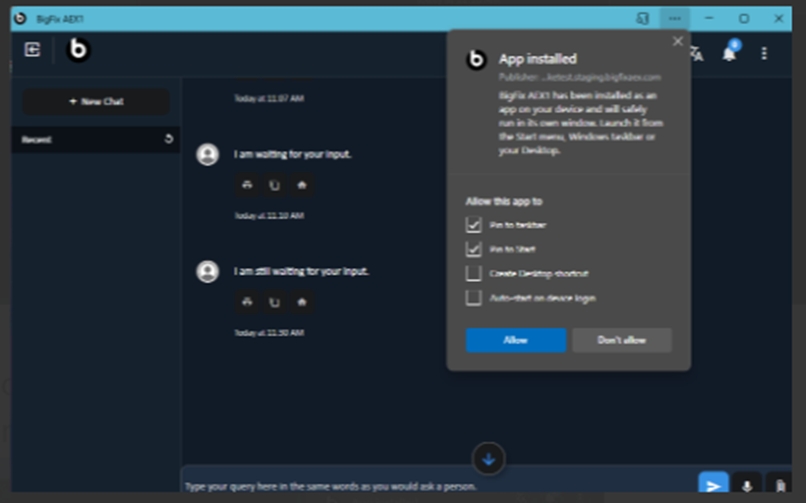
-
By clicking on Allow will get the following notification
Figure 4. Notification 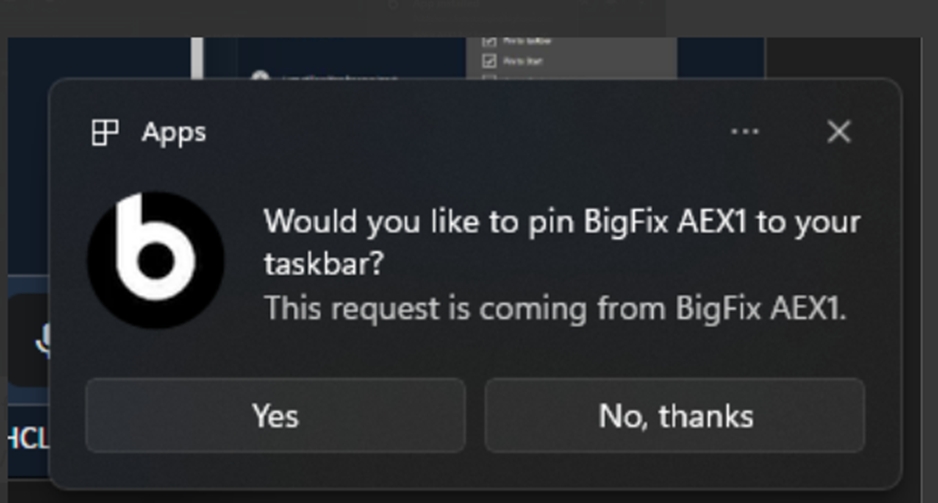
-
To install the app click on the three dots after opening the bot
Figure 5. Install App 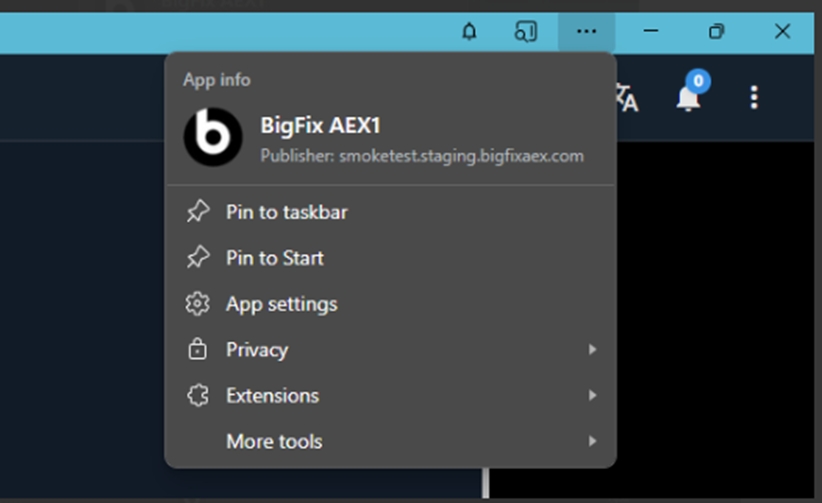
-
Select the app settings as shown in the following figure:
Figure 6. App Settings 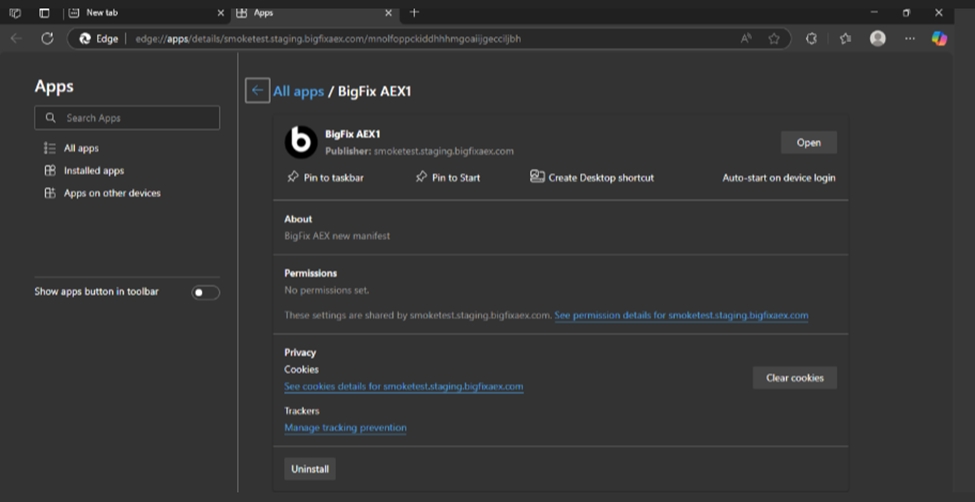
-
Click on uninstall it will prompt for uninstall pop-up on the screen.
Figure 7. Uninstall APP 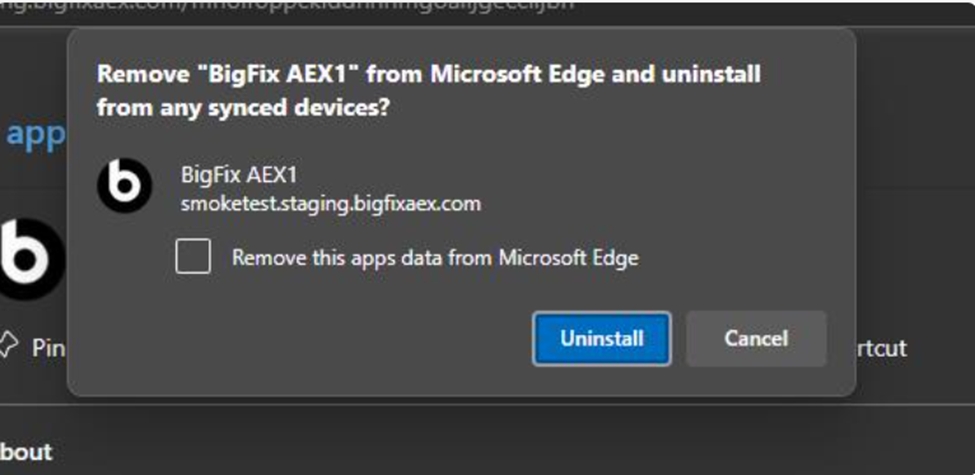
- Proceed to click on uninstall