Install PWA App on IOS
The following step describes to install of Progressive Web App (PWA) in iOS.
About this task
Procedure
- Access the web app(AEX) in the browser.
-
Click on more option from the browser.
Figure 1. Select Home Screen 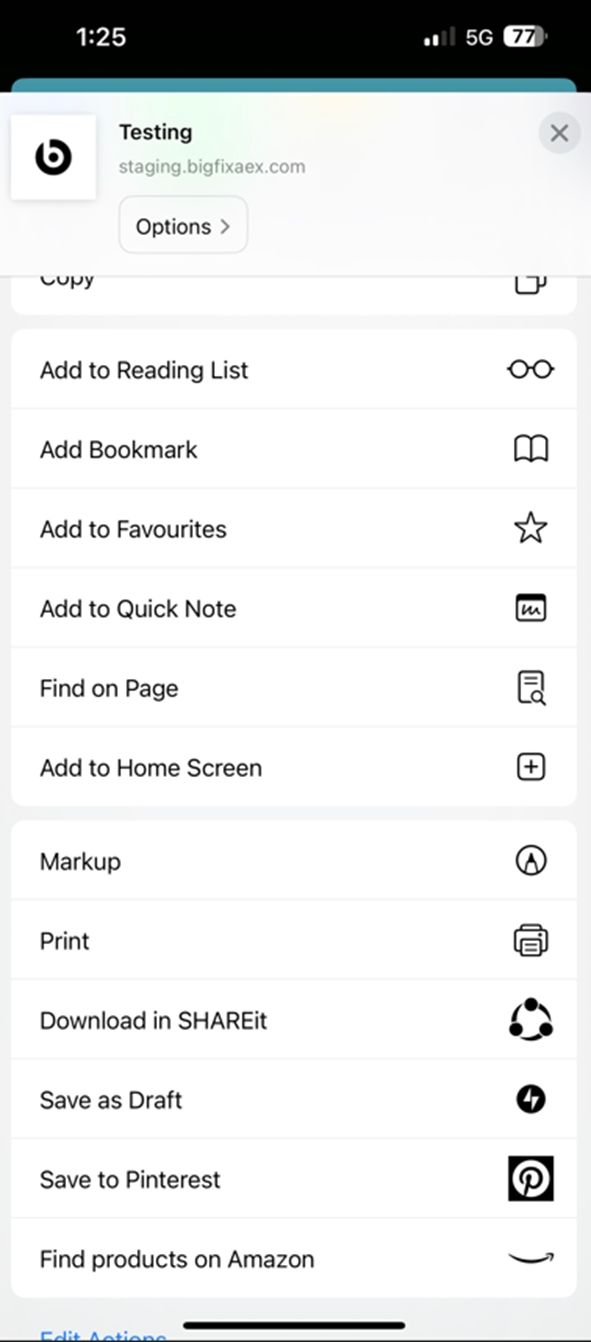
- Select Add to Home screen option.
-
Add name for the app option and click ADD.
Figure 2. Add to Home Screen 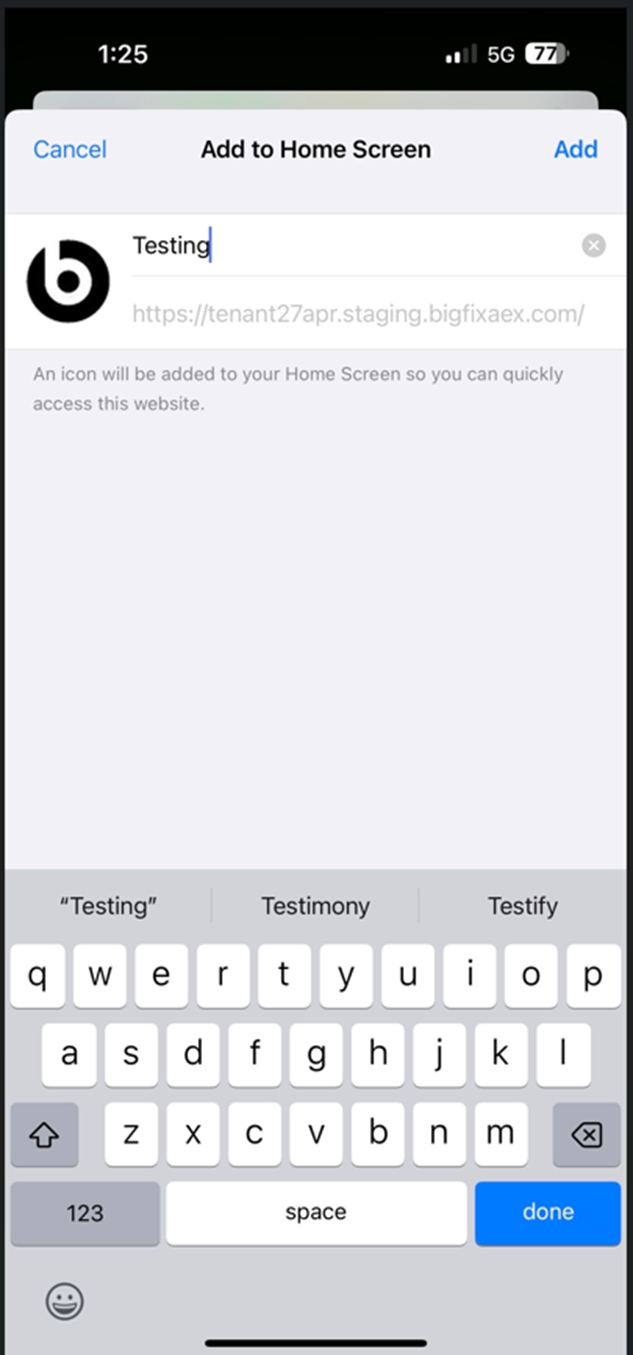
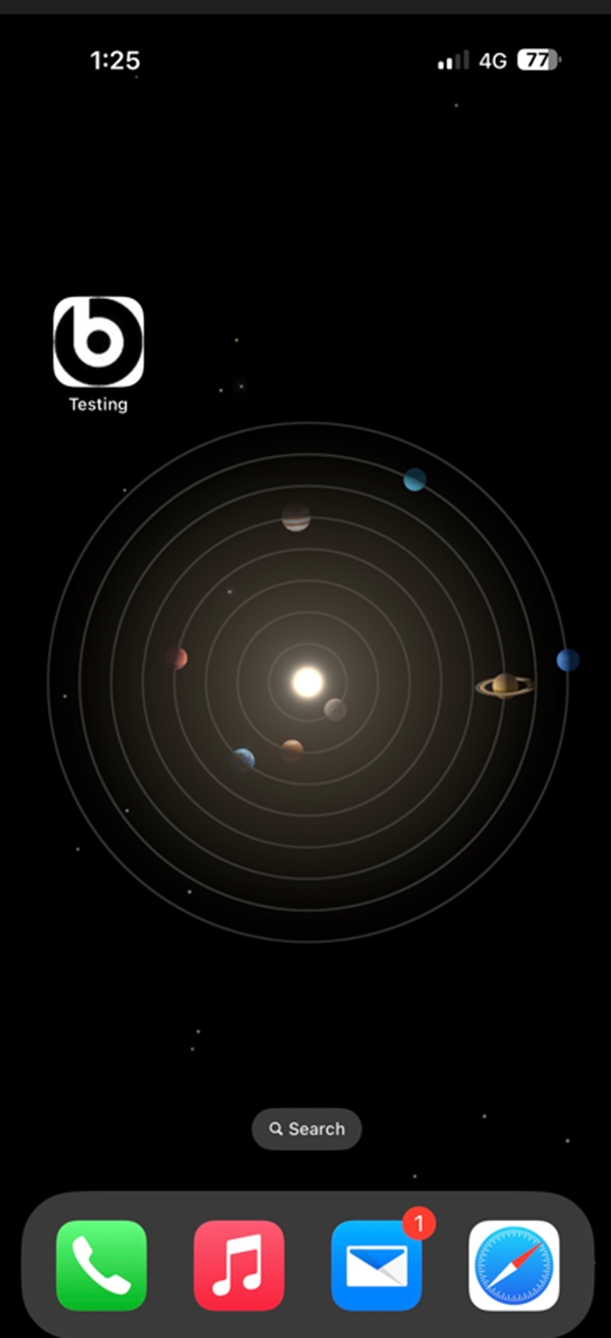
- App will be visible in the mobile
-
Click on App Icon to launch the app on IOS mobile device.
Figure 3. App Installed on Home Screen