Installing CDP ClickHouse
This section provides detailed instructions on how to install HCL CDP ClickHouse using the Devtron in the OpenShift.
Procedure
-
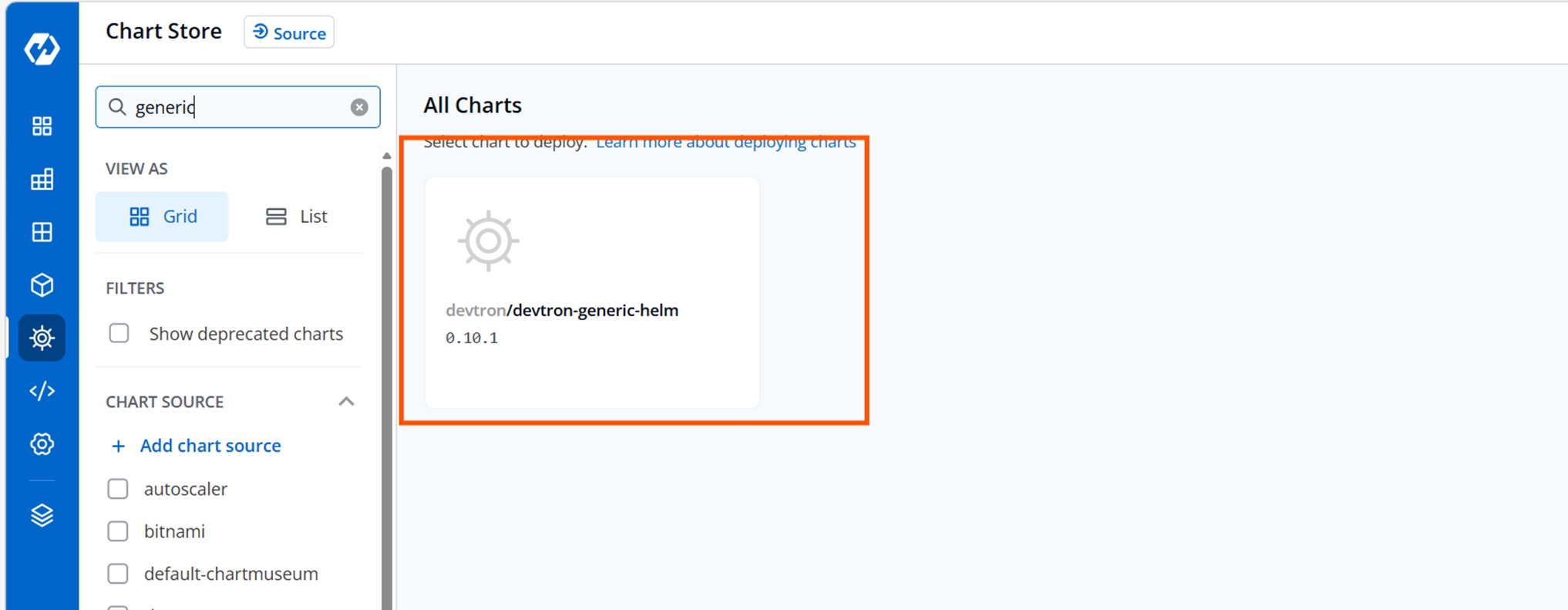
Navigate to the Devtron Chart Store, and select the devtron-generic-helm
chart to deploy.
-
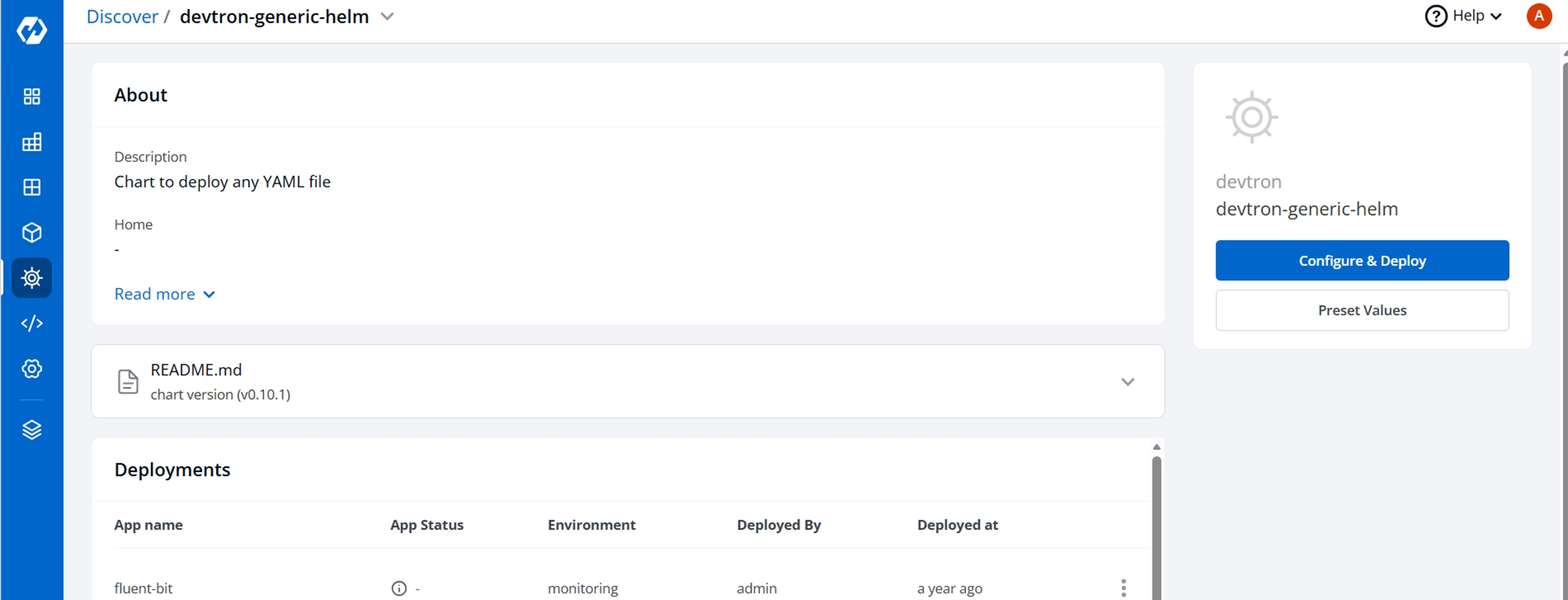
Now, click Configure and Deploy.
-
In the YAML section, update the ConfigMap using below details and deploy
the charts.
data:
  - apiVersion: v1
    kind: Secret
    metadata:
      name: clickhouse-secret
      namespace: cdp-dev-app
    type: Opaque
    stringData:
      password: "password"

  - apiVersion: v1
    kind: Service
    metadata:
      name: clickhouse-zookeeper
      namespace: cdp-dev-app
      labels:
        app: clickhouse-zookeeper
    spec:
      ports:
        - port: 2181
          name: client
      clusterIP: None
      selector:
        app: clickhouse-zookeeper

  - apiVersion: apps/v1
    kind: StatefulSet
    metadata:
      name: clickhouse-zookeeper
      namespace: cdp-dev-app
    spec:
      serviceName: clickhouse-zookeeper
      replicas: 3
      selector:
        matchLabels:
          app: clickhouse-zookeeper
      template:
        metadata:
          labels:
            app: clickhouse-zookeeper
        spec:
          containers:
            - name: zookeeper
              image: <zookeeper image>
              ports:
                - containerPort: 2181
                  name: client
              env:
                - name: ALLOW_ANONYMOUS_LOGIN
                  value: "yes"
              volumeMounts:
                - name: zookeeper-data
                  mountPath: /bitnami/zookeeper
      volumeClaimTemplates:
        - metadata:
            name: zookeeper-data
          spec:
            accessModes: [ "ReadWriteOnce" ]
            resources:
              requests:
                storage: 100Gi
            storageClassName: nfssc   # 🔹 change if you want different storage class

  - apiVersion: clickhouse.altinity.com/v1
    kind: ClickHouseInstallation
    metadata:
      name: clickhouse-cluster
      namespace: cdp-dev-app
    spec:
      defaults:
        replication:
          enabled: true   # 🔹 All MergeTree tables become ReplicatedMergeTree automatically
      configuration:
        zookeeper:
          nodes:
            - host: clickhouse-zookeeper-0.clickhouse-zookeeper.cdp-dev-app.svc.cluster.local
            - host: clickhouse-zookeeper-1.clickhouse-zookeeper.cdp-dev-app.svc.cluster.local
            - host: clickhouse-zookeeper-2.clickhouse-zookeeper.cdp-dev-app.svc.cluster.local
        users:
          default/password_secret: clickhouse-secret
          default/networks/ip:
            - "0.0.0.0/0"
        profiles:
          default:
            max_threads: 32
            max_insert_threads: 32
            max_final_threads: 32
            max_threads_for_indexes: 32
            max_download_threads: 32
            max_parsing_threads: 32
            aggregation_memory_efficient_merge_threads: 32
            cache_warmer_threads: 32
            max_alter_threads: 32
        clusters:
          - name: cluster1
            layout:
              shardsCount: 1
              replicasCount: 1
            templates:
              podTemplate: clickhouse-pod-template
      templates:
        podTemplates:
          - name: clickhouse-pod-template
            spec:
              containers:
                - name: clickhouse
                  image: <clickhouse image>
                  ports:
                    - name: http
                      containerPort: 8123
                    - name: native
                      containerPort: 9000
                  volumeMounts:
                    - name: clickhouse-storage
                      mountPath: /var/lib/clickhouse

        volumeClaimTemplates:
          - name: clickhouse-storage
            spec:
              accessModes: [ "ReadWriteOnce" ]
              resources:
                requests:
                  storage: 100Gi
              storageClassName: nfssc

  - apiVersion: v1
    kind: Service
    metadata:
      name: click-house-service
      namespace: cdp-dev-app
    spec:
      selector:
        clickhouse.altinity.com/chi: clickhouse-cluster
      ports:
        - name: http
          port: 8123
          targetPort: 8123
        - name: native
          port: 9000
          targetPort: 9000
      type: ClusterIP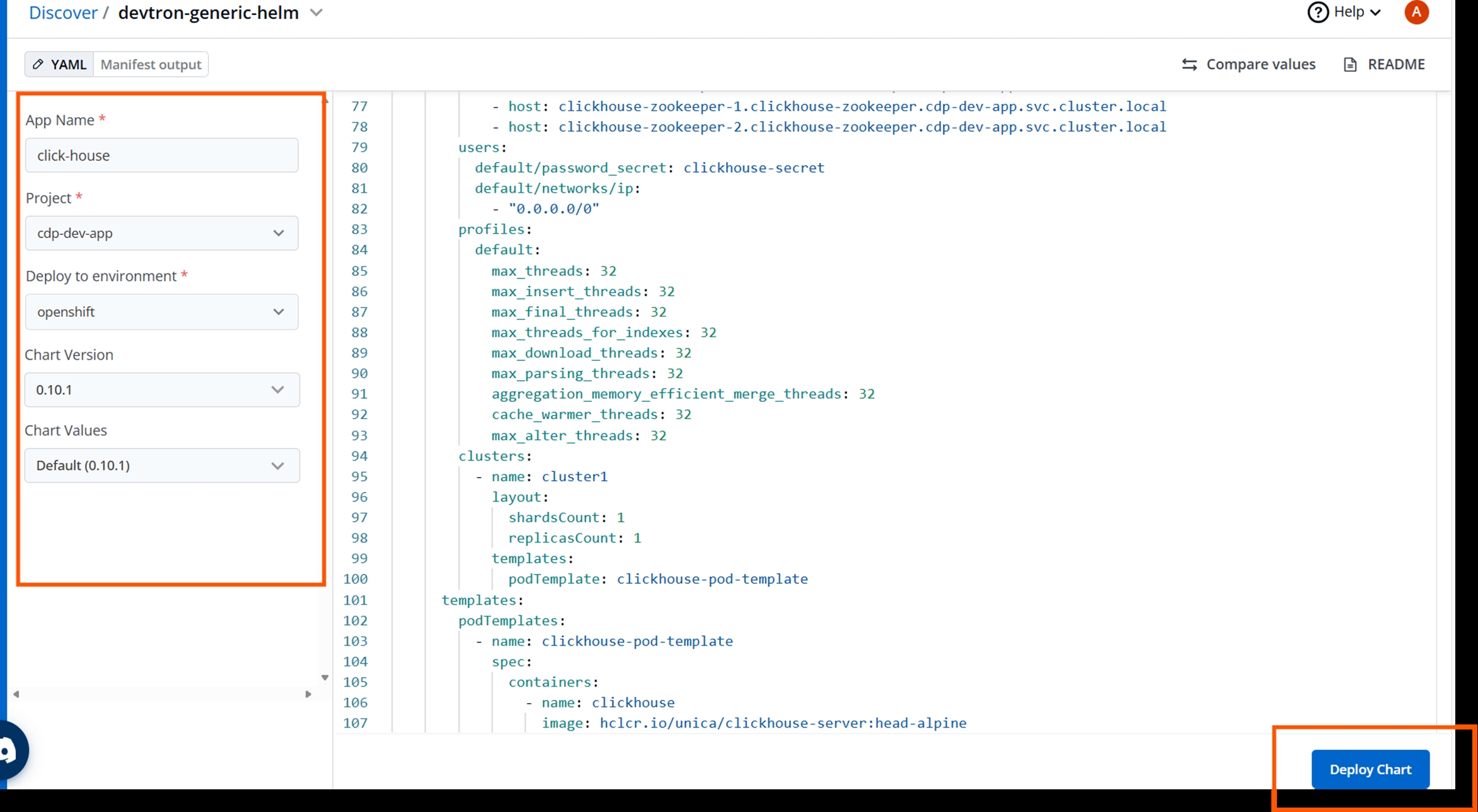
- On successful deployment, validate the deployment and add ingress to the clickhouse service and access UI.