Installing AMQ Broker
This section provides a step-by-step guide to installing AMQ Broker.
About this task
AMQ Broker is a high-performance messaging implementation based on ActiveMQ Artemis. It uses an asynchronous journal for fast message persistence, and supports multiple languages, protocols, and platforms.
Procedure
-
Install AMQ broker.
-
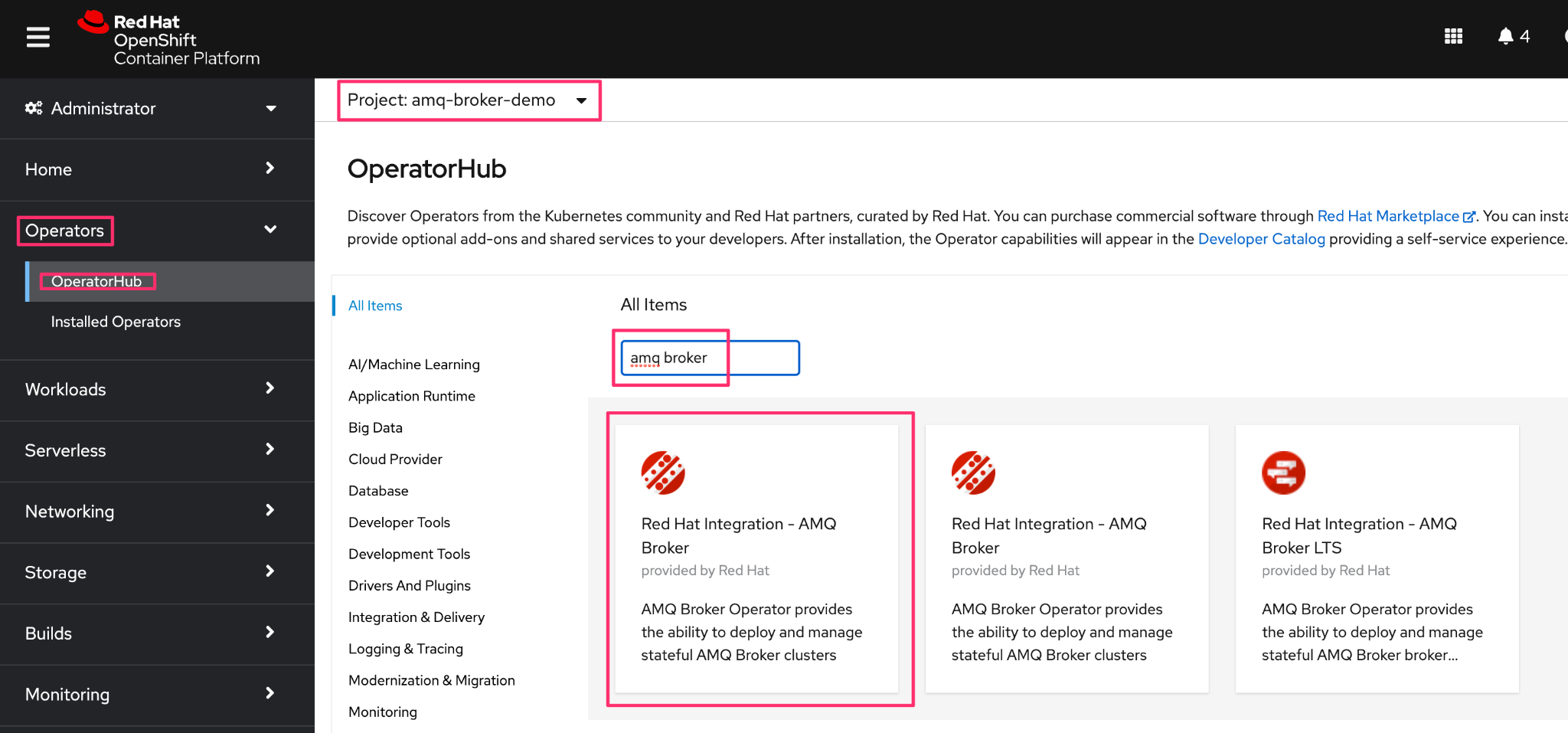
First, install the AMQ Operator from the Operator Hub. In the OpenShift
Container platform, click Operators > OperatorHub, and select the
project.
-
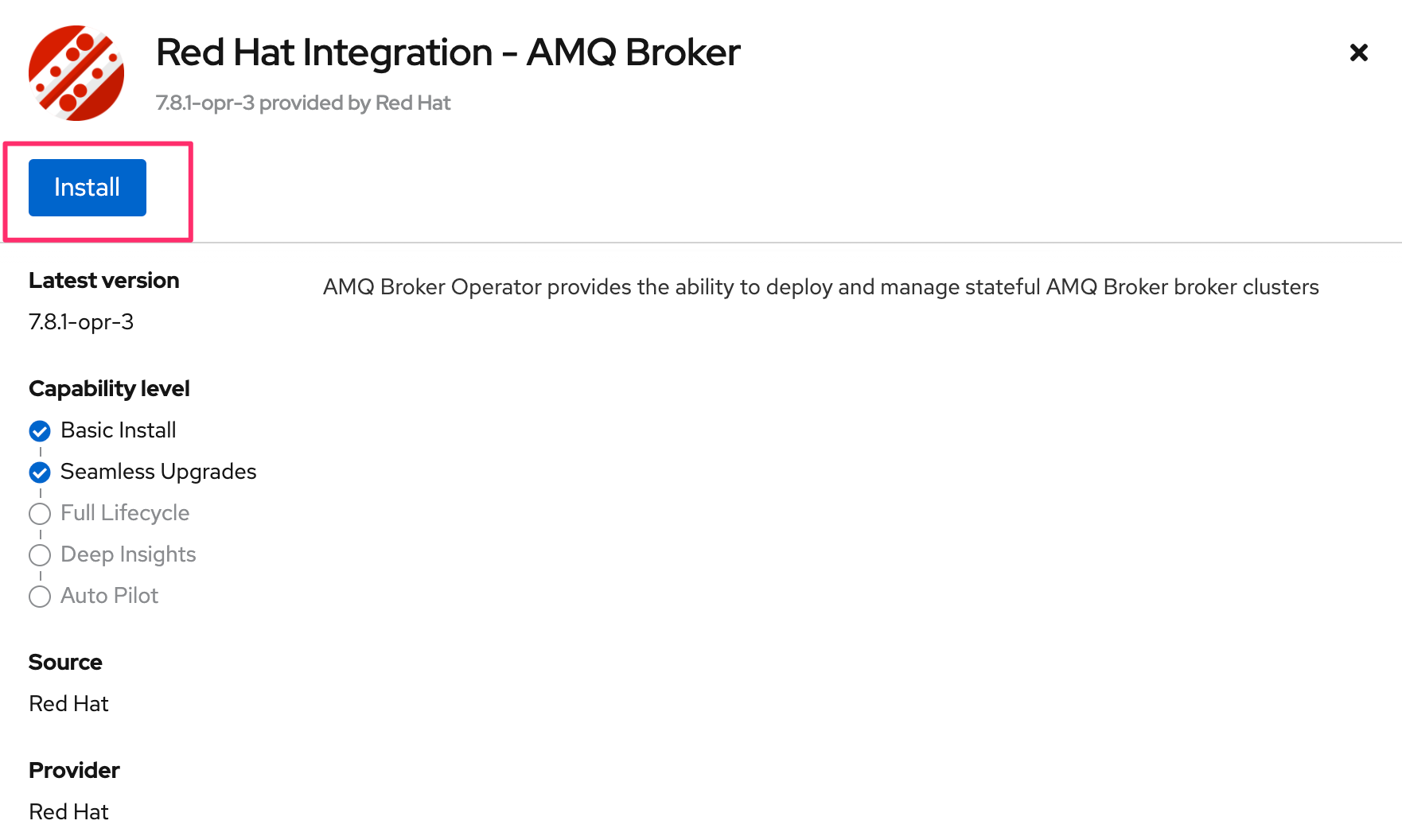
In the OperatorHub, search for AMQ Broker, and in the Red Hat
Integration - AMQ Broker, click Install.
-
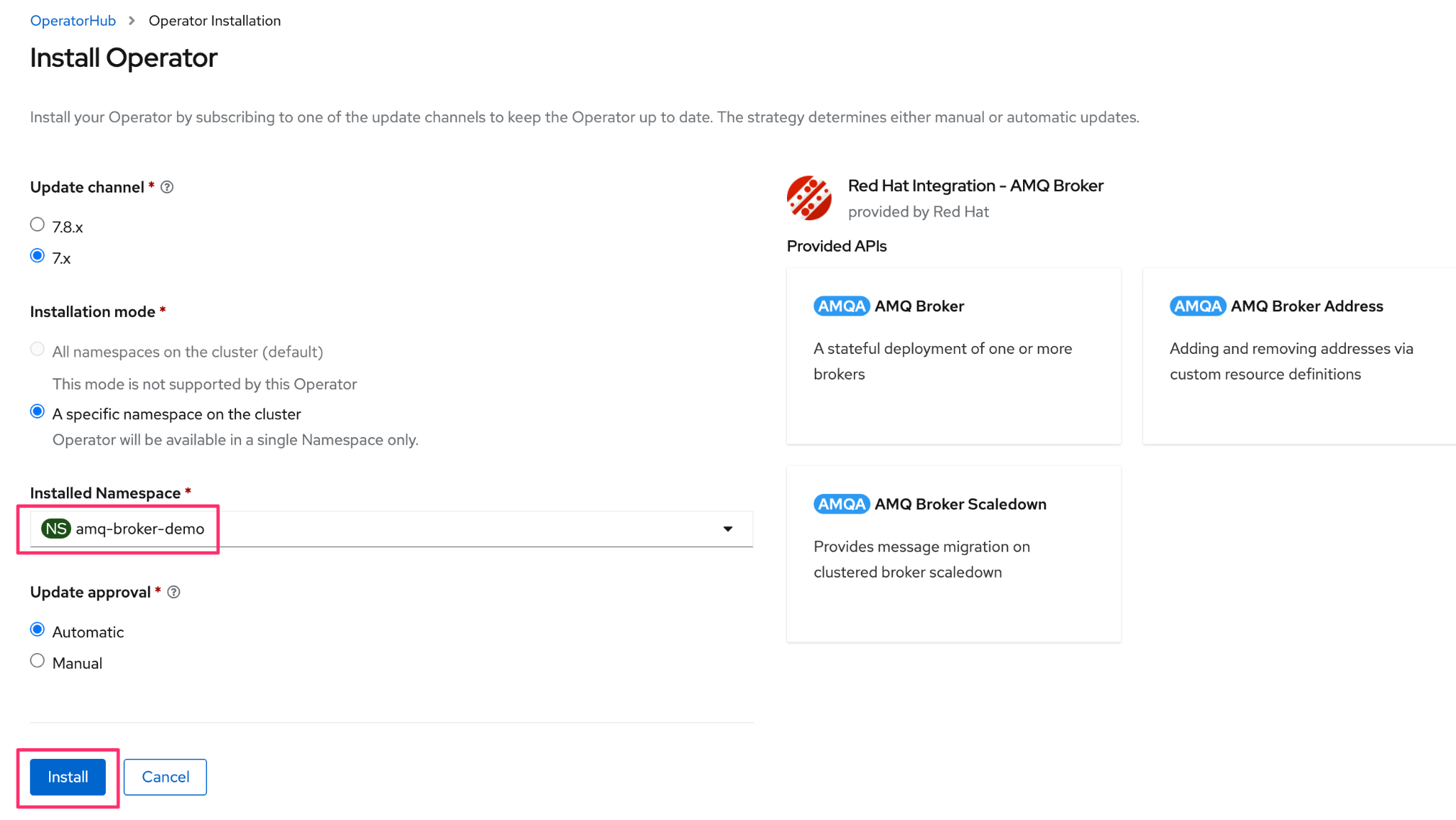
Select corresponding options like channel, installation mode and
approvals, and click Install.
-
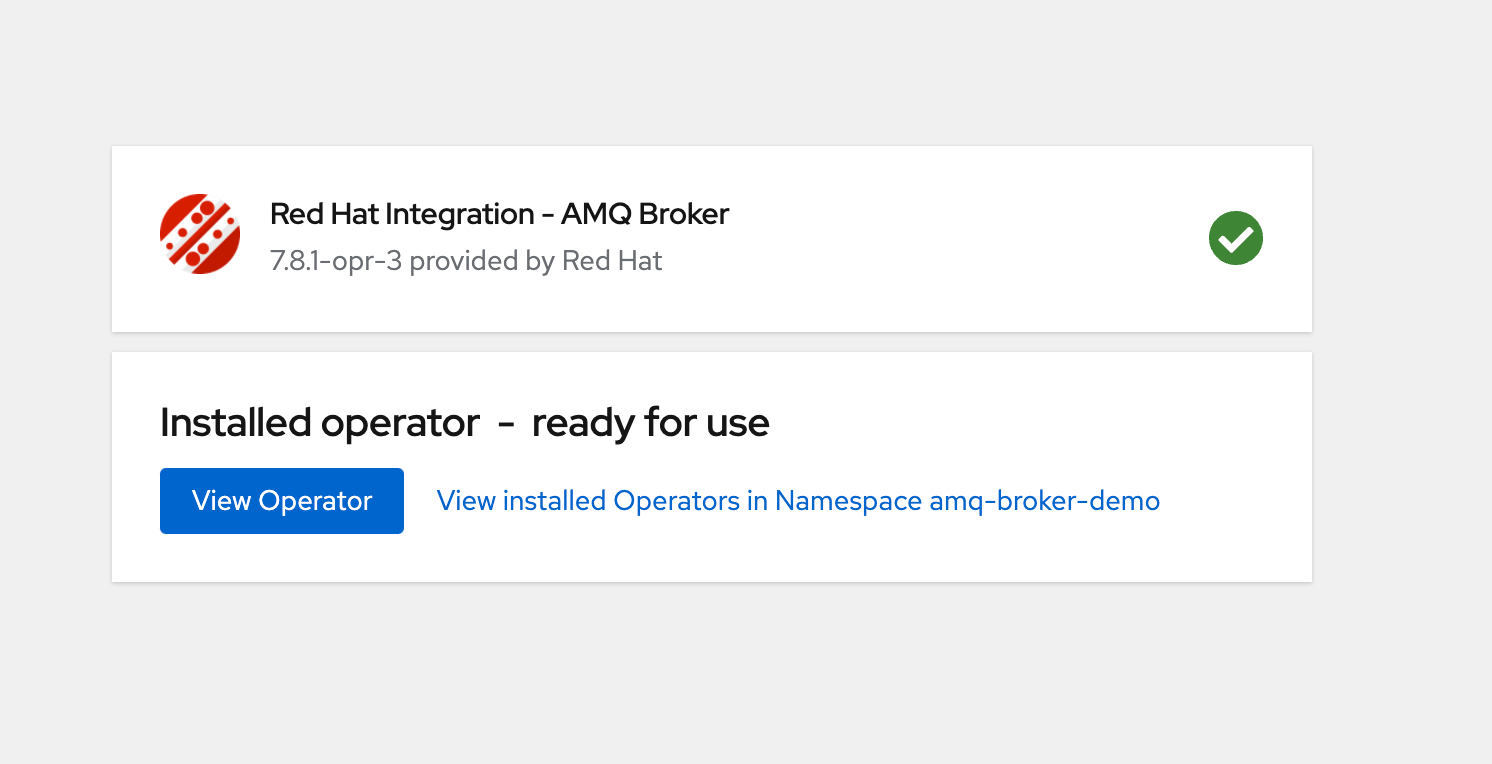
On successful installation, you can view the below page.
-
You can view the installed application as shown below.

-
First, install the AMQ Operator from the Operator Hub. In the OpenShift
Container platform, click Operators > OperatorHub, and select the
project.
-
Create the ActiveMQ Artemis instance, using the OpenShift Container Platform web
console.
-
Create the ActiveMQArtemisAddress (if required).
-
Configure the ActiveMQ Service (Node Port). Create another service for node
port, and in the YAML editor, configure the service as shown below.
kind: Service
apiVersion: v1
metadata:
 name: amq-broker-svc
 namespace: vault-server
 uid: 6e4a975d-3cd0-41a0-9f82-28d5275e76d6
 resourceVersion: '48454106'
 creationTimestamp: '2024-07-02T12:47:04Z'
 labels:
   ActiveMQArtemis: amq-broker
   application: amq-broker-app
 managedFields:
   - manager: Mozilla
     operation: Update
     apiVersion: v1
     time: '2024-07-02T12:54:04Z'
     fieldsType: FieldsV1
     fieldsV1:
       'f:metadata':
         'f:labels':
           .: {}
           'f:ActiveMQArtemis': {}
           'f:application': {}
       'f:spec':
         'f:allocateLoadBalancerNodePorts': {}
         'f:externalTrafficPolicy': {}
         'f:internalTrafficPolicy': {}
         'f:ports':
           .: {}
           'k:{"port":61616,"protocol":"TCP"}':
             .: {}
             'f:port': {}
             'f:protocol': {}
             'f:targetPort': {}
         'f:selector': {}
         'f:sessionAffinity': {}
         'f:type': {}
spec:
 clusterIP: 172.30.41.165
 externalTrafficPolicy: Cluster
 ipFamilies:
   - IPv4
 ports:
   - protocol: TCP
     port: 61616
     targetPort: 61616
     nodePort: 31635
 internalTrafficPolicy: Cluster
 clusterIPs:
   - 172.30.41.165
 type: NodePort
 ipFamilyPolicy: SingleStack
 sessionAffinity: None
 selector:
   ActiveMQArtemis: amq-broker
   application: amq-broker-app
status:
 loadBalancer: {}
Now, using the assigned port number (31635 - in this case), you can access the AMQ Artemis Service from outside the cluster.
Example:
$./artemis queue stat --url tcp://10.14.108.233:31635
Connection brokerURL = tcp://10.14.108.233:31635
|NAME                     |ADDRESS                  |CONSUMER_COUNT |MESSAGE_COUNT |MESSAGES_ADDED |DELIVERING_COUNT |MESSAGES_ACKED |SCHEDULED_COUNT |ROUTING_TYPE |
|DLQ                      |DLQ                      |0              |0             |0              |0                |0              |0               |ANYCAST      |
|ExpiryQueue              |ExpiryQueue              |0              |0             |0              |0                |0              |0               |ANYCAST      |
|TEST                     |TEST                     |0              |51            |301            |0                |250            |0               |ANYCAST      |
|activemq.management.3dcbfac0-42f6-4772-bfe6-12550f24f042|activemq.management.3dcbfac0-42f6-4772-bfe6-12550f24f042|1              |0             |0              |0                |0              |0               |MULTICAST    |
|myQueue0                 |myAddress0               |0              |0             |0              |0                |0              |0               |ANYCAST      |
$