Deploying CDP DMP SST API
This section provides detailed instructions on how to deploy HCL CDP DMP SST API using the Devtron in the OpenShift.
Prerequisites:
Make sure to create a cdp-dmp-sst-api secret with required data in the HashiCorp Vault before deploying CDP DMP SST API.
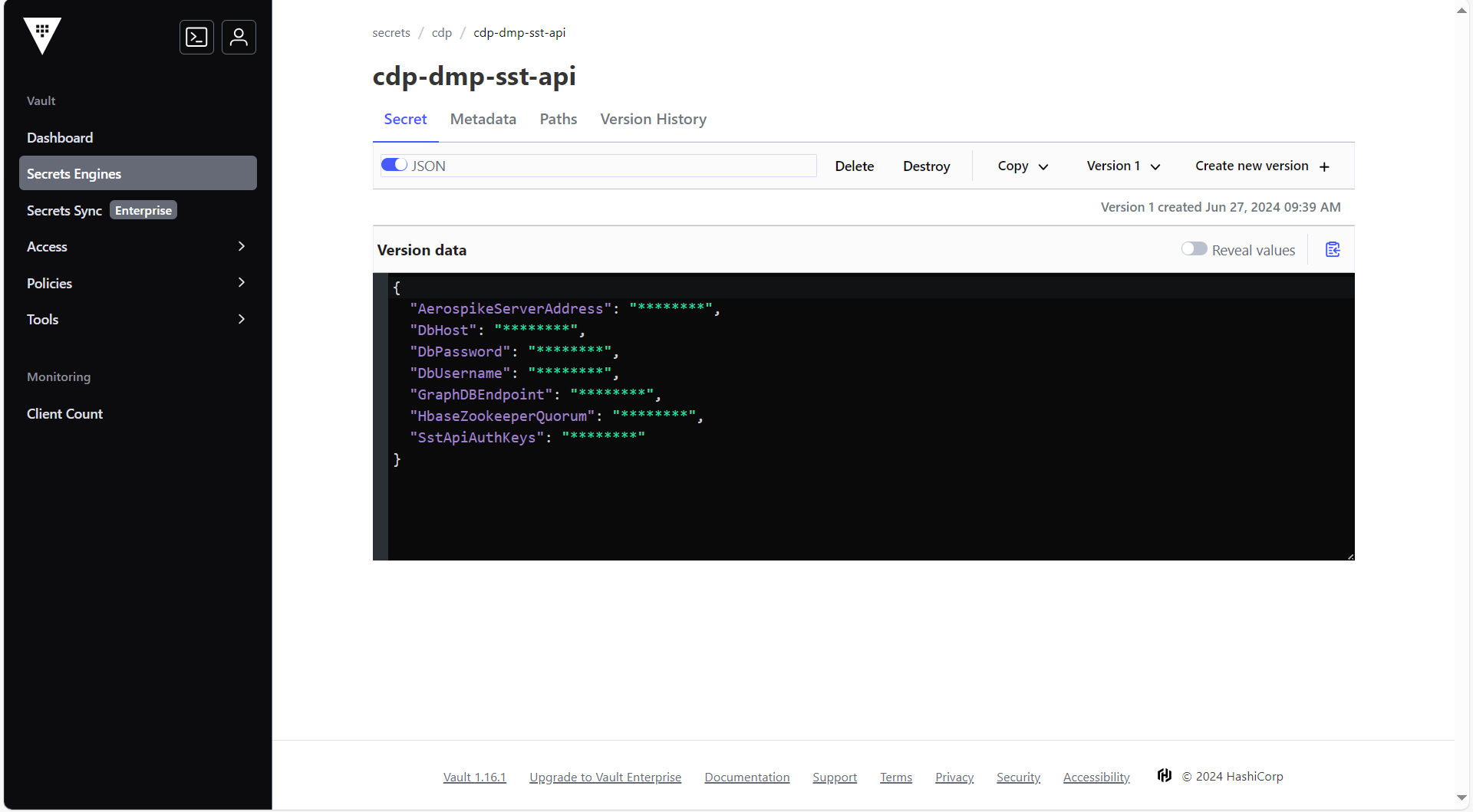
To create the cdp-dmp-sst-api secret in the HashiCorp Vault, follow the steps below:
- Create a cdp-dmp-sst-api secret sample key and value in the UI secret, and
update ConfigMaps data with actual
values.
{
  "AerospikePassword": "<AEROSPIKE_PASSWORD>",
  "AerospikeServerAddress": "<AEROSPIKE_SERVER_ADDRESS>",
  "AerospikeUsername": "<AEROSPIKE_USERNAME>",
  "DbHost": "<DB_HOST>",
  "DbPassword": "<DB_PASSWORD>",
  "DbUsername": "<DB_USERNAME>",
  "GraphDBEndpoint": "<GRAPH_DB_ENDPOINT>",
  "HbaseZookeeperQuorum": "<HBASE_ZOOKEEPER_QUORUM>",
  "SstApiAuthKeys": "<SST_API_AUTH_KEYS>",
  "VrmDbDriver": "<VRM_DB_DRIVER>",
  "VrmDbPassword": "<VRM_DB_PASSWORD>",
  "VrmDbUrl": "<VRM_DB_URL>",
  "VrmDbUsername": "<VRM_DB_USERNAME>"
}
Deploying CDP DMP SST API
To deploy the CDP DMP SST API, follow the steps below:
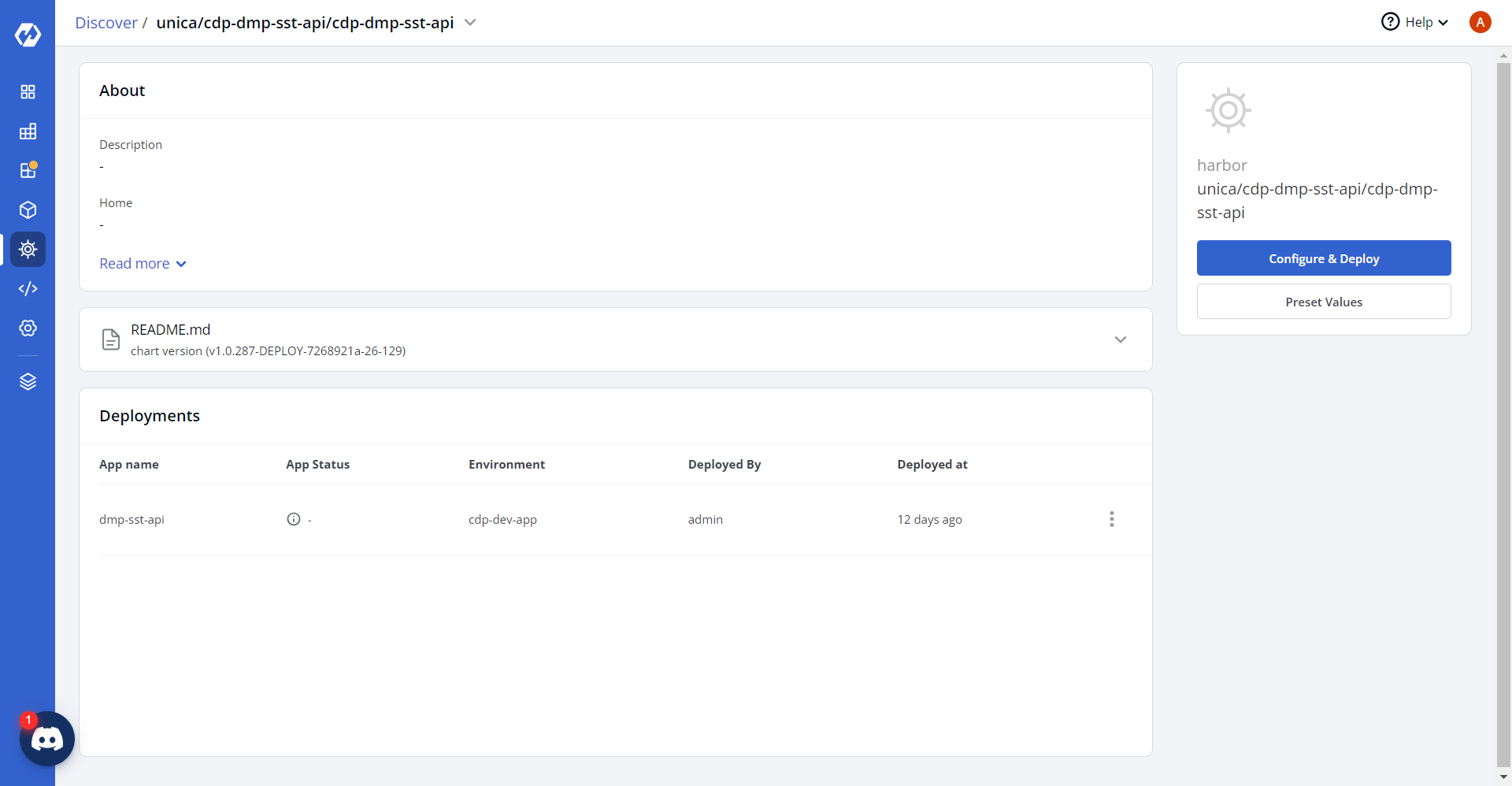
- Navigate to the Devtron Chart Store, and select the cdp-dmp-sst-api chart
to deploy.
.png)
- Now, configure and deploy the CDP DMP SST API charts.
- In the YAML section, update the ConfigMap using below details, and deploy
the
charts.
AerospikeServerPort: "<AEROSPIKE_SERVER_PORT>"
AerospikeTimeOut: "<AEROSPIKE_TIMEOUT_MS>"
AerospikeTTL: "<AEROSPIKE_TTL_SECONDS>"
AerospikeNamespace: <AEROSPIKE_NAMESPACE>
AerospikeLocksSet: <AEROSPIKE_LOCKS_SET>
AerospikeLocksBin: <AEROSPIKE_LOCKS_BIN>
AerospikeLocksTTL: "<AEROSPIKE_LOCKS_TTL_SECONDS>"

MaxLockRetries: "<MAX_LOCK_RETRIES>"
LockRetryBackoffMs: "<LOCK_RETRY_BACKOFF_MS>"

UserAuthKeysFile: <USER_AUTH_KEYS_FILE_PATH>

MetricLoggingFrequencyMs: "<METRIC_LOGGING_FREQUENCY_MS>"
MaxWaitForConnectionReestablish: "<MAX_WAIT_FOR_RECONNECTION>"

TsdbHost: <TSDB_HOST>
TsdbPort: "<TSDB_PORT>"
TSDBHostName: <TSDB_HOSTNAME>

GmondCollectors: <GMOND_COLLECTORS_HOST>
GmondPort: "<GMOND_PORT>"

HostNameOverride: <HOSTNAME_OVERRIDE>
MetricPrefix: <METRIC_PREFIX>

REFRESH_FREQUENCY: "<REFRESH_FREQUENCY>"
CAMPAIGN_DEFAULT_TTL: "<CAMPAIGN_DEFAULT_TTL>"
LAZY_LOAD_ENABLED: "<BOOLEAN>"

DbPort: "<DB_PORT>"
DbDriver: <DB_DRIVER_CLASS>

HbaseZookeeperClientPort: "<HBASE_ZOOKEEPER_CLIENT_PORT>"
HBaseDBEnable: "<BOOLEAN>"

CookieCacheThreshold: "<COOKIE_CACHE_THRESHOLD>"

EncryptionEnabled: "<BOOLEAN>"

GraphDBEndpoint: <GRAPH_DB_ENDPOINT>
GraphDBPort: "<GRAPH_DB_PORT>"
GraphDBEnable: "<BOOLEAN>"

type: <DEPLOYMENT_TYPE>
region: <DEPLOYMENT_REGION>

KMS_IMPLEMENTATION: <KMS_IMPLEMENTATION_TYPE>
KMS_HASHICORPVAULT_ENDPOINT: "<KMS_ENDPOINT>"
KMS_HASHICORPVAULT_ENDPOINT_TOKEN: "<KMS_ENDPOINT_TOKEN>"

fromEmailId: "<FROM_EMAIL_ID>"
toEmailId: "<TO_EMAIL_ID>"

databasePlatform: <HIBERNATE_DIALECT>
physicalStrategy: <HIBERNATE_NAMING_STRATEGY>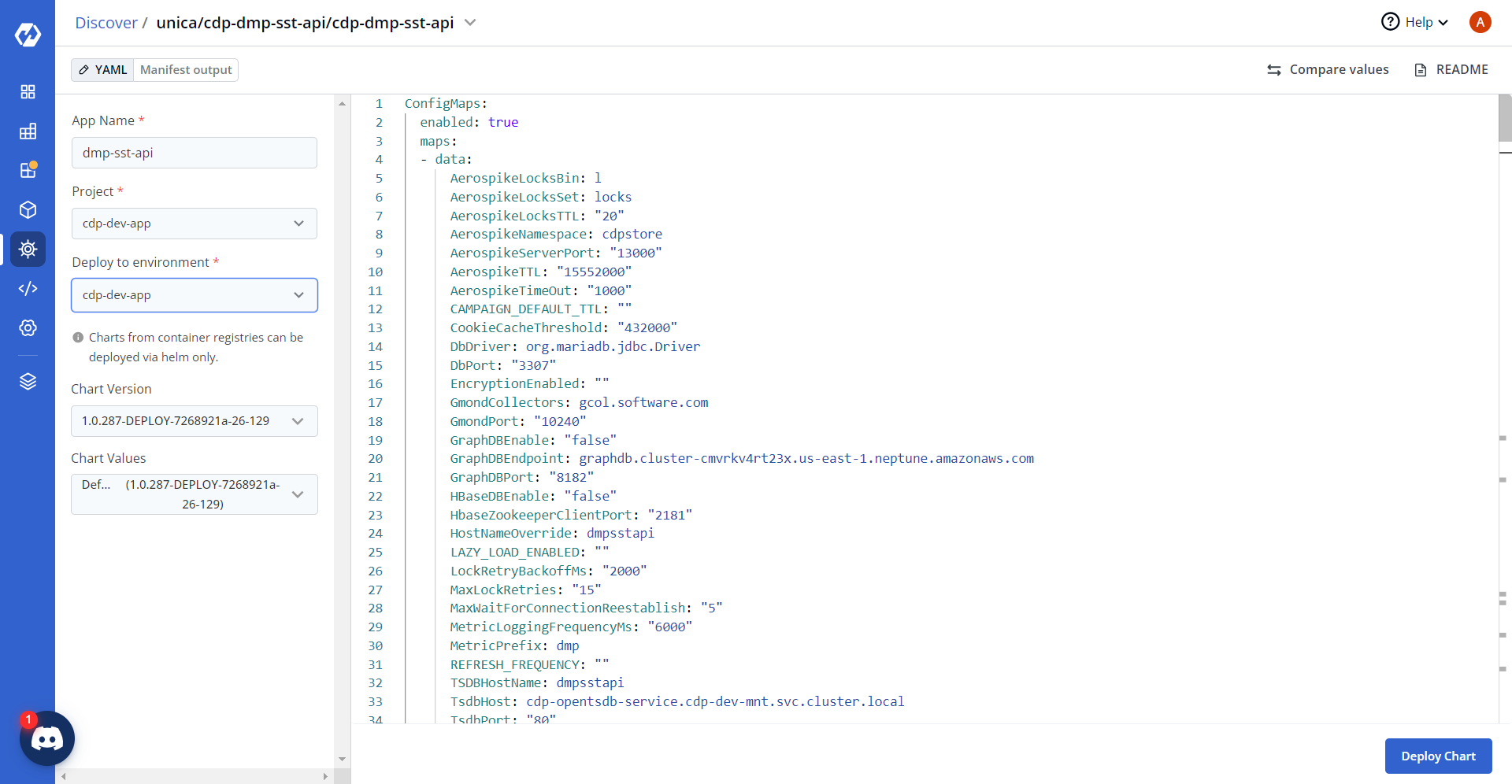
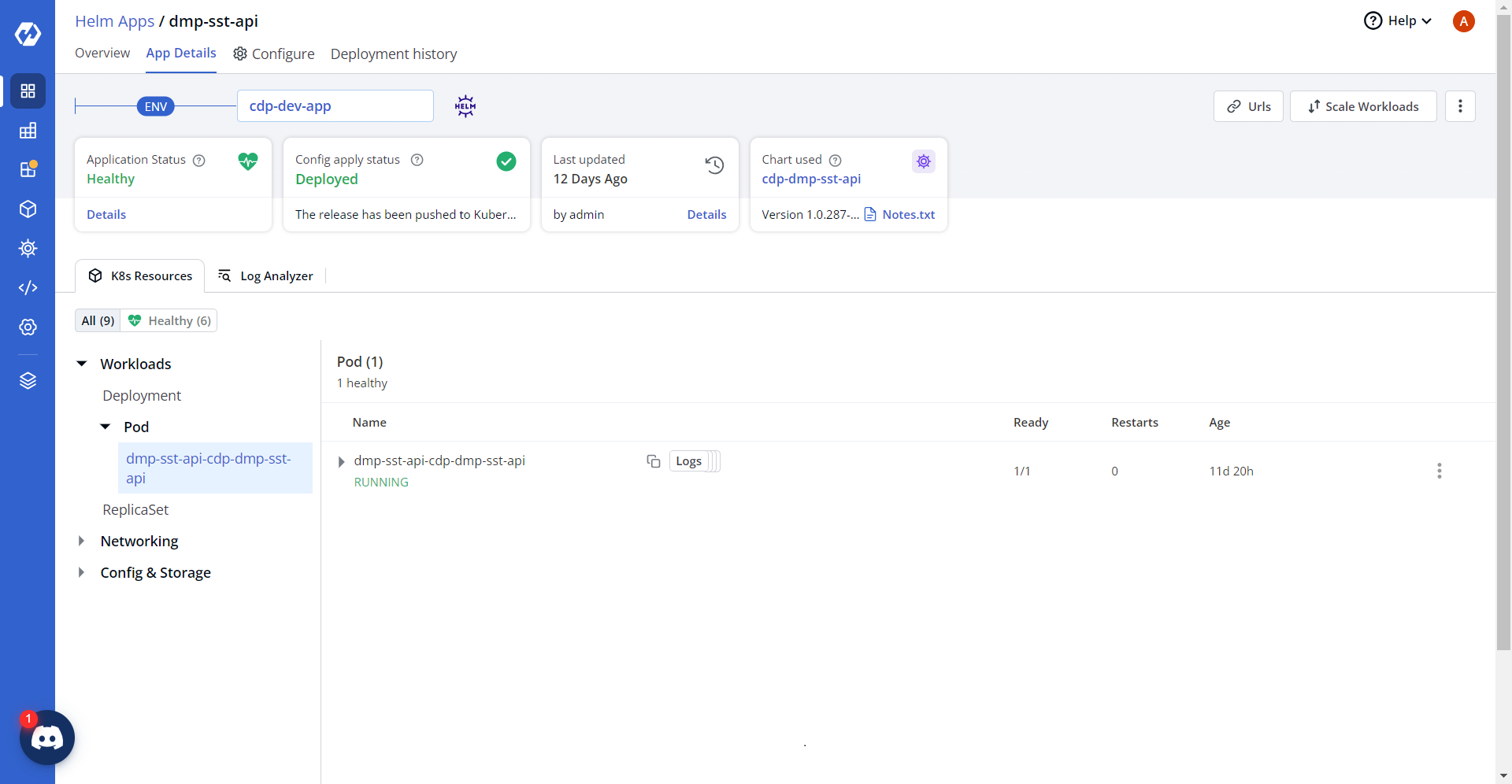
- On successful deployment, validate the deployment as shown below.