
Installing MWAA
Amazon Managed Workflows for Apache Airflow (MWAA) provides Airflow orchestration for CDP jobs. The environment is configured with custom DAGs and logging enabled.
MWAA is used for orchestrating DAG-based workflows in HCL CDP. To create MWAA environment, follow the steps below:
- Open the Amazon MWAA console. Use the AWS Region selector to select your region.
- Choose Create environment. On the Specify details page, under
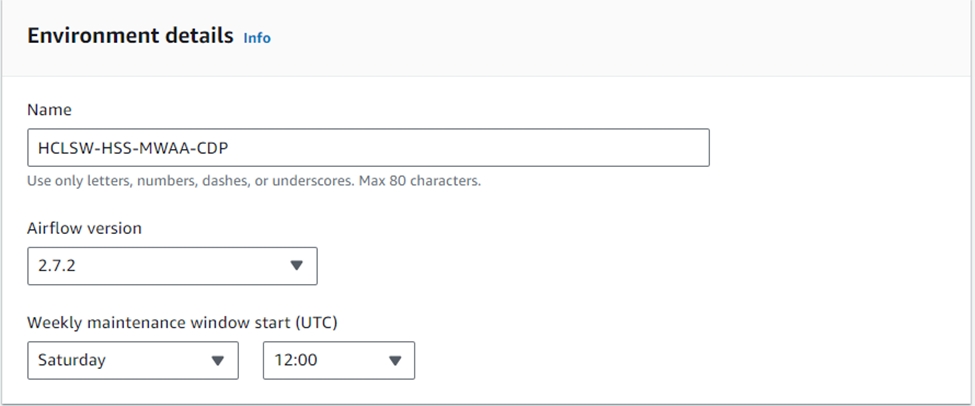
Environment details:
- Type a unique name for your environment in Name.
- Choose the Apache Airflow version in Airflow version.
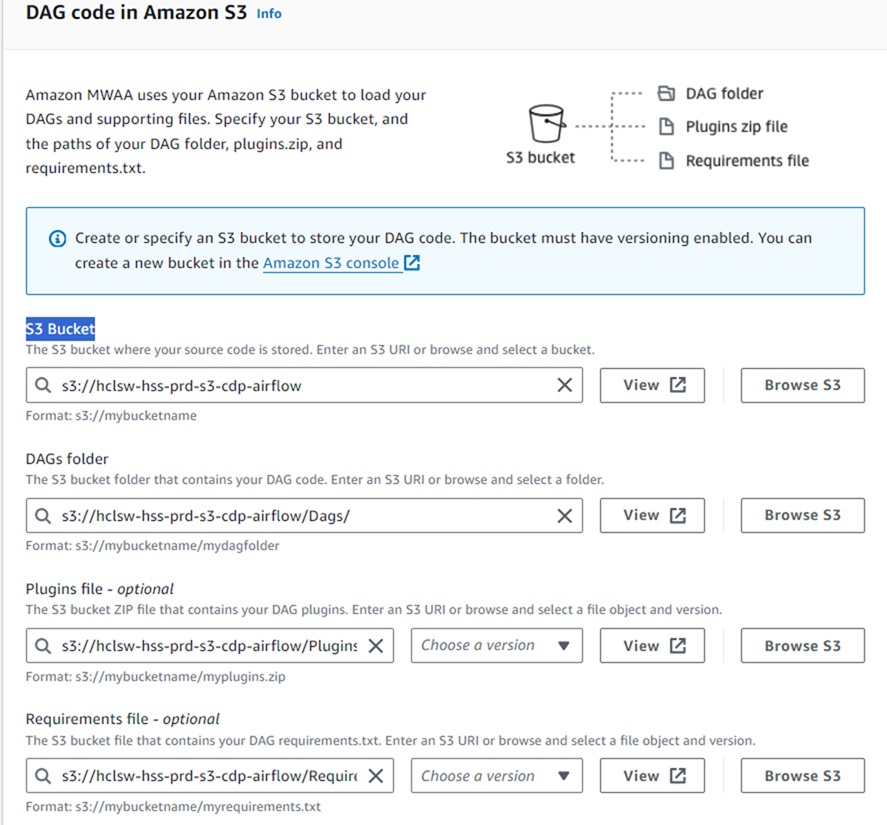
- In the DAG code in S3 section, update the S3 Bucket location, DAGs, logs, and
plugins.
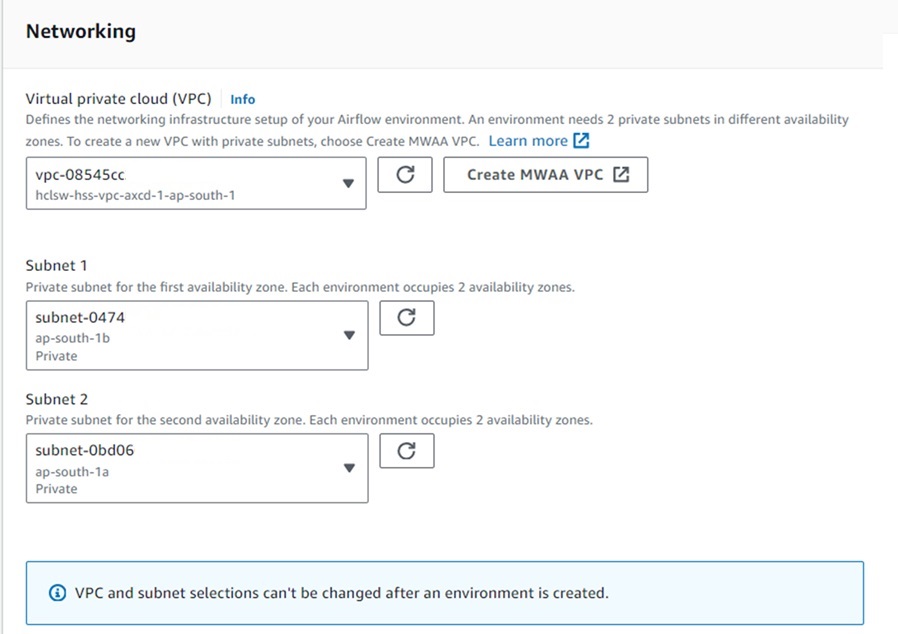
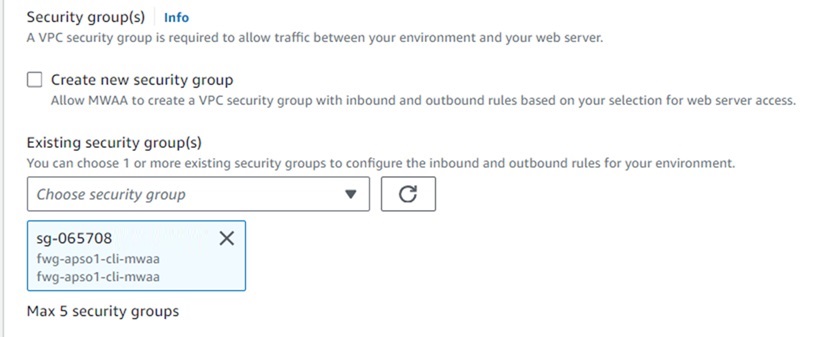
- In the Networking section, select appropriate VPC, private subnets, and security groups.
- In the Endpoint management, choose Service managed endpoints. This option is
recommended.
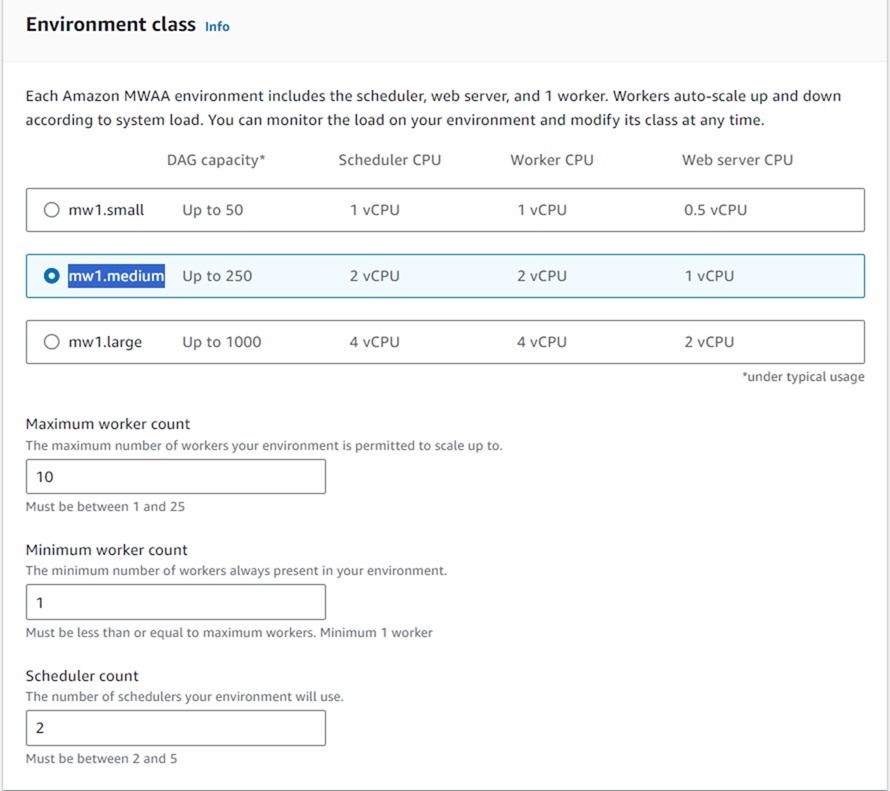
- In the Environment class section, choose mw1.medium like shown below.
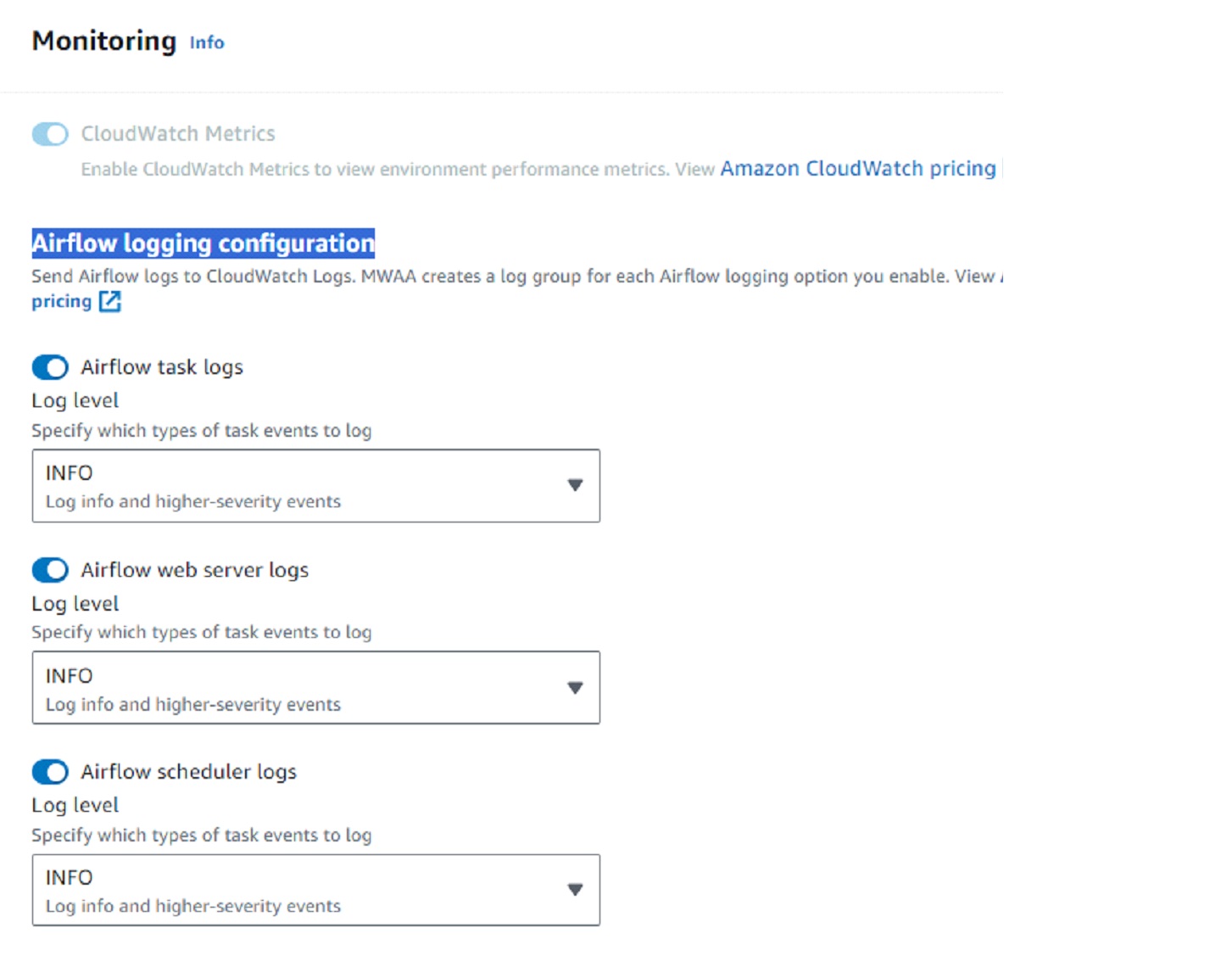
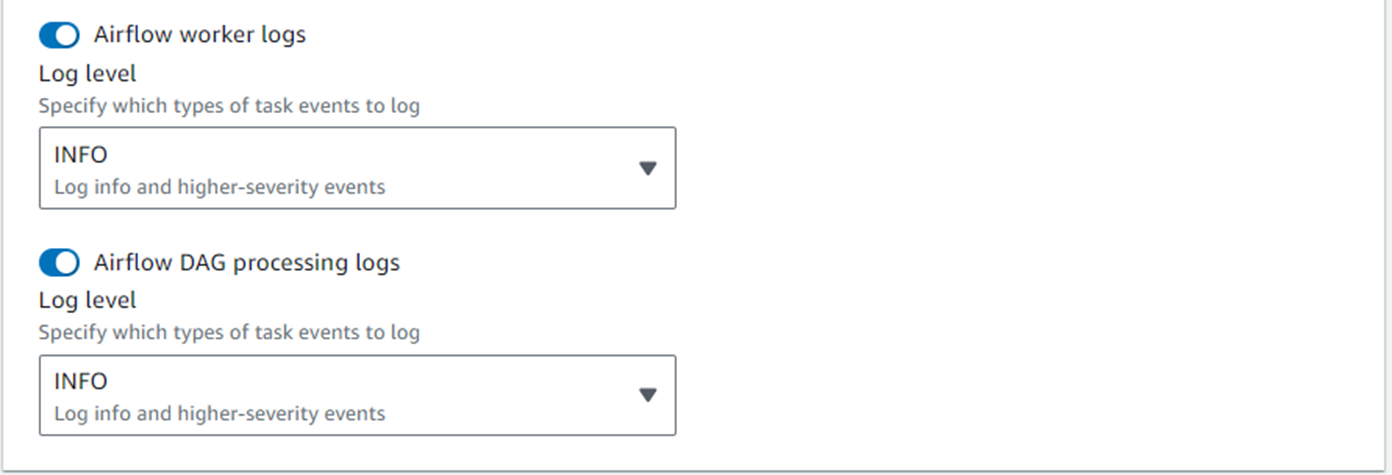
- In the Monitoring section, enable all the task, worker, scheduler, and web server logs.
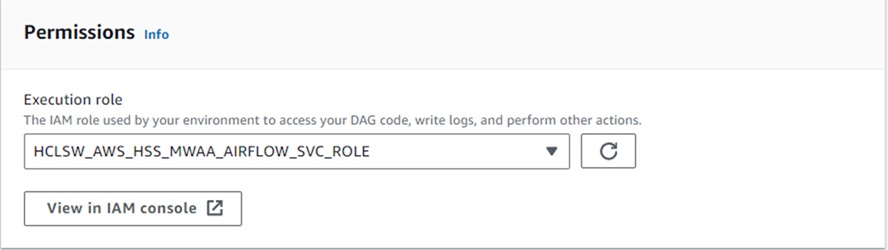
- In the Permissions section, choose Execution Role as shown below and attach IAM role
with S3, MWAA, CloudWatch, and KMS permissions.
- Review and click Create environment.