
Configuring AWS KMS
AWS Key Management Service (KMS) is used to create and manage encryption keys. These are used with Secrets Manager and other encrypted services.
AWS KMS is used to manage encryption keys for secure storage and communication within CDP. To configure KMS, follow the steps below:
- In the AWS KMS console, to change the AWS Region, use the Region selector in the upper-right corner of the page.
- In the navigation pane, choose Customer managed keys.
- Choose Create key. To create a symmetric encryption KMS key, for Key type choose Symmetric.
- In Key usage, the Encrypt and decrypt option is selected for you.
- Choose Next, and enter alias name and description for the key.
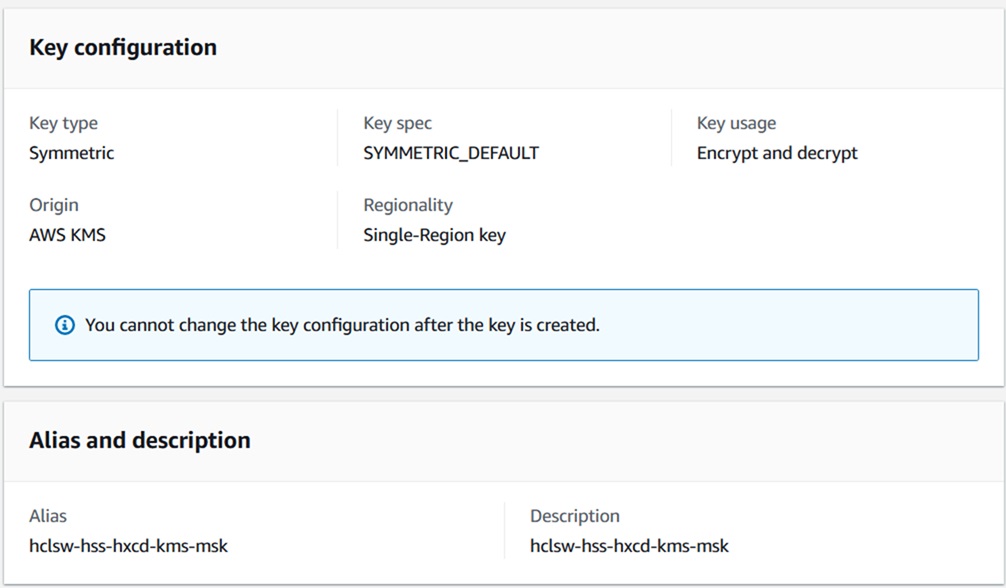
- Choose Next, and select the IAM users and roles that can administer the KMS key.\
- Choose Next, and review the key policy statements for the key. To make changes to
the key policy, select Edit.
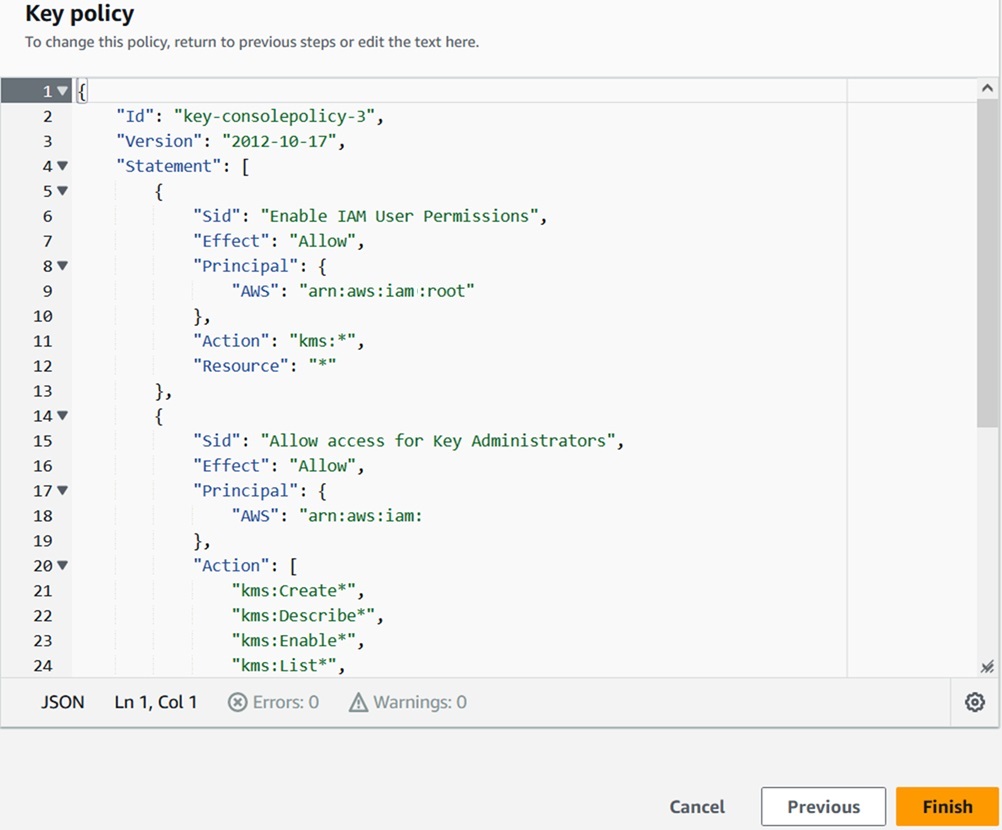
- Click Next and Finish.