Installing EMR
Amazon Elastic MapReduce (EMR) is set up with Hadoop and HBase to handle distributed data processing. Logs and data are stored in S3 buckets.
AWS EMR is used for distributed data processing using Hadoop and HBase.
To create Amazon EMR cluster, follow the steps below:
- In the Amazon EMR page, click Create cluster.
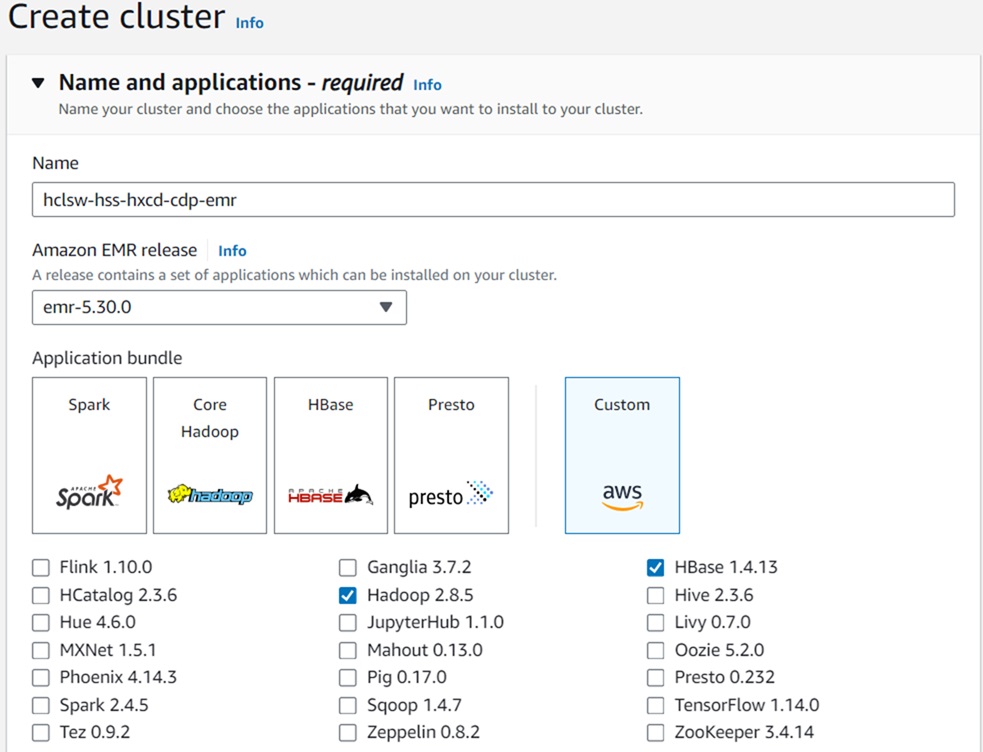
- In the Name field, enter the cluster name, and in the Amazon EMR-release drop-down list, select the EMR Release Version 5.36.0 option.
- From the Application bundles, select Hadoop and Hbase options.
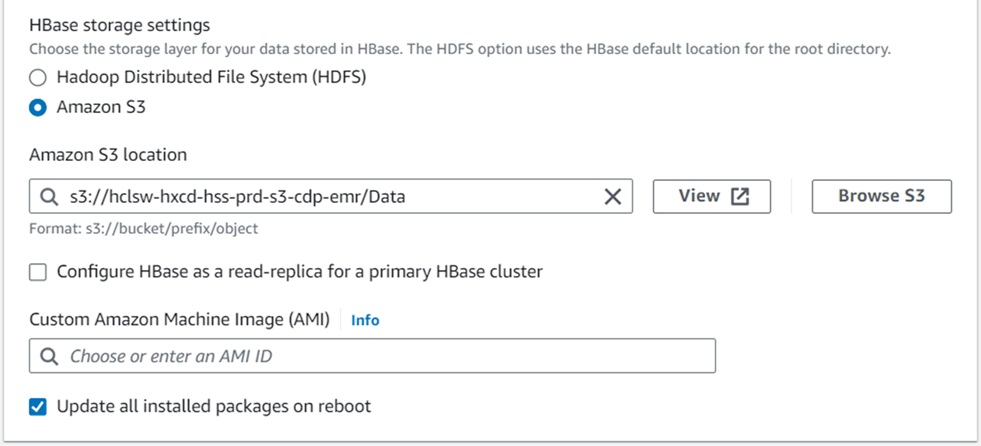
- In the Add S3 storage location field, enter the value as
"s3://hclsw-hxcd-hss-prd-s3-cdp-emr/Data".
- In the Cluster configuration section, select Uniform instance groups
option, and for the Uniform instance groups, select primary and core options.
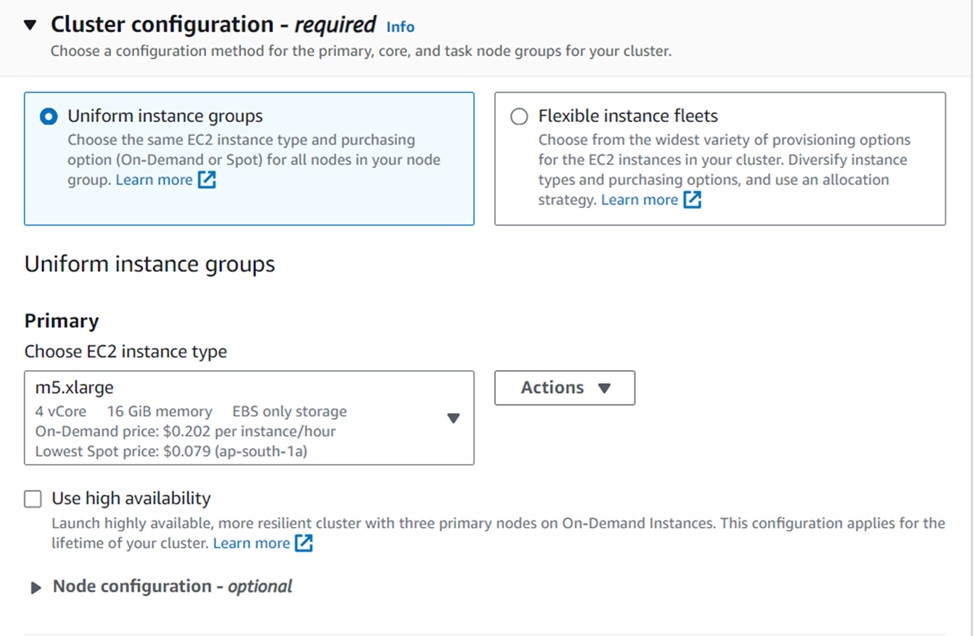

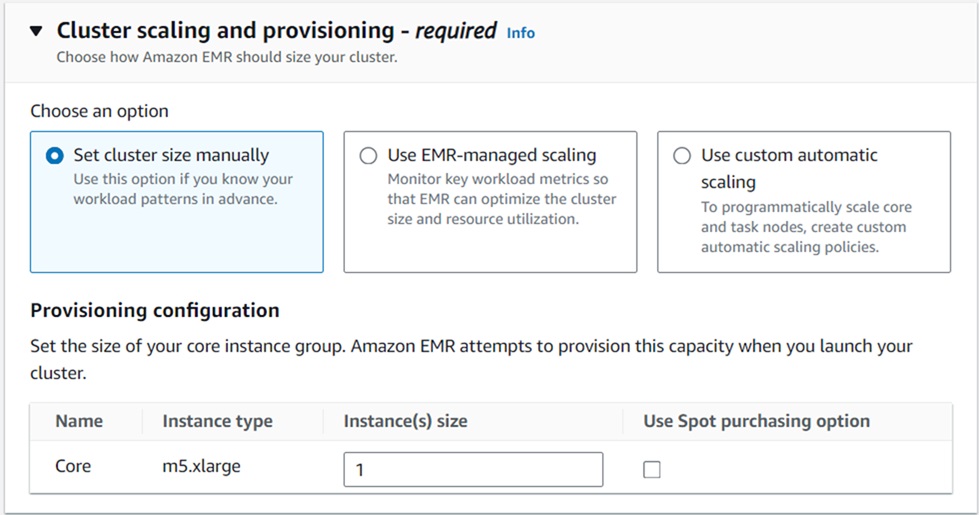
- Remove Task Instance Group, and update the EBS Volume size field to 100 GB.
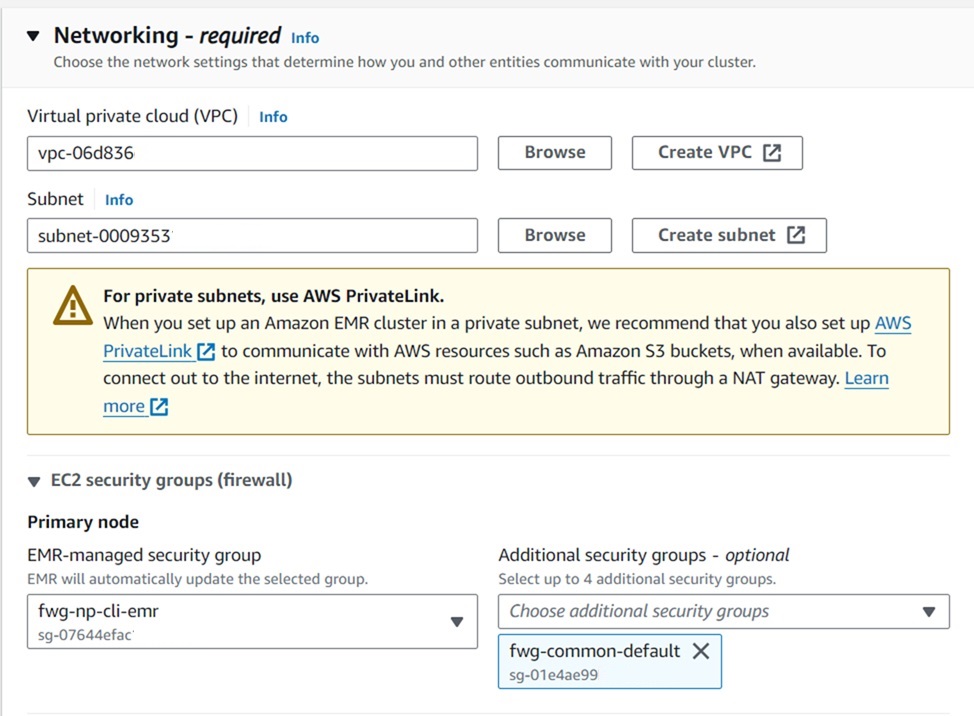
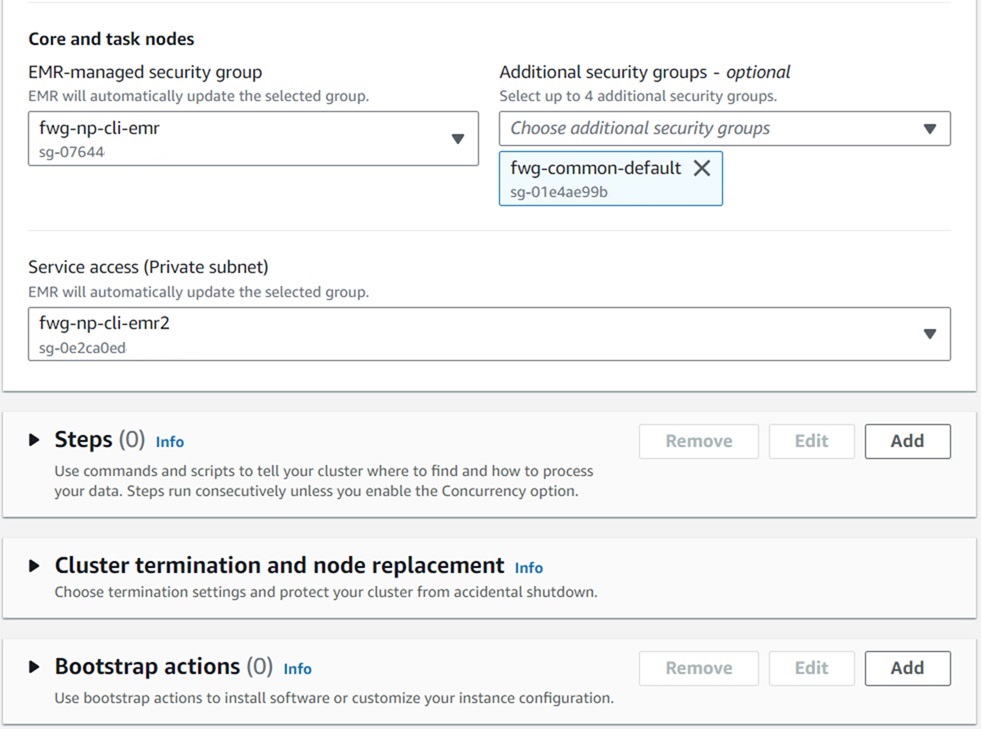
- Add the Virtual private cloud (VPC), Subnets and Security Groups as shown
below.
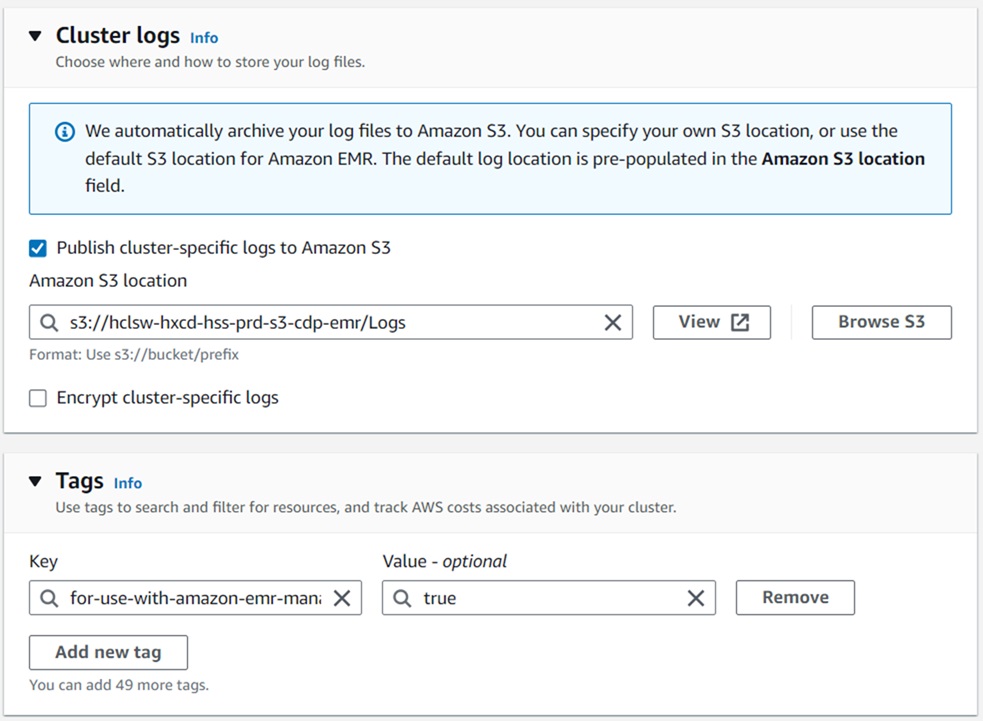
- In the Cluster logs section, add s3 path for logs as S3://hclsw-hxcd-hss-prd-s3-cdp-emr/Logs.
- Similarly, in the Tags section, add key and value as shown below.
- Key : for-use-with-amazon-emr-managed-policies
- Value : true
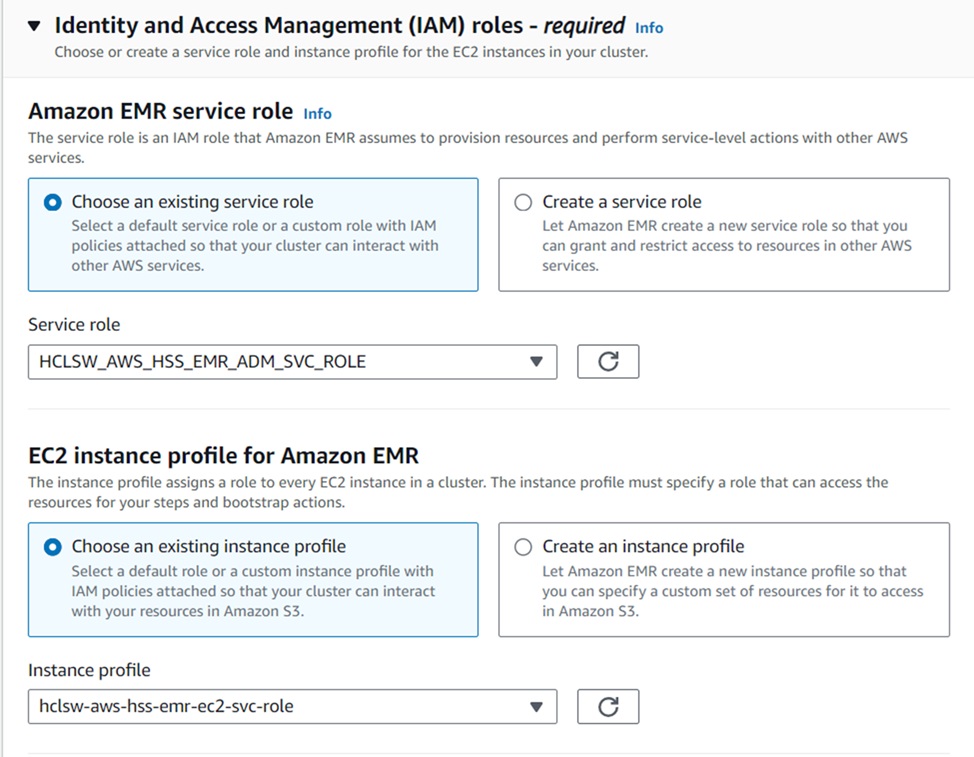
- Select the Custom EMR Service Role and EC2 instance Profile Role as shown below, and
click Create cluster.