Completing the Domino IQ configuration
Make sure to complete these actions after creating or editing the configuration documents in dominoiq.nsf.
- If there are multiple Domino IQ servers configured, replicate dominoiq.nsf to all the Domino IQ servers. Restart the Domino IQ server or servers.
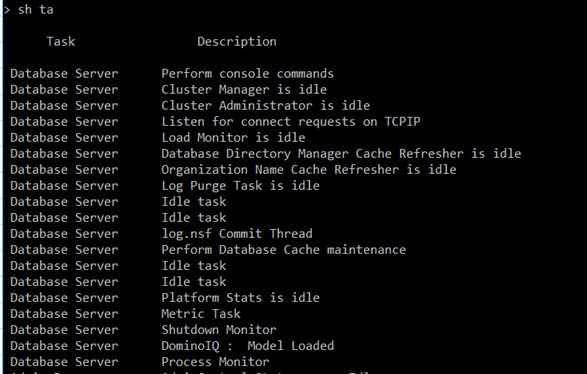
- After the Domino IQ server starts up, issue the "show tasks" server console command
by entering sh ta at the prompt. The output should show the status of the Domino IQ
task. A successful load of the AI inference server will indicate "Model Loaded." If
you don't see that indication, see for more information.Console output showing list
of server tasks and their statuses, including "Model Loaded" status for the Domino
ID task.