
Restoring the Domino Attachment and Object Service (DAOS)
While restoring a Domino database using the restore job configuration for the database, you can configure the option for DAOS.
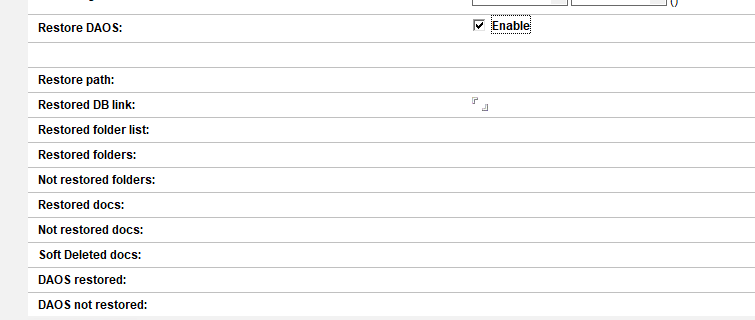
Enable the Restore DAOS option in the restore job. If there are missing .nlo files (DAOS objects), the job will restore the them to the configured location.
Here is an example of how to use the restore command option in the configuration for the mail database
hdomino.nsf.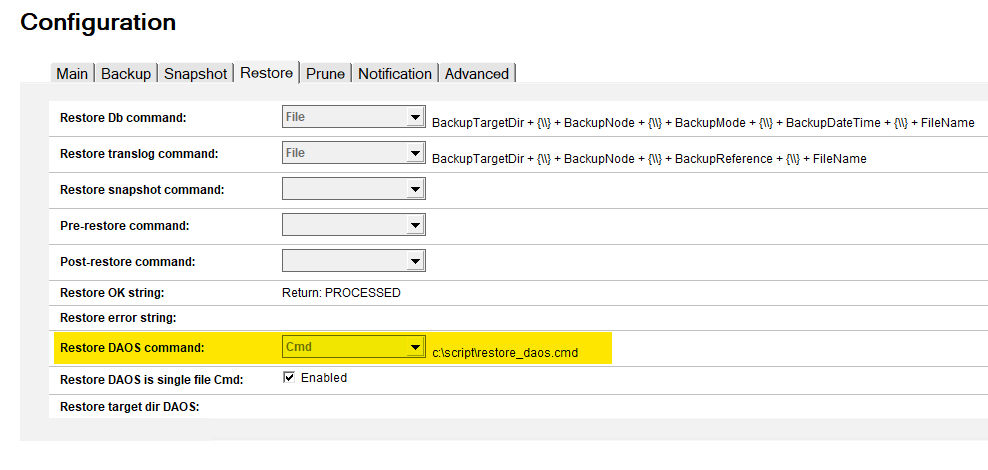 -When the restore job completes, the output reports whether any missing .nlo files were restored.
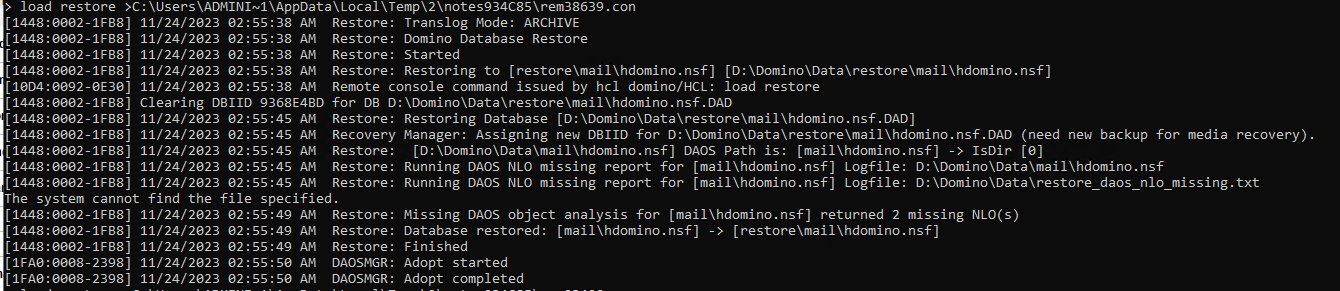
Alternatively, you can use a command on the Domino server to perform the restore DAOS operation.
Run the following command on the Domino server to perform DAOS restore for the database:
> load restore -daos mail\hdomino.nsfThis operation restores DAOS .nlo files for mail databases.
Run this command on the server to perform DAOS restore for databases:
> load restore -daos -allThis operation restores DAOS .nlo files for all databases that have DAOS enabled.