Listing catalog entry versions
You can view the versions of a catalog entry.
For example, if you want to restore a previous version you can locate
the version then preview it.
Procedure
- Open Commerce Lab Tools and from the left navigation menu, click .
- Find the catalog entry you want to view available versions of.
- On the list view or explorer tree, right-click the catalog
entry; then click Open.The properties view is displayed for the catalog entry.
- Click the Versions tab. The version
list for the catalog entry is displayed.
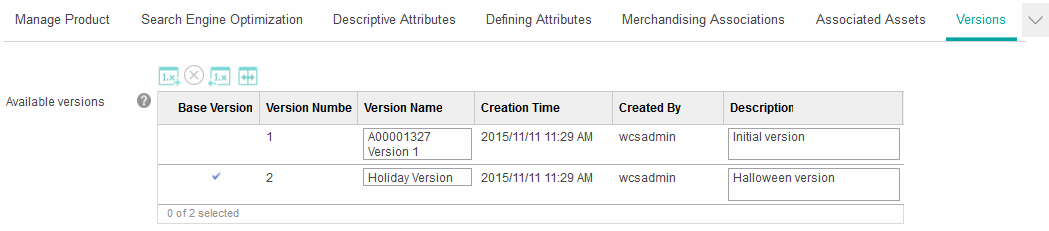
The check mark indicates the version that was last restored. - Optional: To view the details of a catalog entry version, right-click on the version; then click Open.
- Optional: Modify the version name and description
of a catalog entry version.To change the version name and description of a catalog entry version, edit the respective fields in the Available versions table; then click Save and Close.The version name and description for the catalog entry version are updated.