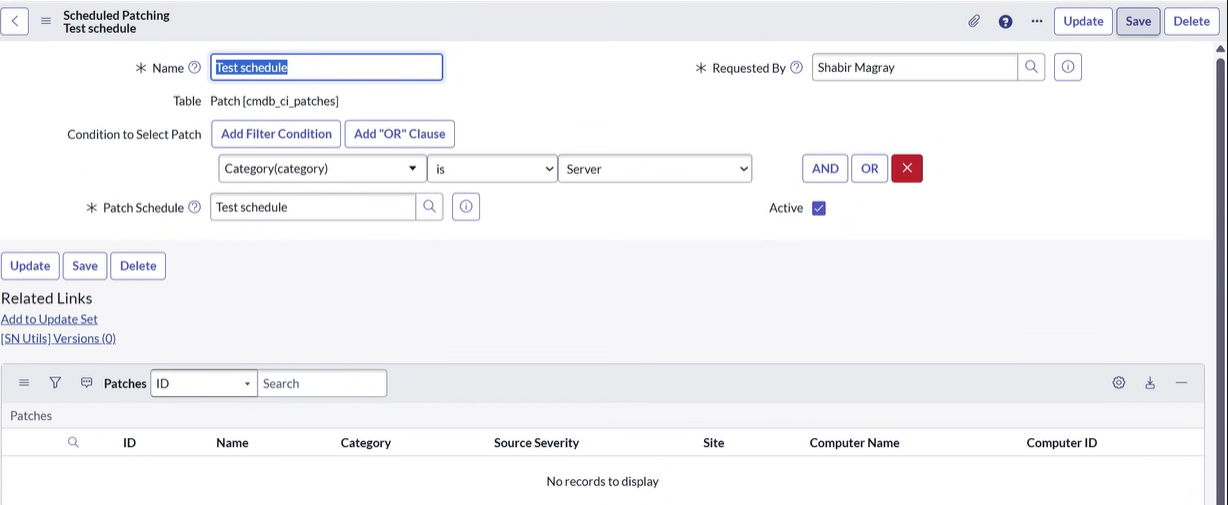
Create Schedule
This topic explains how to create and configure a patching schedule to automate patch deployment.
About this task
Procedure
-
tab, search for
cmn_schedule.List, and press Enter.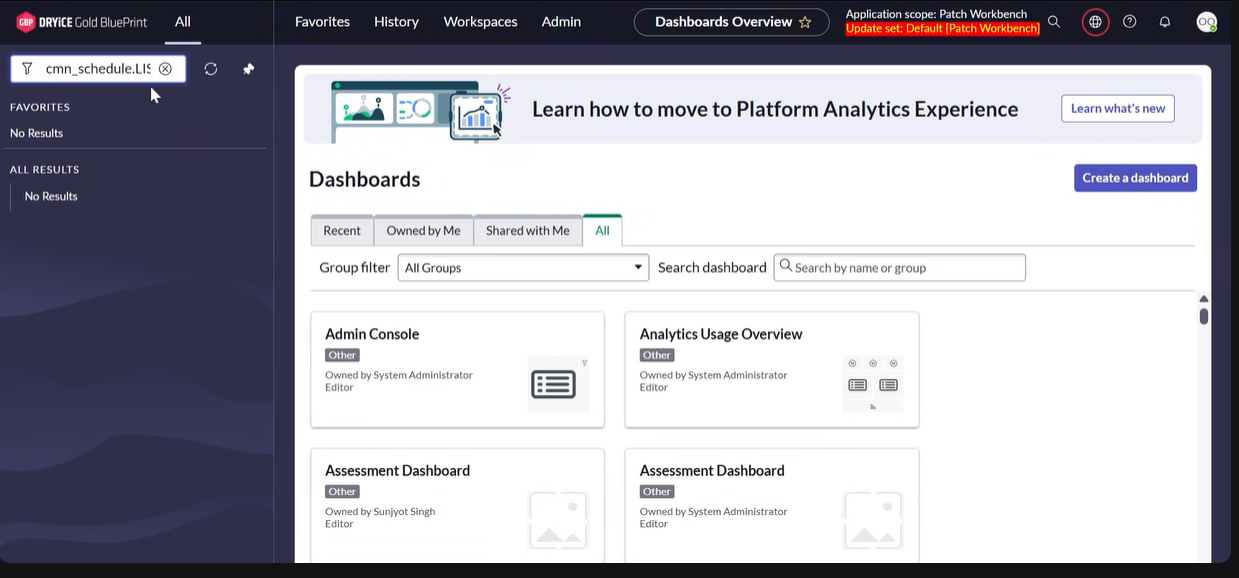
-
Click on New in the top right corner.
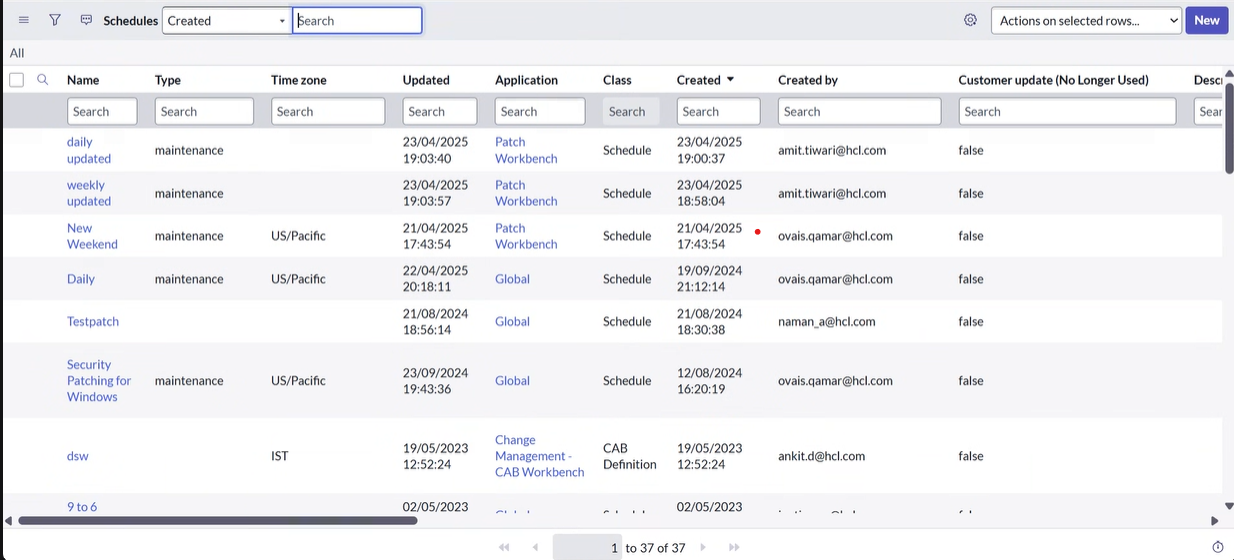
-
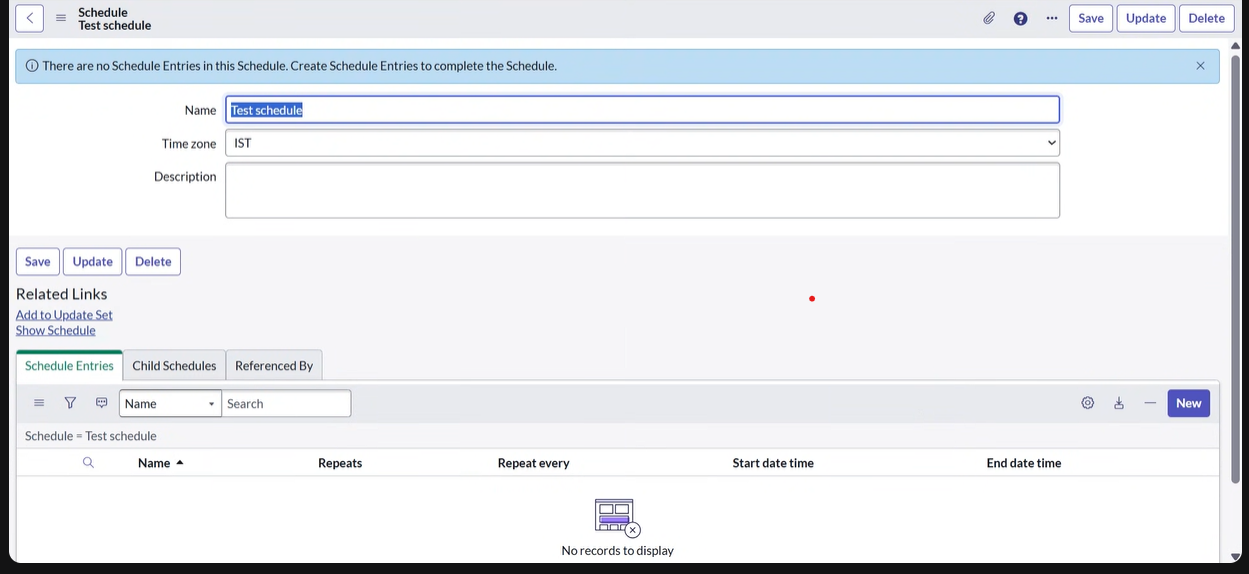
Fill in the Name and Time Zone
fields as per your requirements, enter
maintenancein the Type field, and then click Save.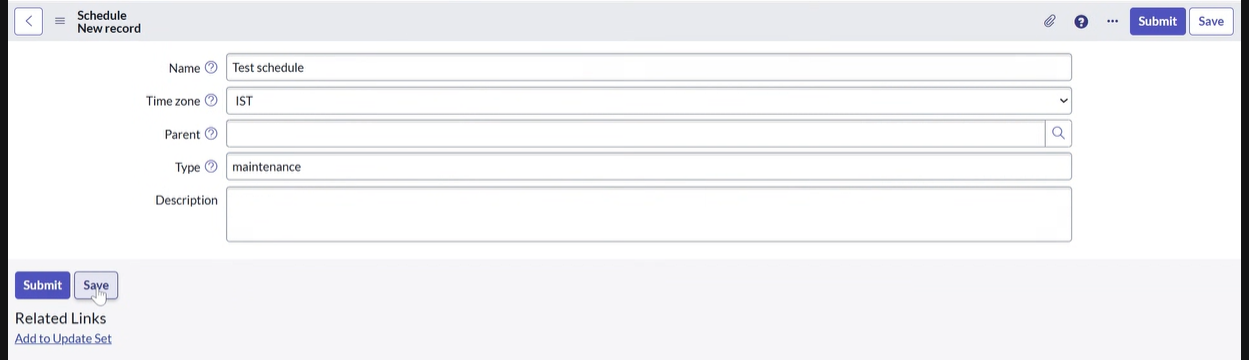
-
After completing the above step, click New in the bottom
right corner under Schedule Entries.
-
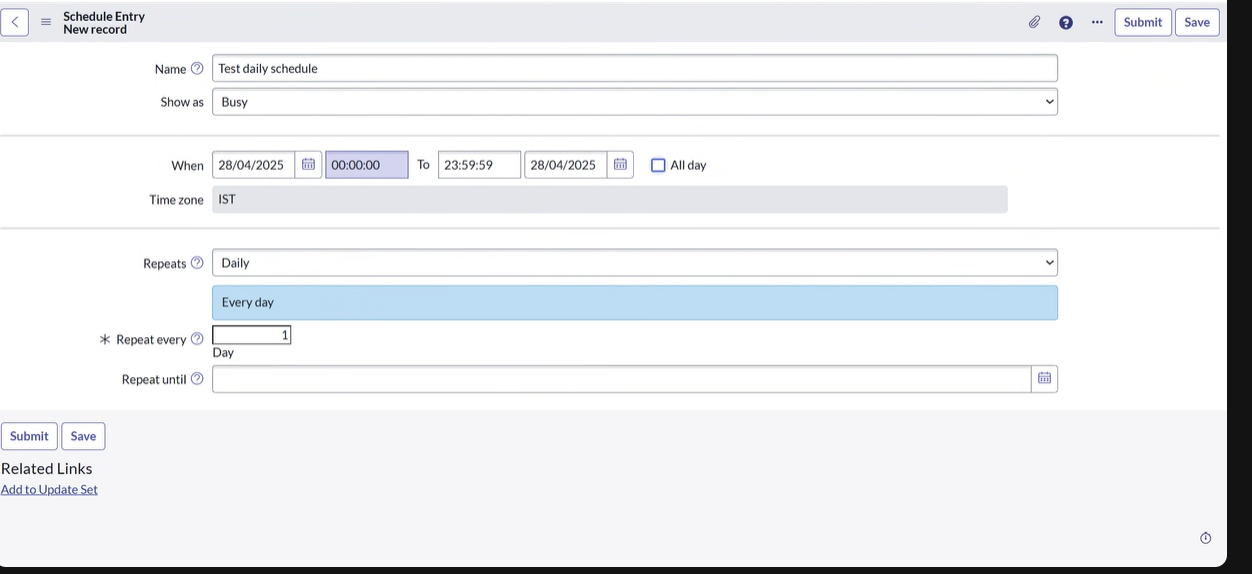
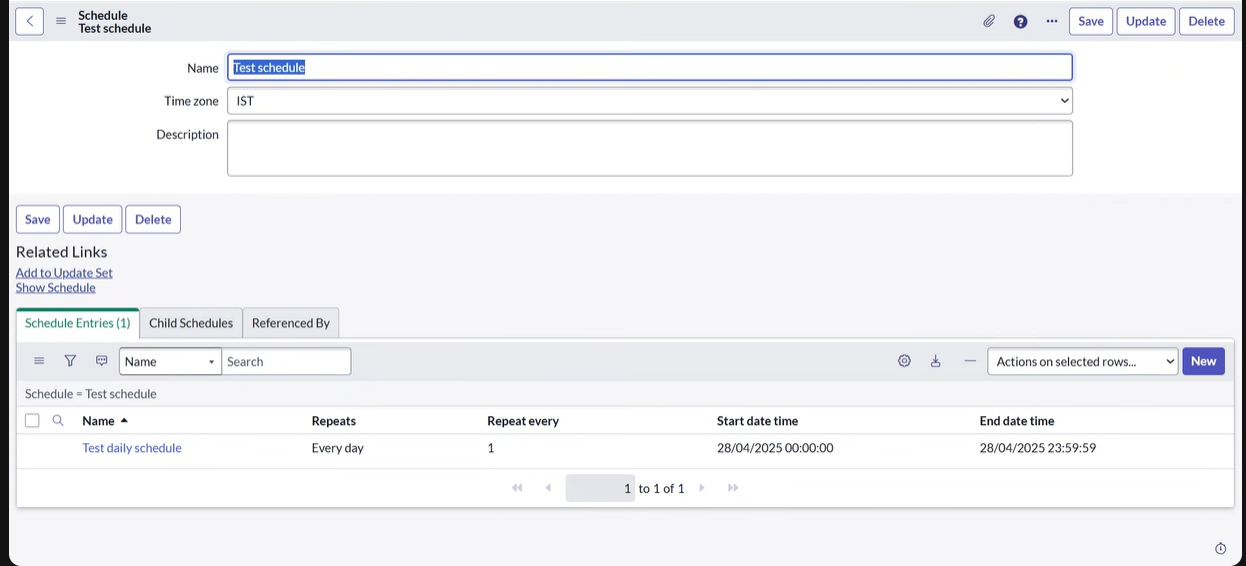
Fill in the Name and Repeats
fields as per your requirements and then click
Save.
-
, search for
Patch WorkBench, and click Create New in the Patch Policy option.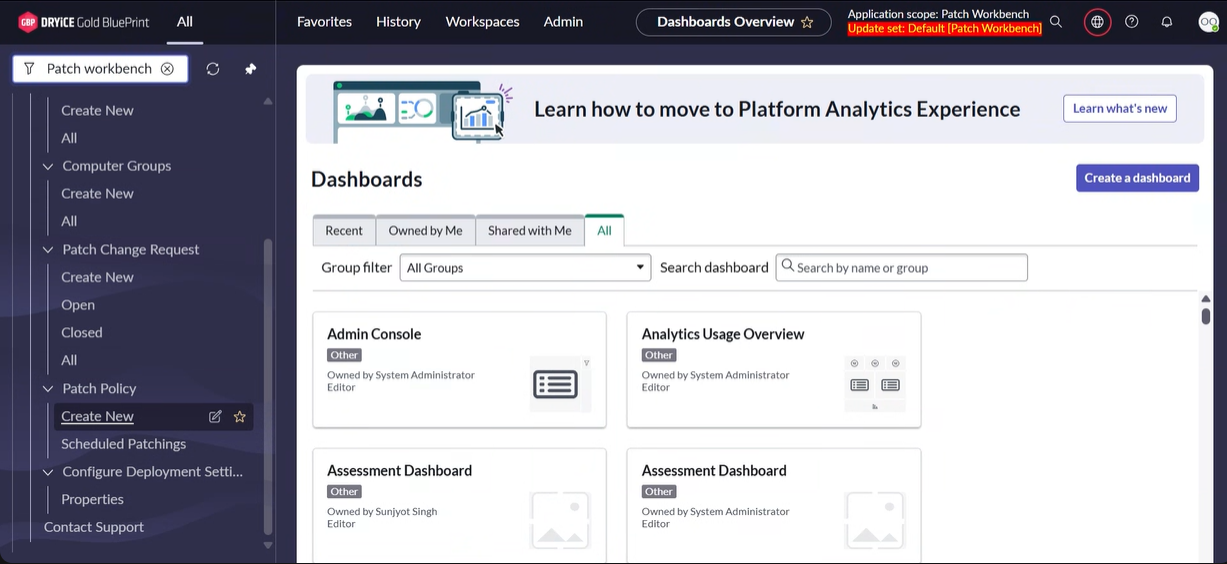
-
From the above step, schedule patching according to your requirements:
- Apply filters as needed (e.g., by category).
- Select the previously created schedule in the Patch Schedule field.
- Click Save.