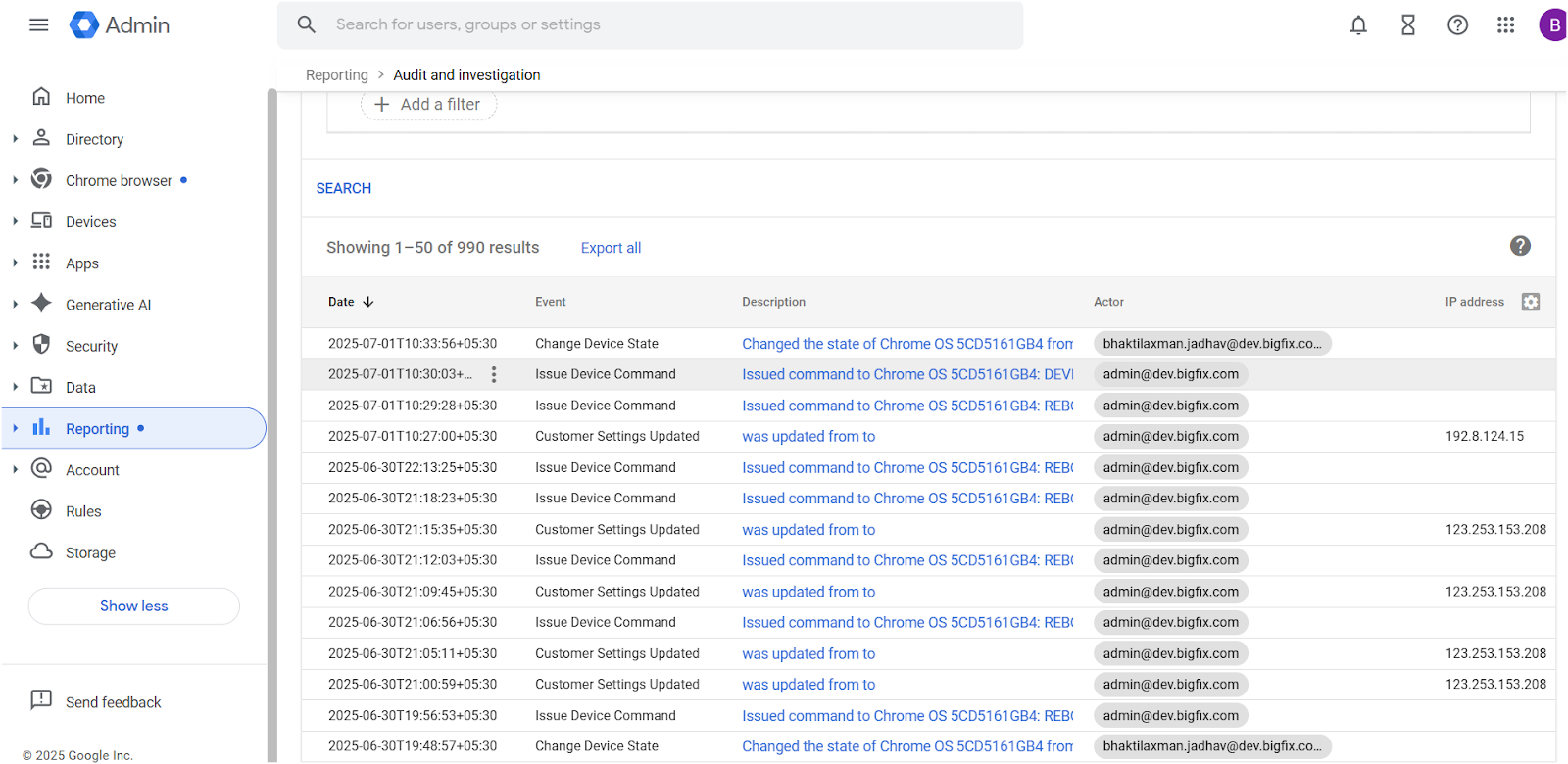
Create Rules at Google Admin console
-
Login to https://admin.google.com admin console
-
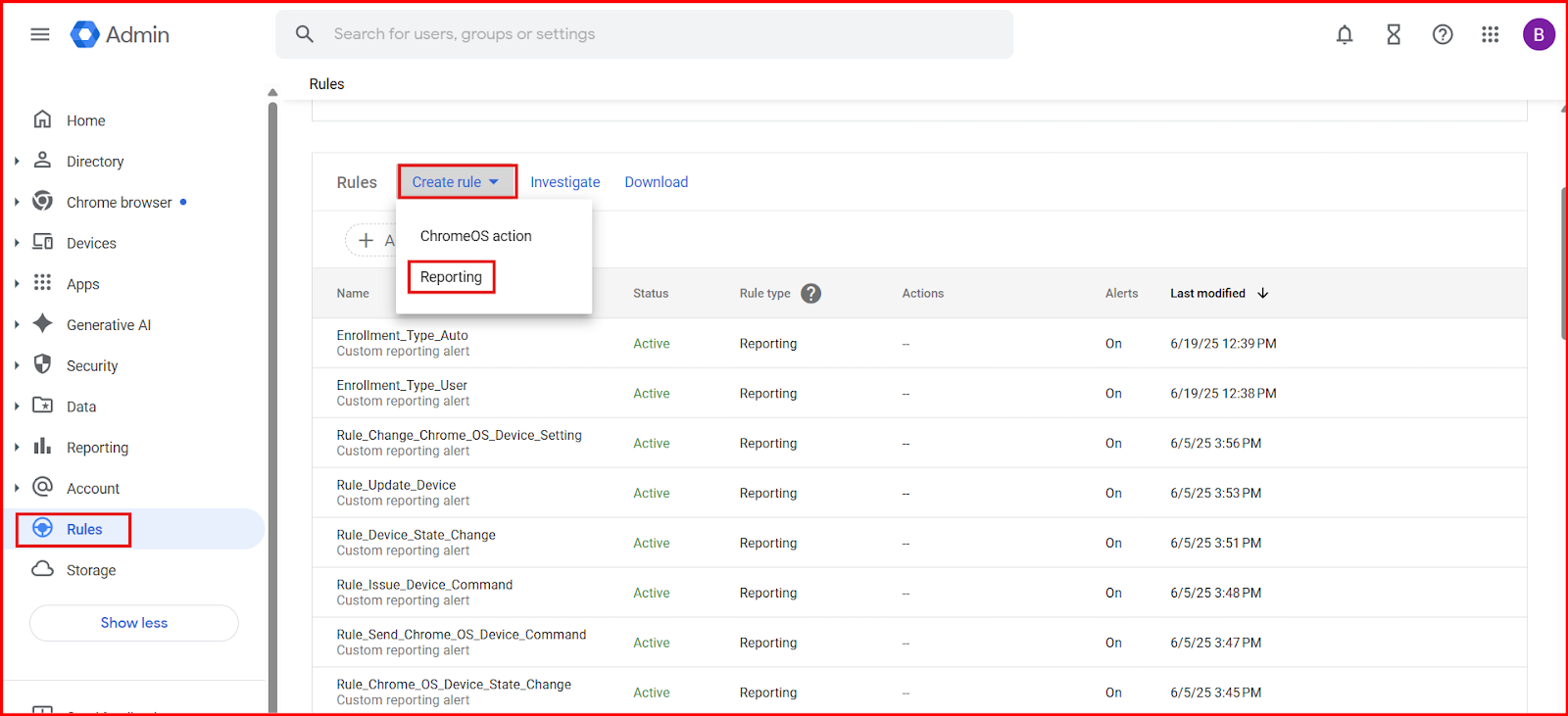
Go to Rules -> Create rule -> Reporting
-
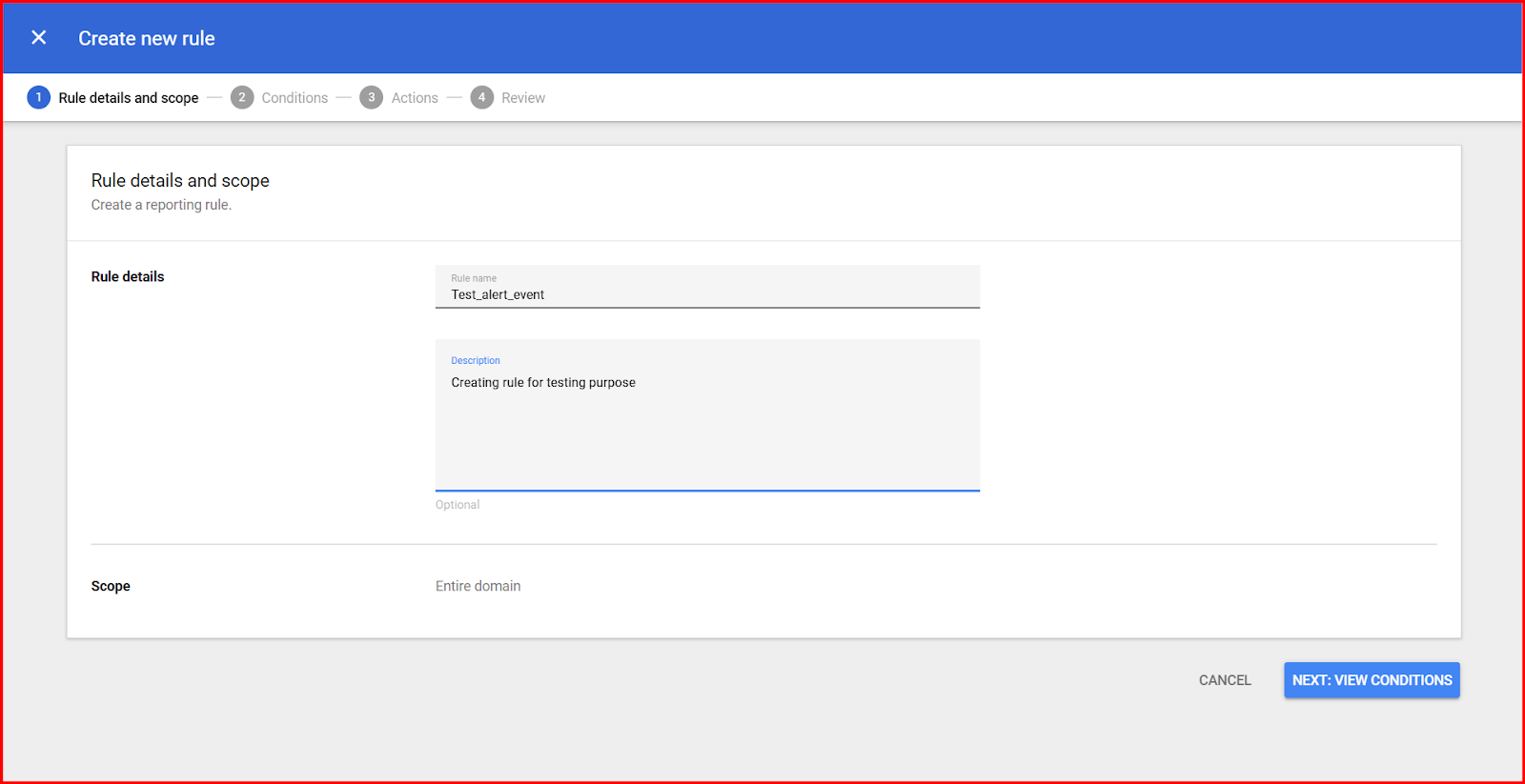
Provide the Rule details and description. Click on NEXT:VIEW CONDITIONS
-
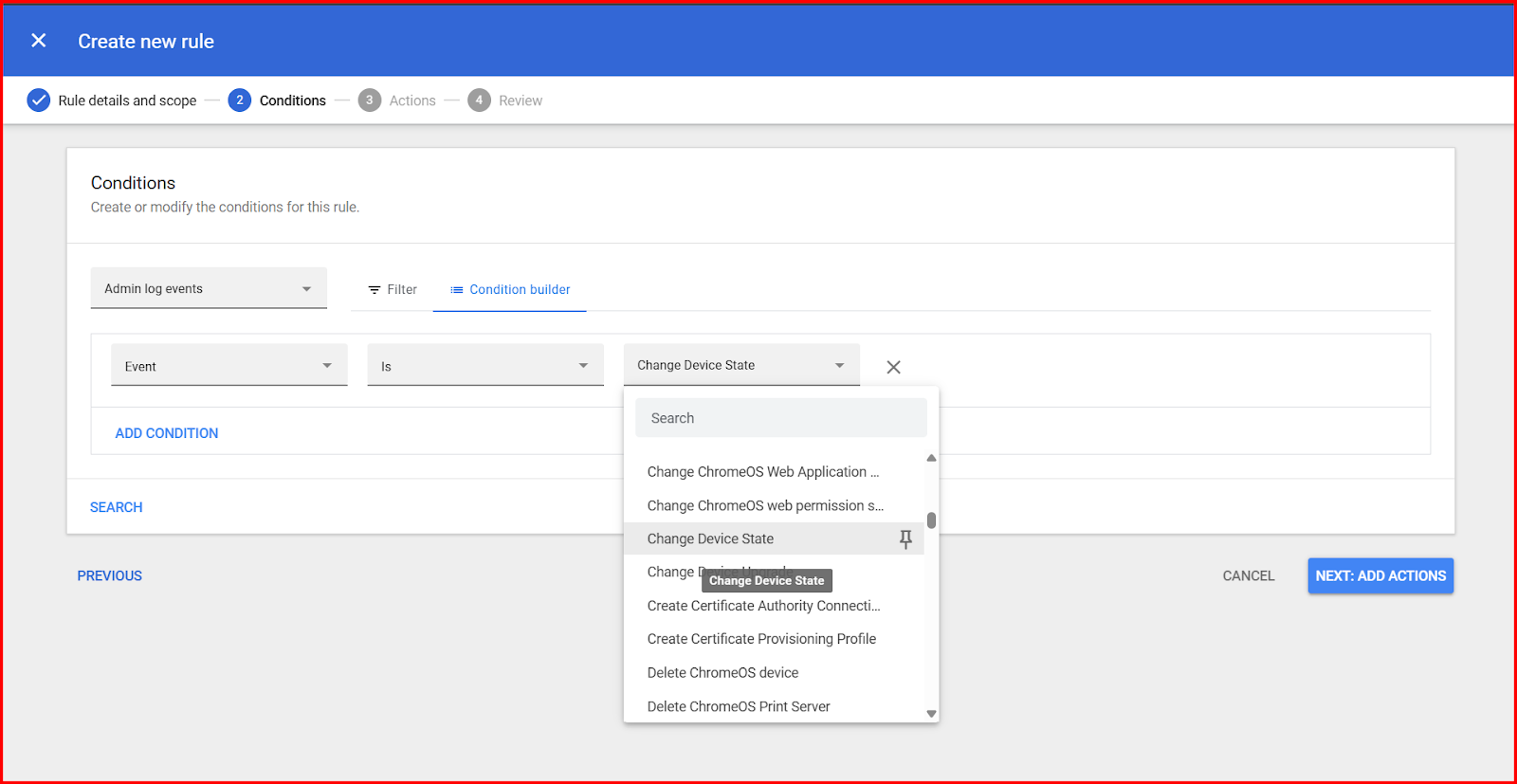
Create conditions for rule. Select Data Source as Admin log event. Click on condition builder and select Attribute. Select the ChromeOS setting in the Event dropdown.
-
Click on NEXT:VIEW REVIEW
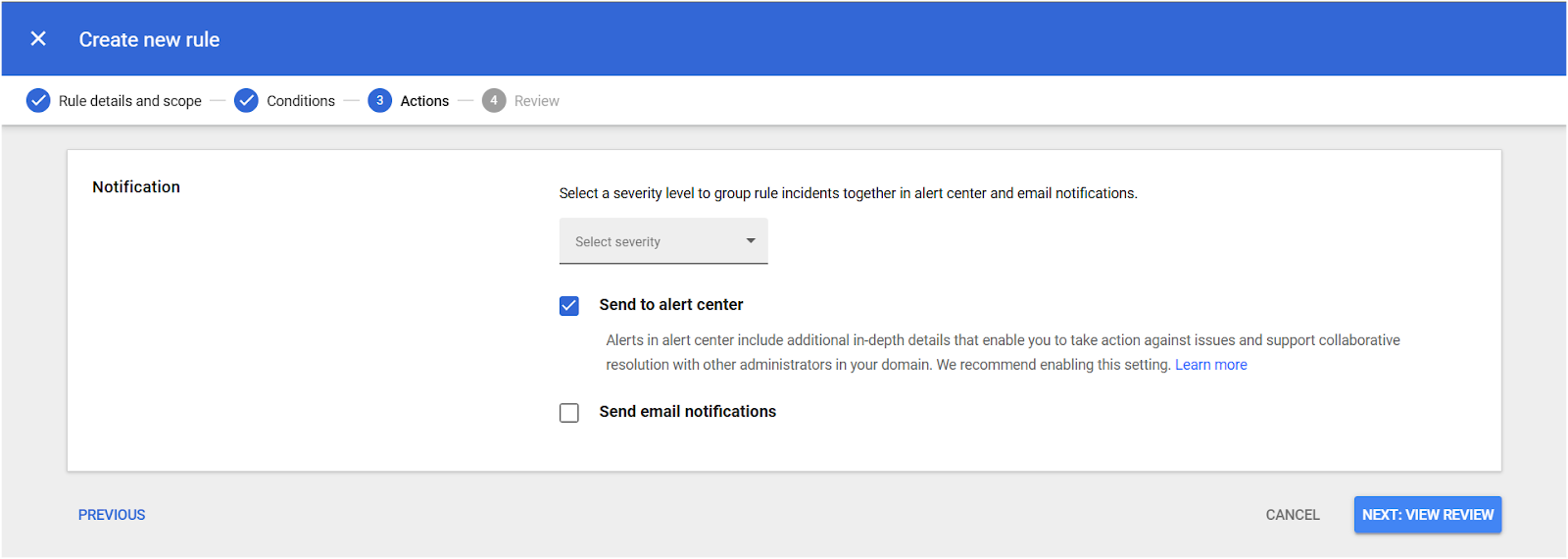
-
Review and create rule
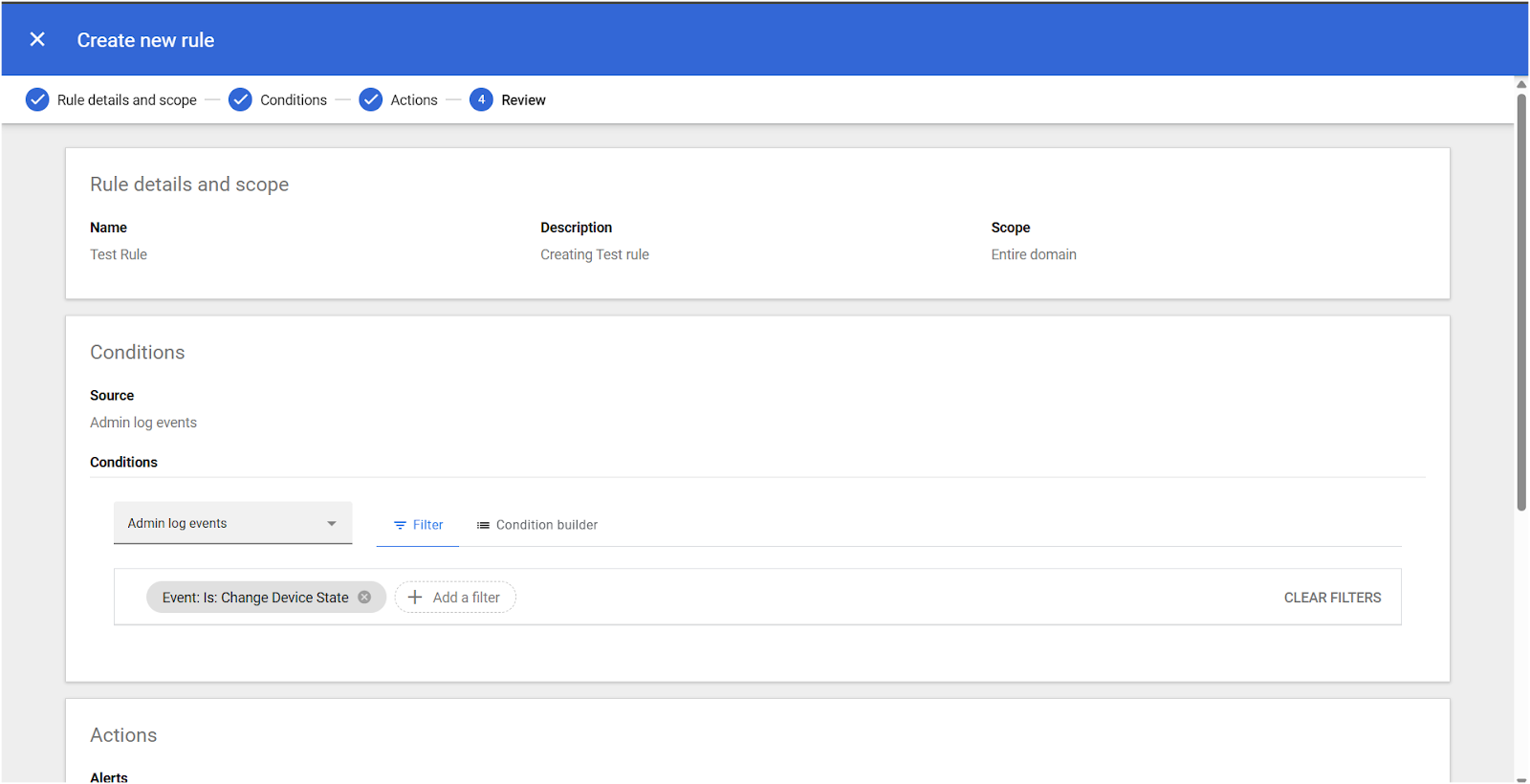
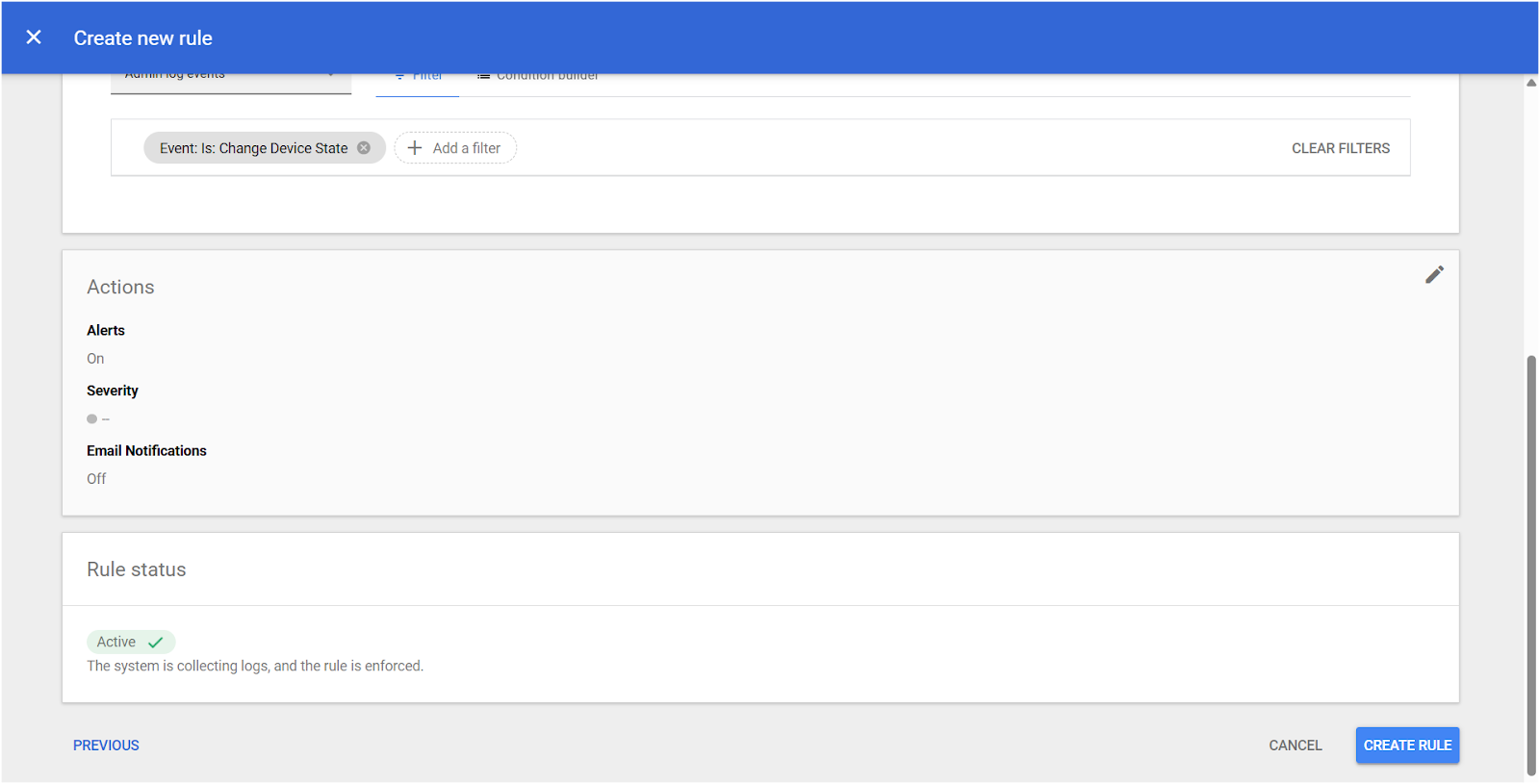
-
Test Rule created.
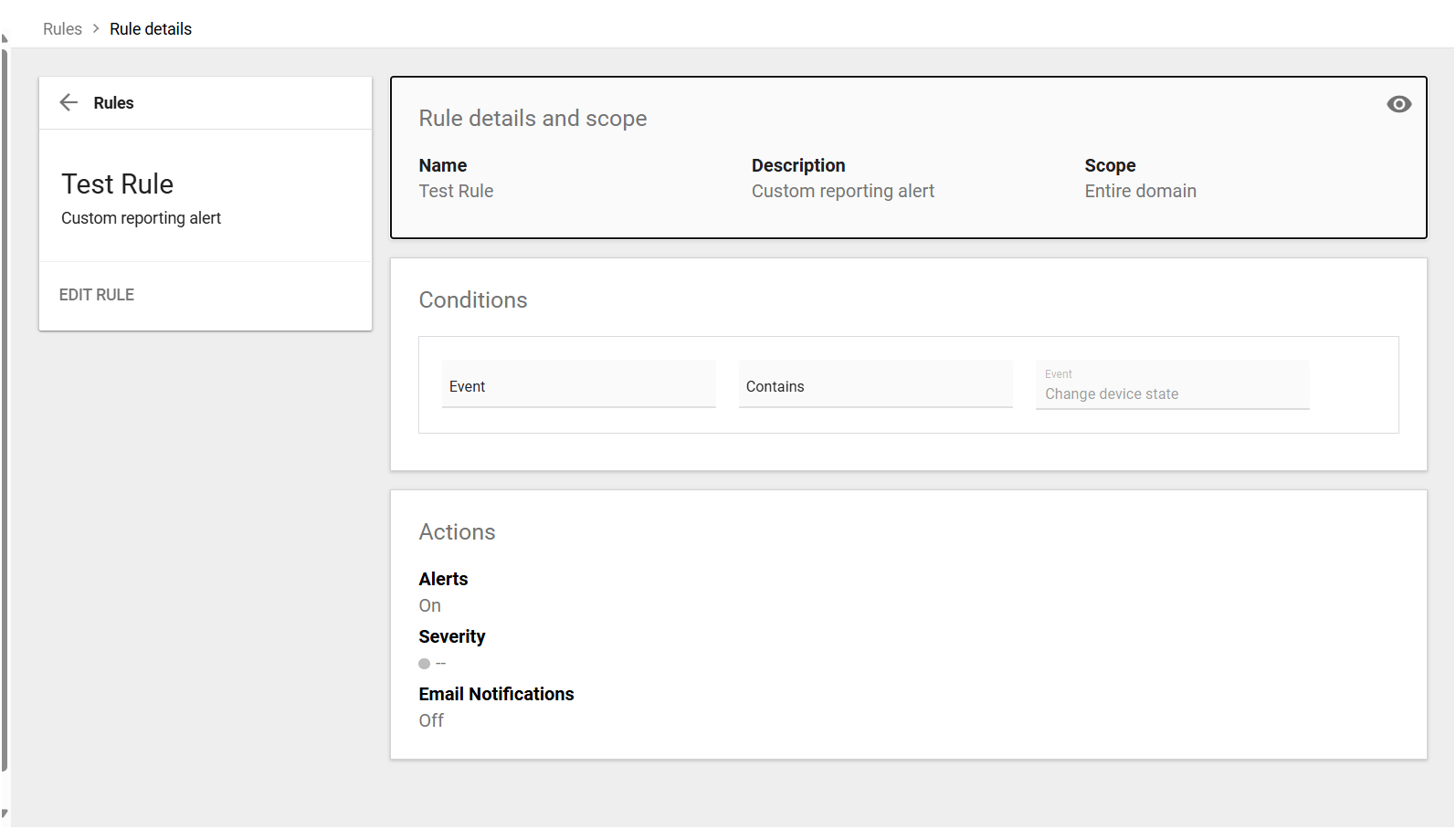
List of Rules Created to Receive Alert Events via Google Pub/Sub
-
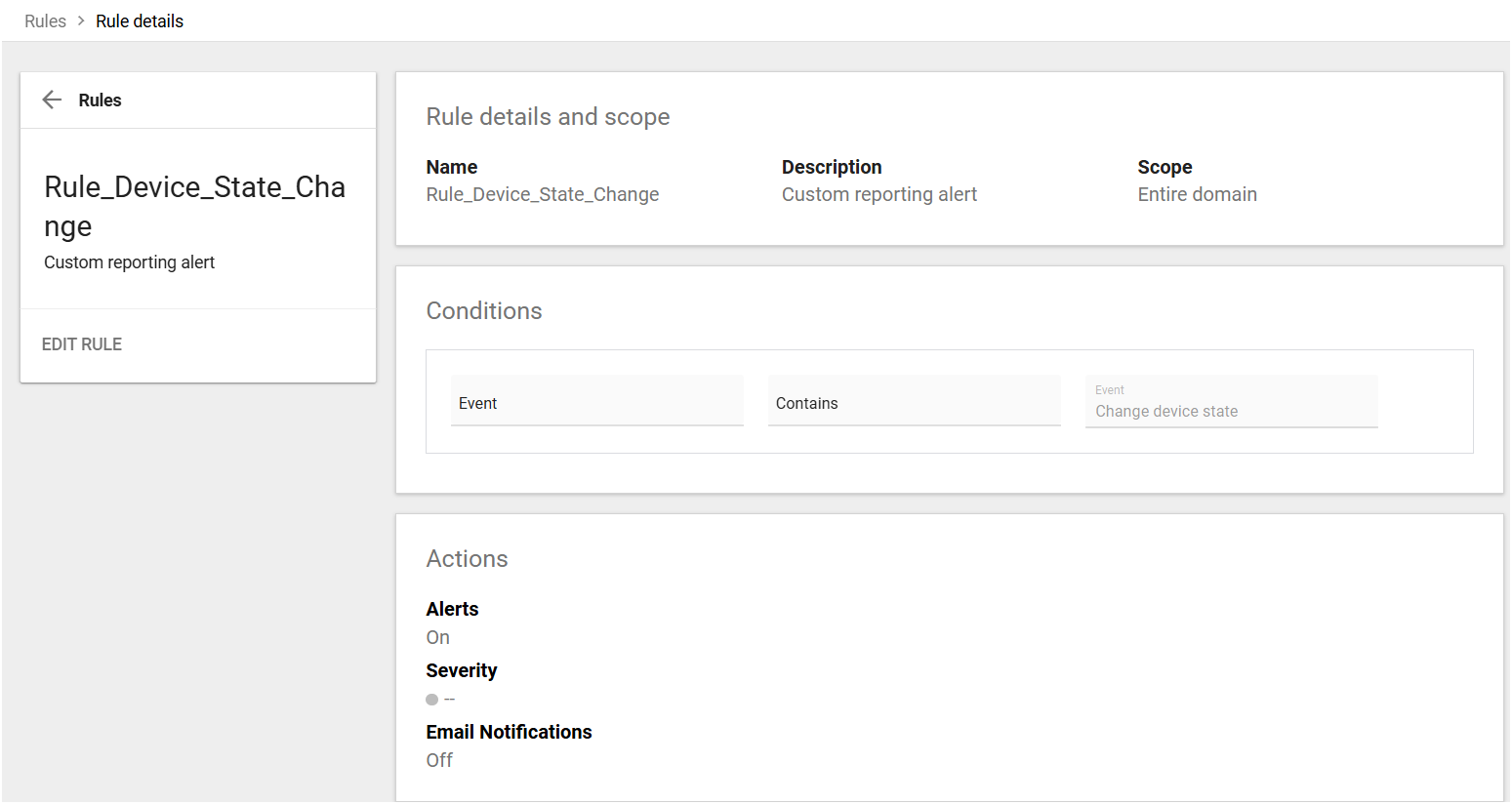
Rule for Change Device State alerts.
-
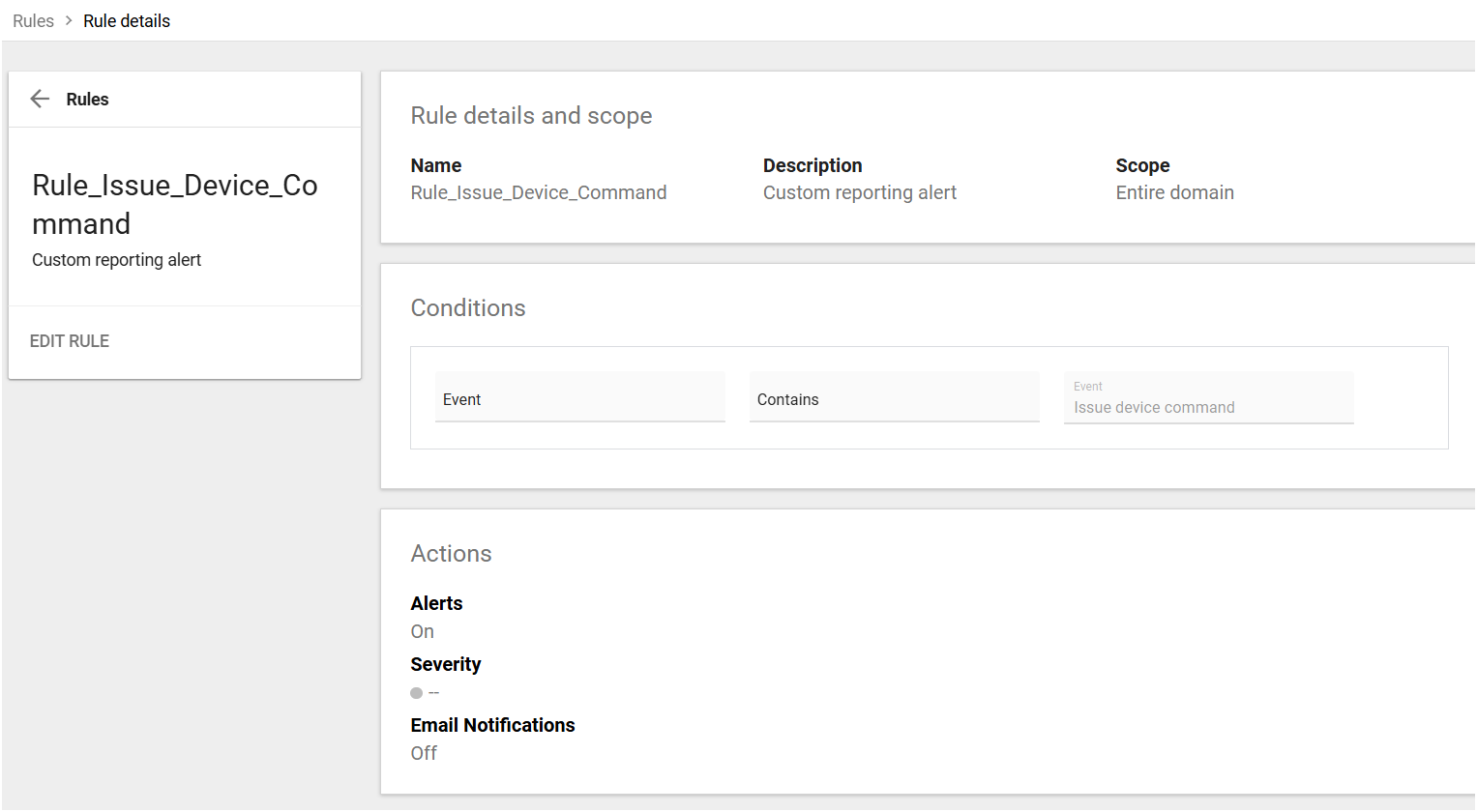
Rule for Issue Device command alerts.
Troubleshooting steps if unable to receive alert events at service
-
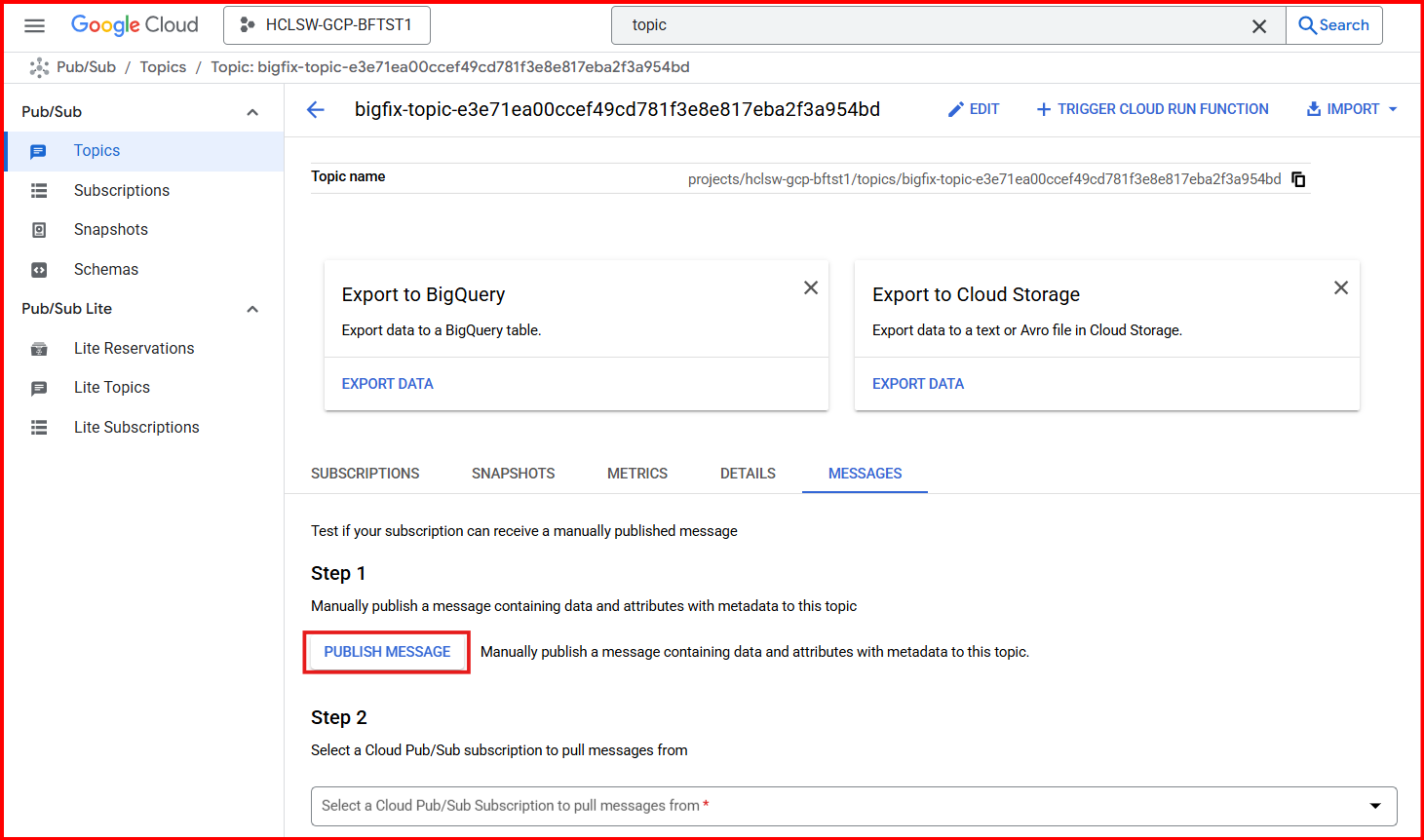
Publish a message to the topic created.
-
Check whether logs are reporting or not in Reporting