Navigating the BigFix UI Software Explorer
The Software Explorer page is the central hub for all Software Distribution activity in the BigFix UI — from here you can browse software, manage packages, view pre-built Fixlets, and initiate deployments, all from a single page accessible under Explore > Software.
The BigFix UI provides a dedicated navigation path for Software Distribution. All software management tasks originate from the Software Explorer page — the single browser-based interface for viewing, adding, editing, and deploying software across your endpoint estate.
Accessing the Software Explorer
To open the Software Distribution area, navigate to in the left navigation panel of the BigFix UI.
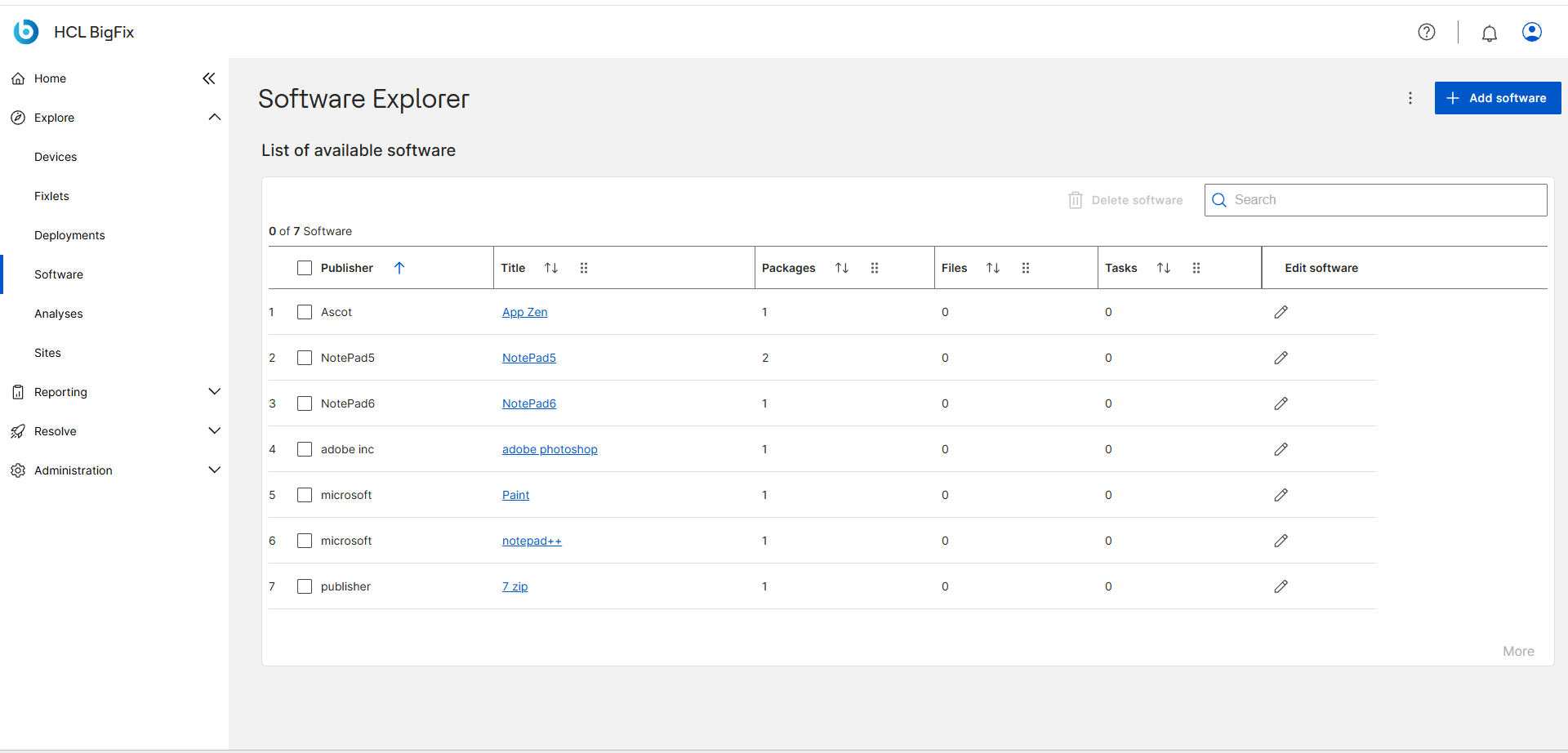
The Software Explorer page displays a list of all Software entries accessible to the current user (based on Custom Site permissions). The list includes the following columns for each Software entry:
- Publisher — the software vendor.
- Software — the software title, which links to the Software Details page.
- Packages — the total number of Packages under this Software entry.
- Files — the total number of files across all Packages.
- Tasks — the total number of deployment tasks across all Packages.
- Edit software — a shortcut icon to open the software editor.
The list supports Filter, Column visibility toggles, and Density controls for viewing comfort, as well as a Search field for quick lookup.
Software Details Page
Clicking a Software title opens its Software Details page. From this page you can:
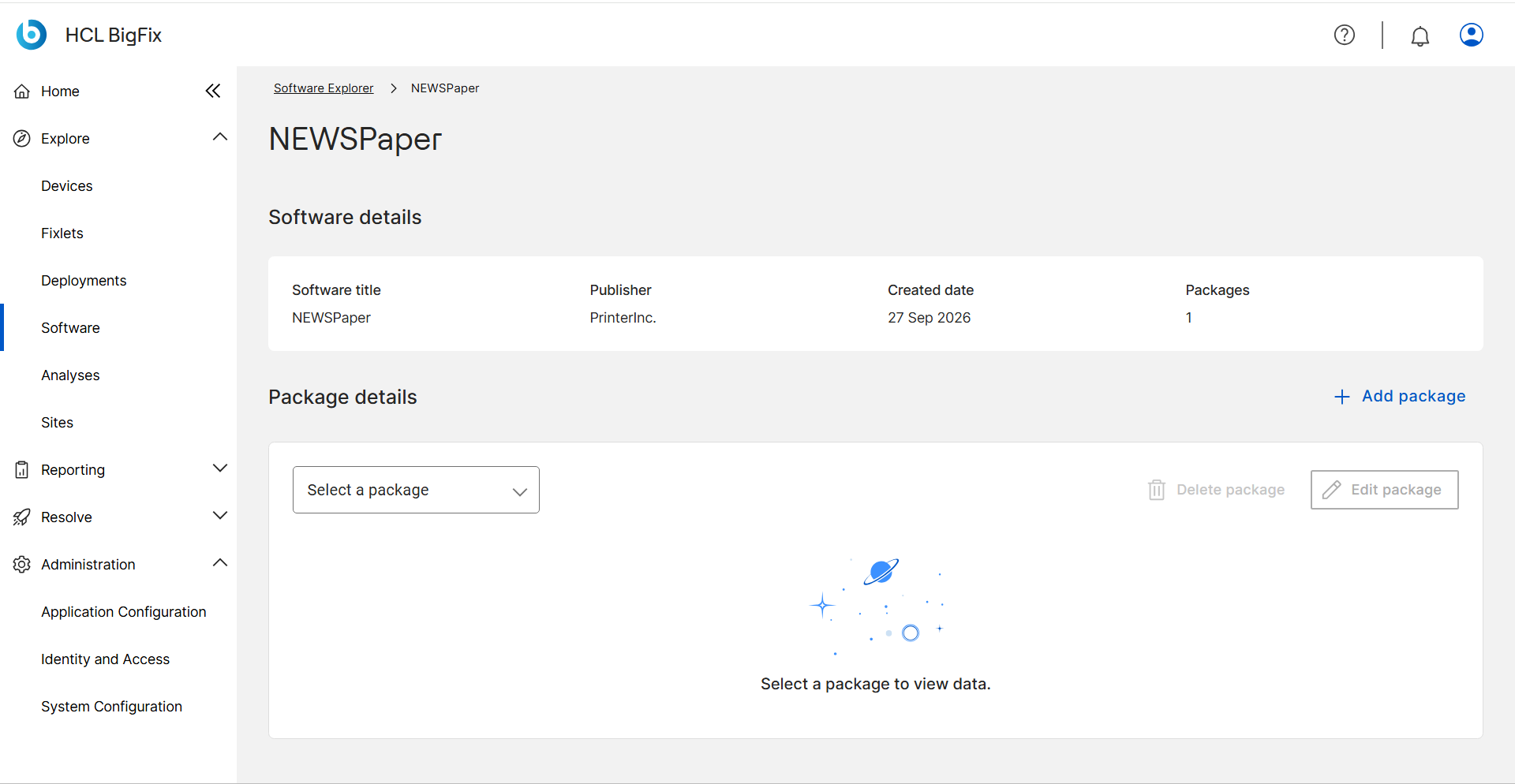
- View the software's title, publisher, creation date, and total package count.
- Switch between the Packages tab (to manage package content) and the Deployments tab (to view deployment history and status).
- Expand individual Package entries to view their Files and Tasks sub-lists.
- Add new Packages to this Software using + Add package.
- Edit package information or add files and tasks to an existing package.
- Delete individual Packages or the entire Software entry with all its Packages.
Pre-built Fixlets — Software Installer Library
The Software Explorer page provides access to a library of pre-built deployment Fixlets. Click the 3 dots icon, the more options icon on the Software Explorer toolbar to open the Pre-built Fixlets page.
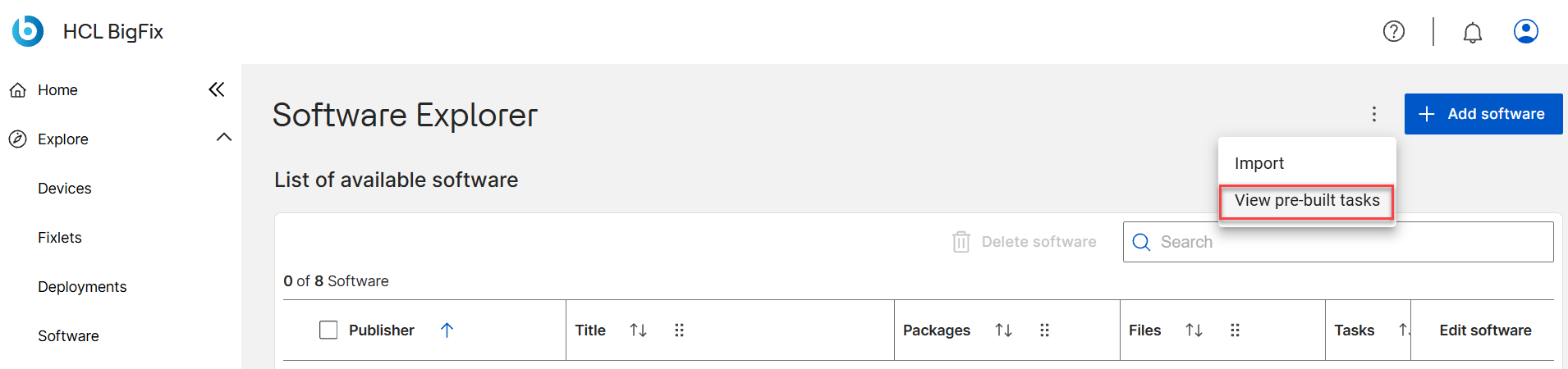
Pre-built Fixlets are predefined deployment tasks for common software titles. They are available when the following optional sites are enabled in your BigFix environment:
- Software Installer Library for Windows
- Software Installer Library for macOS
On the Pre-built Fixlets page, you can:
- Browse, filter, and search the available Fixlets by name, vendor, or release date.
- Select one or more Fixlets and click Deploy Fixlet to push them directly to target endpoints.