
Enable SCM Reporting site
Discover how to enable the SCM Reporting site in BigFix Console to make compliance content available for RBI reporting.
To enable the Security Compliance Manager (SCM) Reporting site:
- Open the BigFix Console and navigate to the License Overview Dashboard.
- Locate the SCM Reporting site under the External Sites.
- Click Gather to fetch the latest compliance content
details.
Figure 1. Gather Data 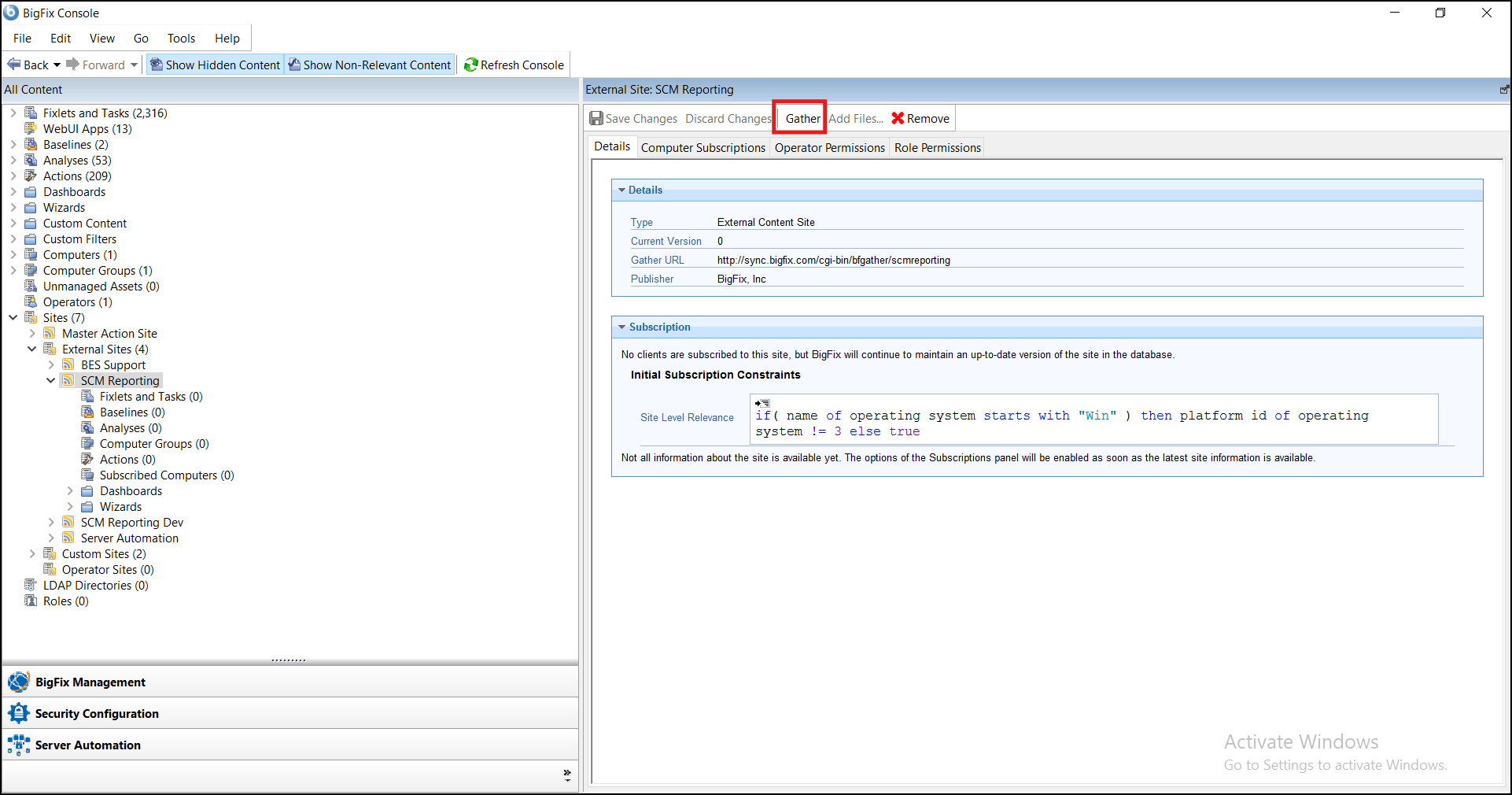
- Select All computers and click Save
Changes to subscribe to the site.
Figure 2. Computers Subscription 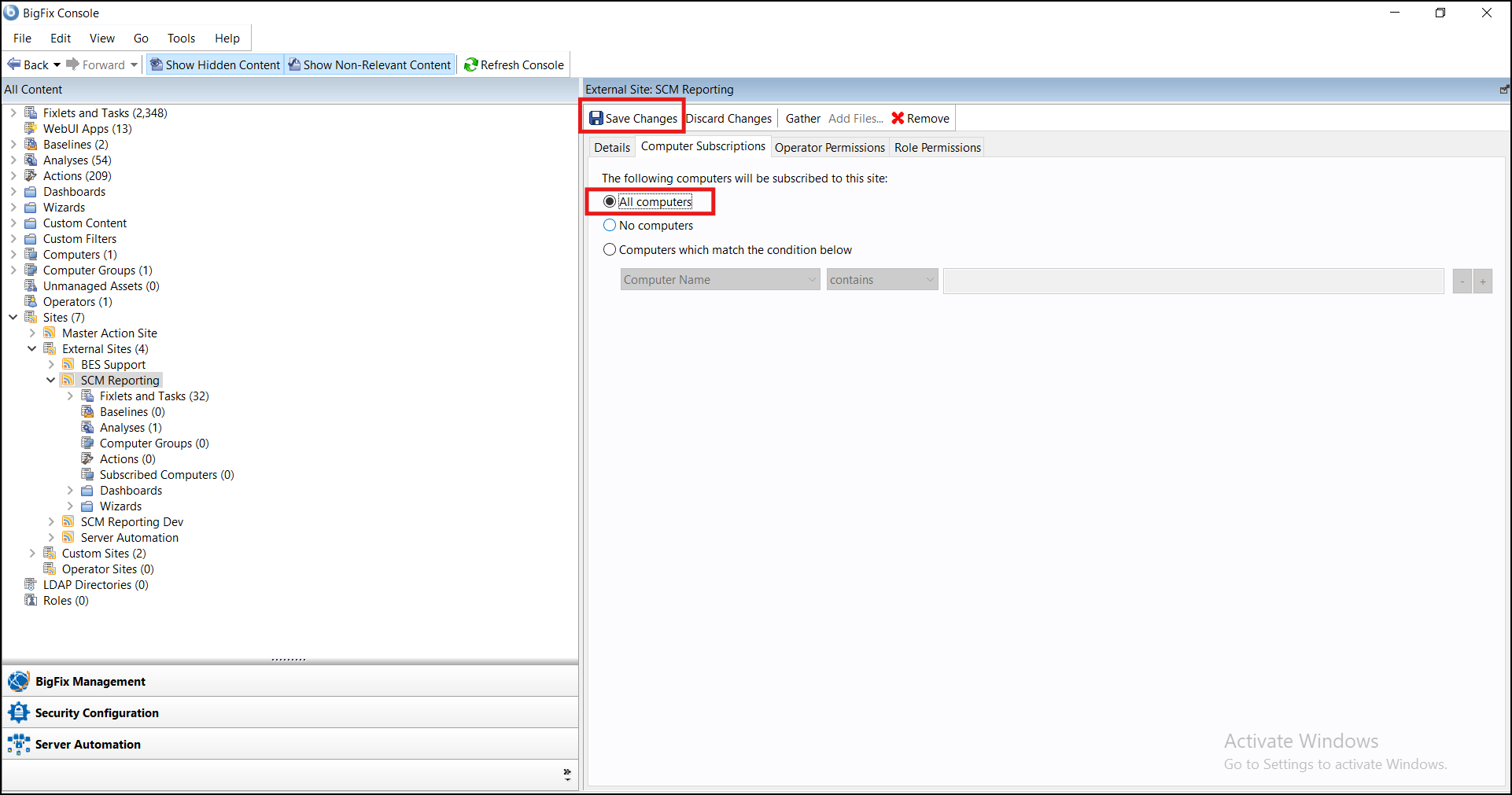
- Ensure that the relevant computers are subscribed to the site.
Note: Enabling the SCM Reporting site allows the WebUI to
access compliance content required for RBI Compliance reporting.