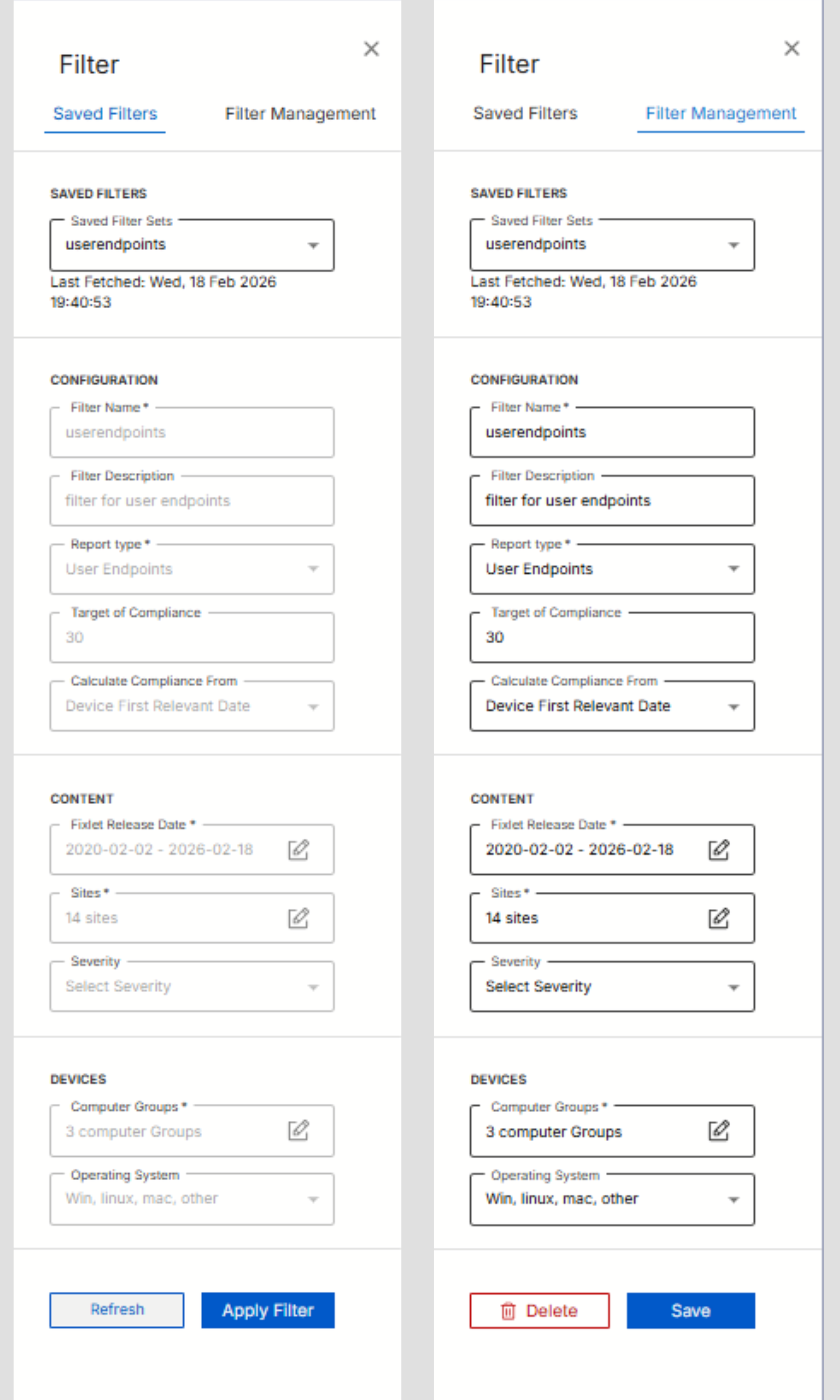
Filter Fields
Discover how the Filter Field allows users to filter and view compliance data based on selected parameters, it helps quickly in locating the relevant RBI compliance records.
About this task
Procedure
-
Configuration Fields
Table 1. Configuration Fields Field Description Filter Name A unique identifier for the filter. Filter Description Short description of its purpose Report Type Defines the scope of the compliance type (e.g., Server-Windows, Middlewares). Target of Compliance Specifies compliance threshold (Default value 30 days).Calculate Compliance From Defines the reference date for measuring compliance. Options include: - Fixlet Release Date
- Measures compliance based on the date the Fixlet was published.
- Device First Relevant Date
- Measures compliance starting from the moment the Fixlet first became relevant to that specific device.
-
Content Fields
Includes Fixlet Release Date, Sites, and Severity filters to narrow the report data.Note:
To improve the user experience, values within the filter dropdowns and selection modals are sorted alphabetically.
-
Device Fields
Use Computer Groups and Operating System filters to focus on specific device sets.
Figure 1. Filter Field