
Failed Import Notifications
BigFix Compliance can send an email to one or more recipients when a data import fails, so that you do not need to check the Import History tab to learn about a failure.
About this task
Procedure
- Click .
-
Under Failed Import Notifications, check Send failed
data import notification.
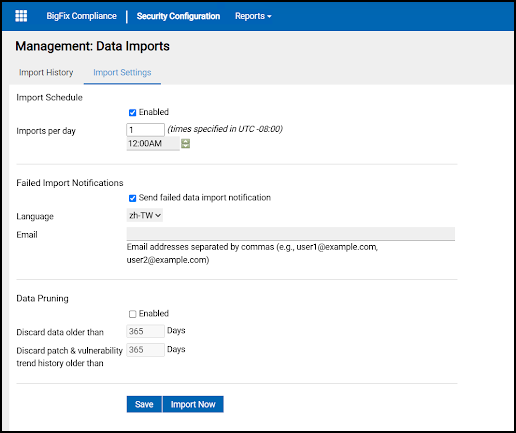
- From the Language list, select the language of the notification email.
- In Email, enter one or more recipient addresses separated by commas.
- Click Save.
What to do next
When an import ends with the status Failed, each recipient receives an email in the selected language that states when the import failed and asks them to log in to BigFix Compliance to review the import log.
Note: If you do not receive a notification for a failed import, verify
that Mail Settings are configured and that Send Test Email succeeds,
then review the import log on the Import History tab.