
Enabling mail settings
You must configure outbound email in mail settings to schedule an export to an email recipient, create notifications, or receive failed data import notifications.
Procedure
- Click Management Gear Icon.
- Select Mail Settings from the menu.
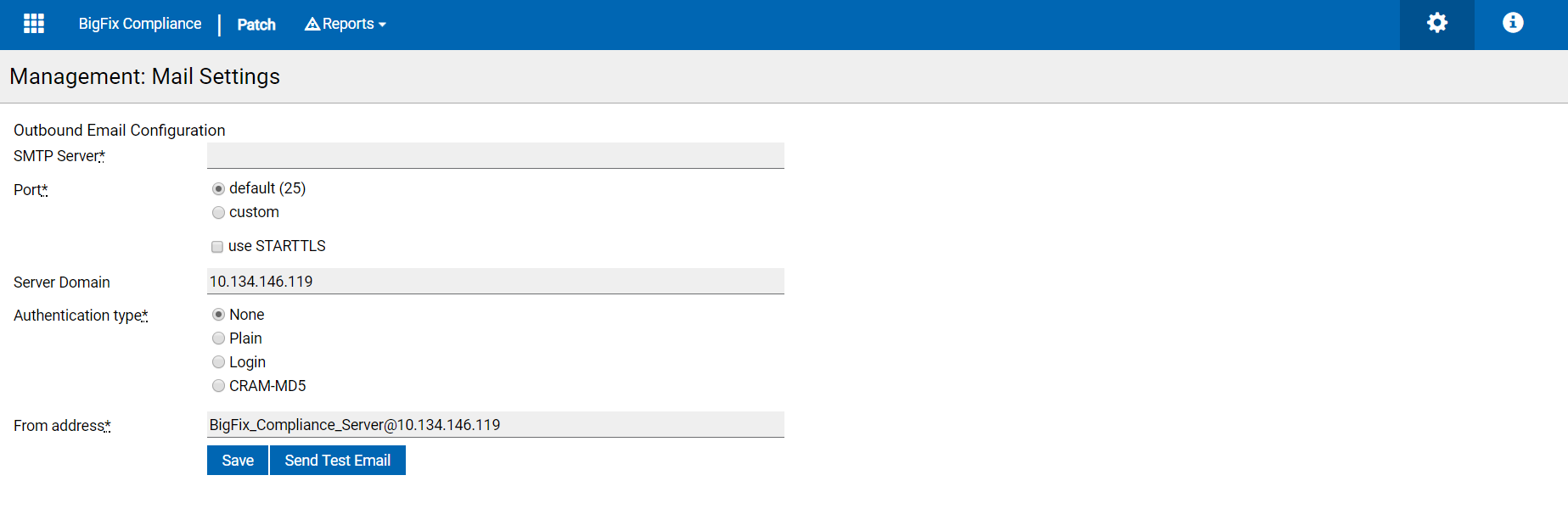
- In Outbound Email Configuration, set the configuration.
- Enter the details in SMTP Server details.
- Select the port in Default or Custom.
- Select the use STARTTLS check box to make the connection secure.
- Enter the Server Domain.
- Select the Authentication type.
- Enter the senders address in From address section.
- Click Save.
For information about scheduling an export, see Scheduling.
For information about failed import notifications, see Data Imports.