When you perform a repository Reset, the repository (all database data) gets deleted
first, followed by a new repository database, all associated folders, and supporting
files that are re-created and initialized.
Note:
This process is
permanent and irreversible without a restore file.
Follow these steps to reset the repository:
On the Repositories page, locate the repository you wish to reset.
Select the three dots menu icon under the More Info column that is located
next to the target repository.
Select the Reset option from the drop-down menu.
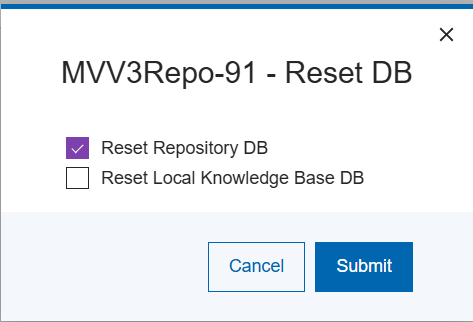
The following pop-up will appear:
Figure 1. Repository Reset Pop-up
Select the appropriate options and then select Save.
The results of the repository database reset request is as displayed:Figure 2. Repository Reset Success Message
The repository is now ready to accept import data.