From the Admin Tools page, select the Docker Settings tab, and you will see
a page that shows the docker engine connection status, the type of connection being
used, and a section available for updating any docker client TLS connection files to the
host’s docker engine.
Note:
Docker host socket connections do not
require any TLS connection files.Figure 1. Docker Settings
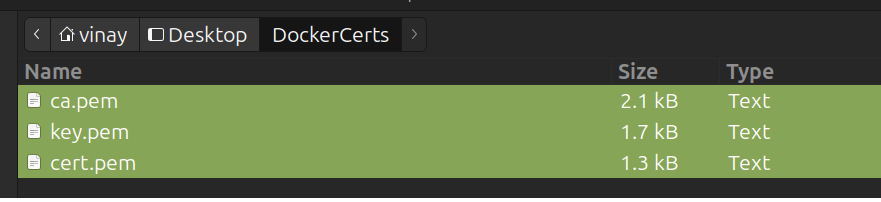
Before updating the TLS connection files, it is recommended that you first move the
following three required files to a separate folder on your local system to make
selecting them all at the same time easier:
Docker server CA
Client certificate
Key files
They all must be of type pem to be accepted.
It is recommended that you ensure all users are logged off from the product, that all
processing tasks are completed, and any API service instances are stopped before
installing any new host docker TLS access files.
Ensure you perform the product docker TLS access file update process for HCL Z Asset
Optimizer immediately after
updating the host's secure docker engine TLS files and before any users, processing
tasks, or API services are used.
Note:
It is NOT recommended to
shut down the HCL Z Asset
Optimizer
UI docker container before or during the updating of the host's secure docker engine
TLS data files, as you will need the Web UI available to upload your new secure
docker client TLS files.
After successfully updating your host's secure docker engine TLS files, to perform the
product’s docker TLS access update, do the following:
Select Upload Docker Certificates.
A dialog box will appear.
Navigate to the folder where the three required TLS files are stored, select
one of them, then press and hold the shift key on your keyboard while
selecting the other two files at the same time.Figure 2. Select Multiple Docker TLS Client Files
Select Open to identify the files selected.
Select Upload button to start the file replacement processing.
The update process will begin, and a status message will be displayed
reporting on the result once the update processing has been completed.
Note:
If you regenerate the host’s secure docker client
and server TLS files and then update the host's docker engine to use
them, while the HCL Z Asset
Optimizer
docker TLS access files are also updated, then all interactions with the
host's docker environment by the product will be unavailable. This will
result in various UI interactions that show information such as
available repositories being unavailable, Administration functions, and
Import and utility functions failing to initiate or be available for
use.

.png)