User Guide: SDKs > Flutter SDK > Downloading Volt MX Flutter SDK Files
Downloading Volt MX Flutter SDK Files
To download Volt MX Flutter SDK, follow these steps:
-
In the Volt Foundry console, navigate to Apps > SDKs, and click Flutter. The system prompts you to save the zip file in your local system.
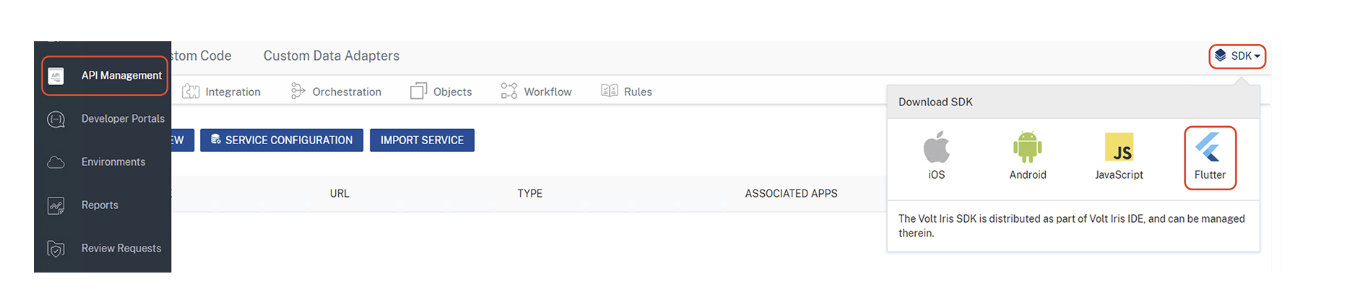
-
Save the HCLVoltFoundry-flutter-sdk.zip file in your local system.
-
Extract the HCLVoltFoundry-flutter-sdk.zip file that you just downloaded.
The HCLVoltFoundrySDK folder contains the following folders & files:
- android
- assets
- ios
- lib
- pubspec.yaml