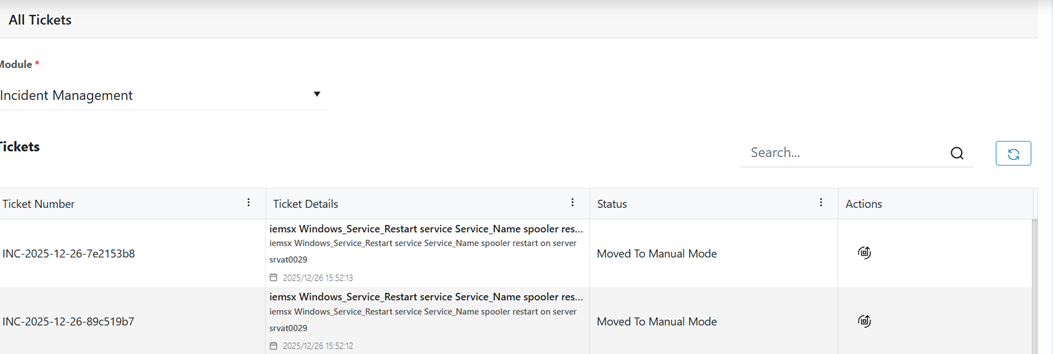
The All-Ticket screen provides a centralized view of all tickets across all stages of
their lifecycle. It enables users to quickly access, track, and manage tickets based on
ownership, assignment, and status through dedicated tabs. It has 4 categories to show
tickets
Open Tickets
The Open Tickets screen provides a consolidated view of all active tickets that are
currently in progress or awaiting action. This screen helps users quickly monitor
ticket status, ownership, and progress, enabling efficient tracking and timely
resolution.Figure 1. All Tickets
Filter
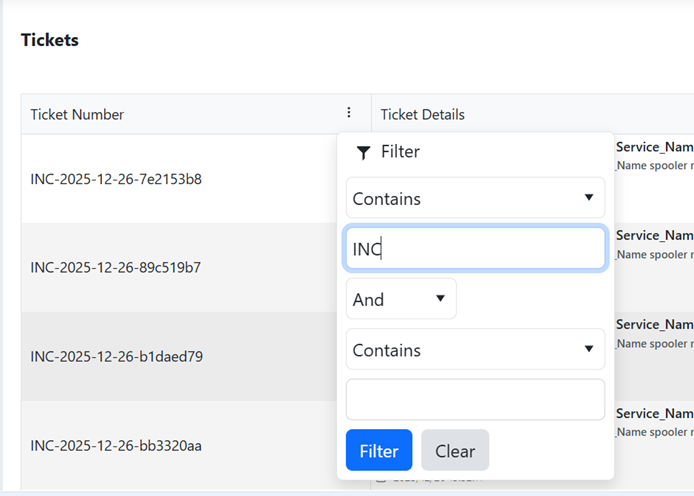
Tickets can be filtered by clicking on 3 dots and apply filter as per requirement
like below screenshot. Figure 2. Filter
Action
Logs
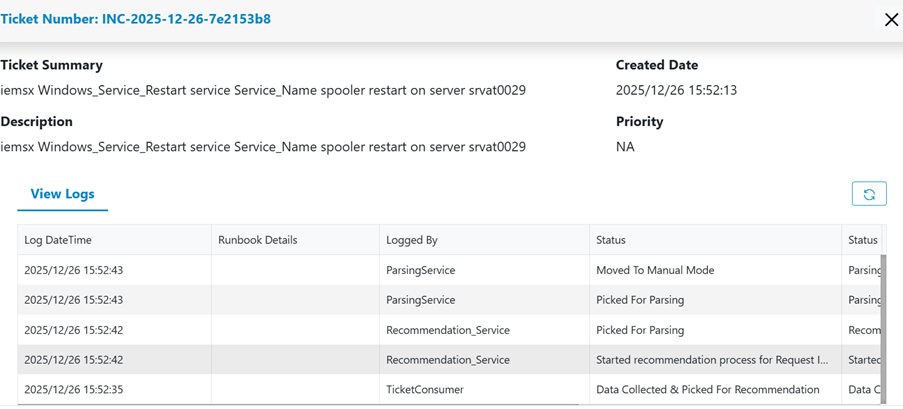
The Logs provide a complete record of all actions performed on a ticket. This
includes status changes, updates, status reasons, remarks, and logged by service.
Logs are generated by services to ensure transparency, traceability, and
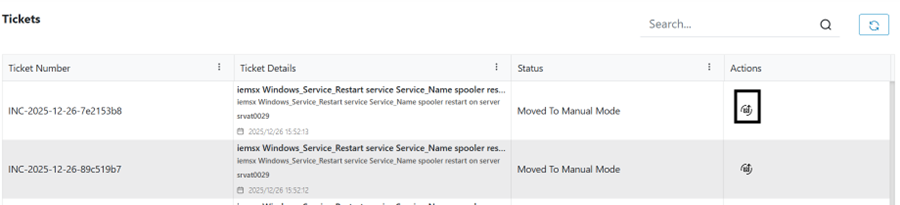
accountability throughout the ticket lifecycle. To View logs click on highlighted
button like below screenshotFigure 3. Open TicketsFigure 4. Open Tickets (Cont.)