
Managing Resources
While creating a tenant, the environment and the resources required for the functioning of a tenant are automatically created. The resources are generated as core services in the IBM cloud and are assigned to a particular tenant.
This section shows all the auto-generated resources in a tabular view, as shown in the figure – View Resources.
To view resources,
- On the left navigation bar, click Resources.
Figure 1. View Resources 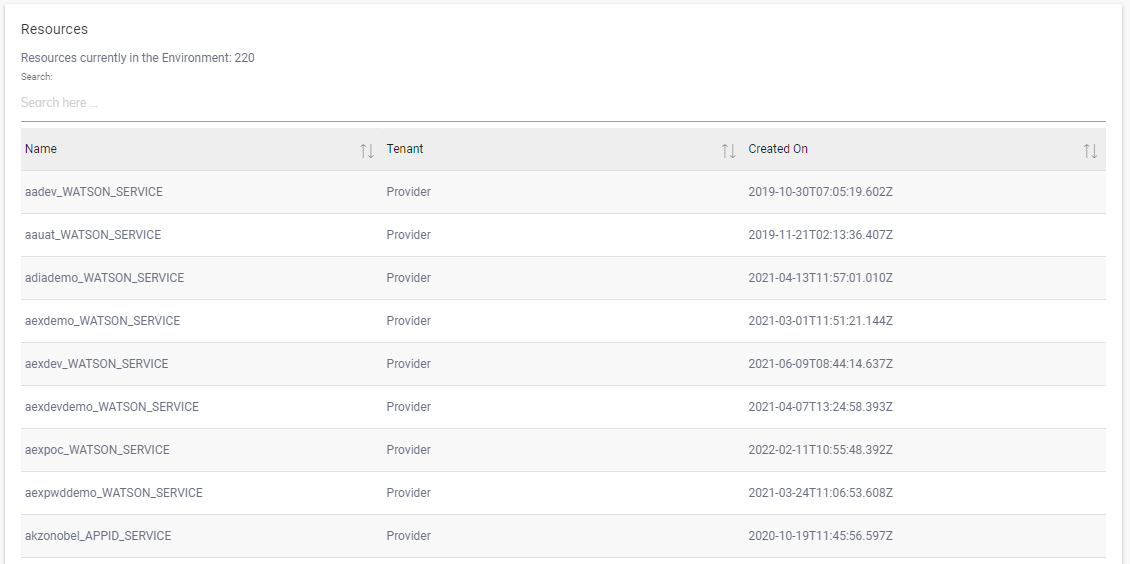
The tabular format has the following columns listed:
- Name: The unique combination of the tenant name and the associated resources
created on the IBM cloud.Note:There are two types of resources are available i.e. WATSON_SERVICE and WATSON_APP_ID.
- Tenant: The name of the BigFix AEX Instance. It corresponds to the customer you are where provider is experiencing issue
- Created On: The total number of days of tenant creation.
Remember:
Users can search for an existing resource in the
provider environment from the Search bar shown just above the list of resources.