
Editing Tenant
To edit a tenant,
- On the Tenant screen, click Edit (
 ) icon.
The user is directed to the Create Tenant screen that shows the current tenant details.
Figure 1. Editing Tenant 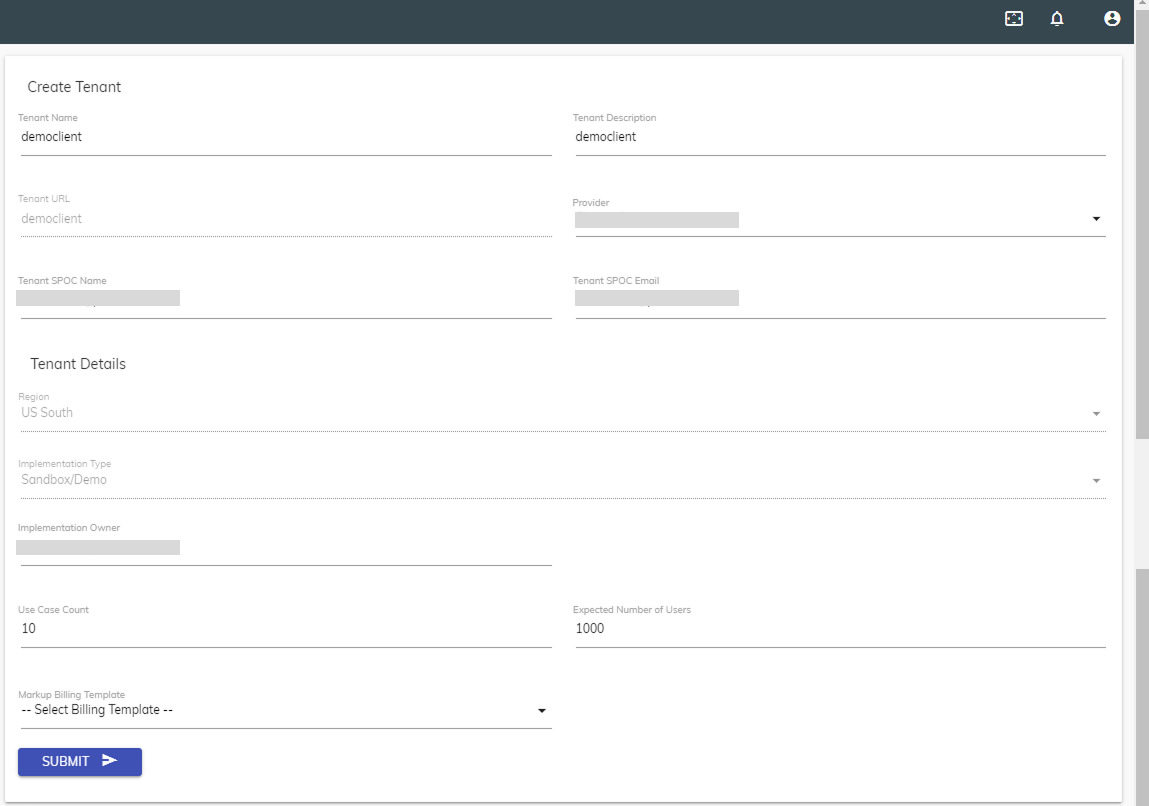 Note:All the fields except the Tenant URL , Region, and Implementation Type are editable to promote the ease of use for the user. If you prefer to change any of the above information, it is recommended that you create a new tenant with the required details.
 - Edit the selected tenant’s details and click Submit to commit changes.