Deploying CDP Manager
This section provides detailed instructions on how to deploy HCL CDP Manager using the Devtron in the AWS.
Prerequisites:
Make sure to create cdp-manager secret with required data in the AWS Secrets Manager before deploying CDP Manager.
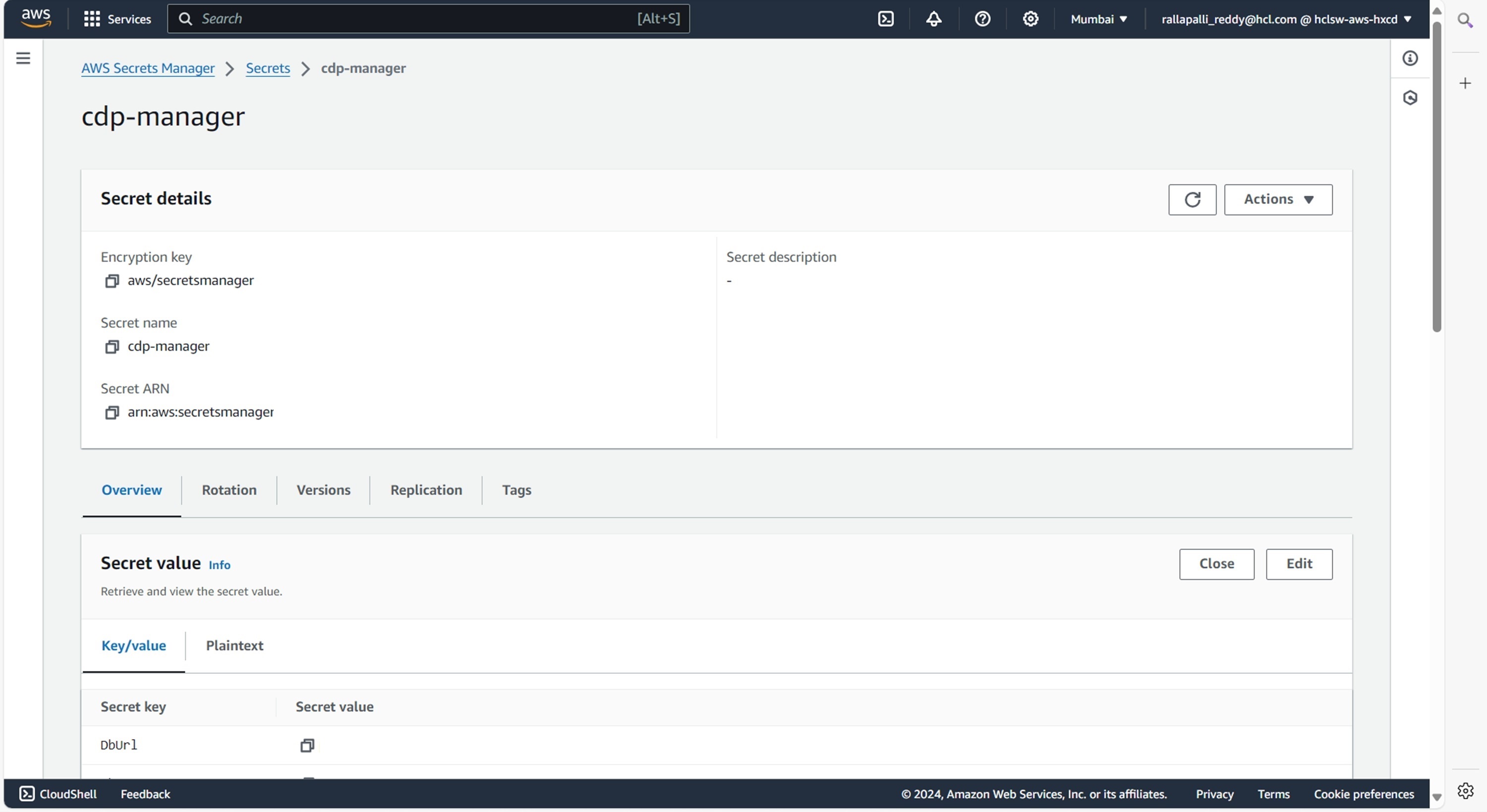
To create the cdp-manager secret in the AWS secret manager, follow the steps below:
- Create a cdp-manager secret sample key and value in the cdp-manager secret, and
update ConfigMaps data with actual
values.
{
  "AerospikeHost": "<AerospikeHost>",
  "AerospikePort": "<AerospikePort>",
  "DbName": "<DbName>",
  "DbPassword": "<DbPassword>",
  "DbUrl": "<ip:port>",
  "DbUsername": "<DbUsername>",
  "KafkaBrokers": "<KafkaBrokers>",
  "KafkaPassword": "<KafkaPassword>",
  "KafkaSaslMechanism": "<KafkaSaslMechanism>",
  "KafkaSecurityProtocol": "<KafkaSecurityProtocol>",
  "KafkaUsername": "<KafkaUsername>"
}
Deploying CDP Manager
To deploy the CDP Manager, follow the steps below:
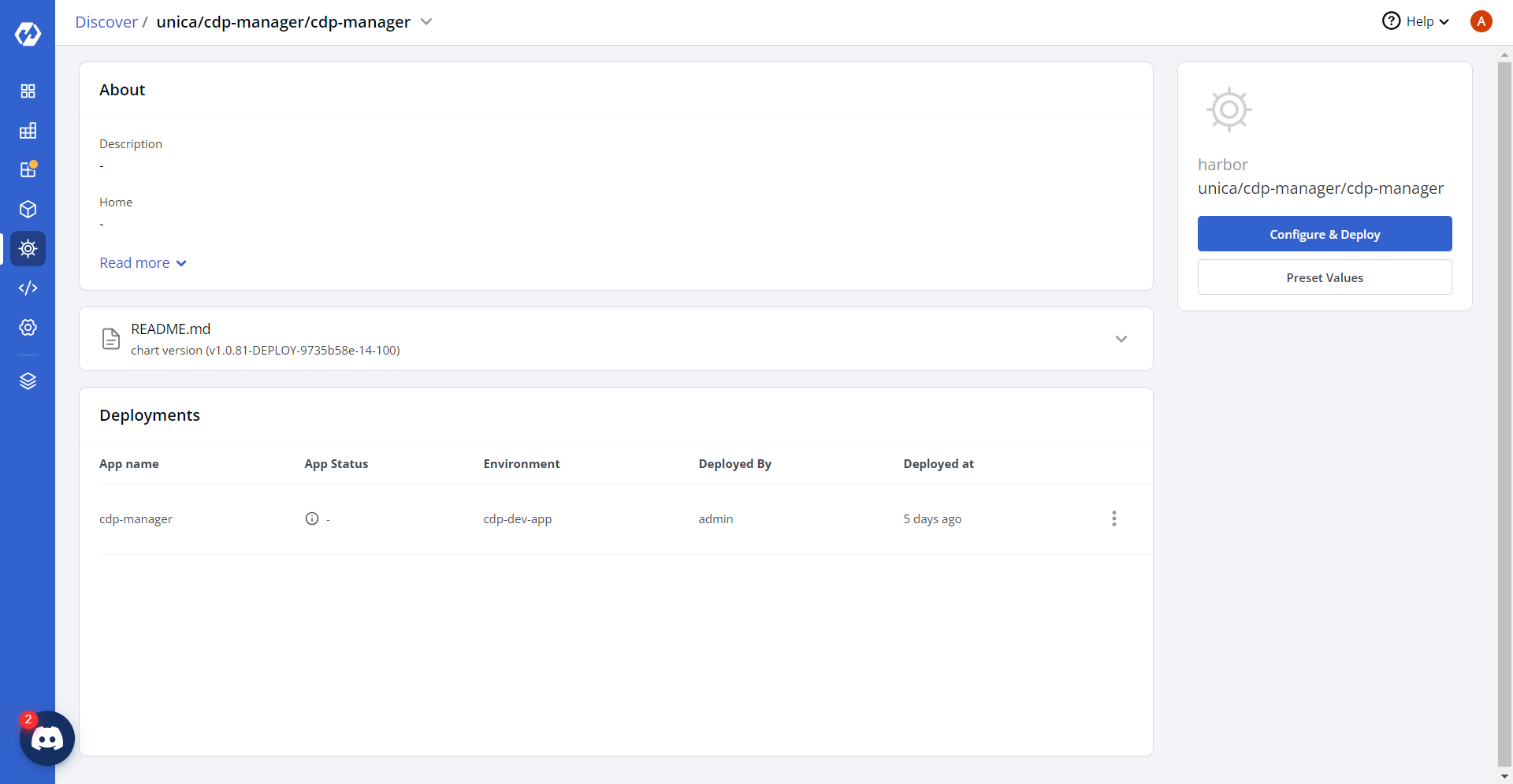
- Navigate to the Devtron Chart Store, and select the cdp-manager chart to
deploy.
.png)
- Now, configure and deploy the CDP Manager charts.
- In the YAML section, update the ConfigMap using below details and deploy
the charts.
NifiApiUrl: "<NIFI_API_URL>"
NifiProtocol: "<NIFI_PROTOCOL>"
NifiUsername: "<NIFI_USERNAME>"
NifiPassword: "<NIFI_PASSWORD>"
NifiParentProcessorGroupId: "<NIFI_PARENT_PROCESSOR_GROUP_ID>"
NifiRouteonattributeProcessorId: "<NIFI_ROUTE_ON_ATTRIBUTE_PROCESSOR_ID>"
NifiRouterProcessorId: "<NIFI_ROUTER_PROCESSOR_ID>"
NifiSourceSuccessProcessorId: "<NIFI_SOURCE_SUCCESS_PROCESSOR_ID>"
NifiSourceFailureProcessorId: "<NIFI_SOURCE_FAILURE_PROCESSOR_ID>"

KafkaDestinationId: "<KAFKA_DESTINATION_ID>"
sftpDestinationId: "<SFTP_DESTINATION_ID>"
S3DestinationId: "<S3_DESTINATION_ID>"
KafkaSourceId: "<KAFKA_SOURCE_ID>"
JsSdkSourceId: "<JS_SDK_SOURCE_ID>"
ClientKafkaSourceId: "<CLIENT_KAFKA_SOURCE_ID>"
RestapiSourceId: "<REST_API_SOURCE_ID>"

SourceTransformerConnectionTimeout: "<SOURCE_TRANSFORMER_CONNECTION_TIMEOUT>"
KafkaTopicPartition: "<KAFKA_TOPIC_PARTITION>"
KafkaTopicReplication: "<KAFKA_TOPIC_REPLICATION>"

hclunifiedprofileDestinationId: "<UNIFIED_PROFILE_DESTINATION_ID>"
AerospikeNamespace: "<AEROSPIKE_NAMESPACE>"
AerospikeSetName: "<AEROSPIKE_SET_NAME>"

ApiId: "<API_ID>"
ApiStage: "<API_STAGE>"
ApiEnabled: "<BOOLEAN>"

LOG_LEVEL_ROOT: "<LOG_LEVEL_ROOT>"
LOG_LEVEL_APP: "<LOG_LEVEL_APP>"
BLACK_LISTED_MOBILE_VIZID: "<BLACKLISTED_MOBILE_VIZID>"
KMS_CAMPAIGN_DEFAULT_TTL: "<KMS_CAMPAIGN_DEFAULT_TTL>"
KMS_LAZY_LOAD_ENABLED: "<BOOLEAN>"
DB_DRIVER: "<DB_DRIVER_CLASS>"
PII_AERO_NAMESPACE: "<PII_AERO_NAMESPACE>"
PII_AERO_EXPIRY: "<PII_AERO_EXPIRY>"
PII_AERO_TIMEOUT: "<PII_AERO_TIMEOUT>"
PII_CRON_EXPR: "<PII_CRON_EXPRESSION>"
PII_SUPPORTED_REGIONS: "<PII_SUPPORTED_REGIONS>"
PII_AWS_REGIONS: "<PII_AWS_REGIONS>"
PII_AERO_APS1_NAMESPACE: "<PII_AERO_APS1_NAMESPACE>"
PII_AERO_USE1_NAMESPACE: "<PII_AERO_USE1_NAMESPACE>"

EXECUTOR_SERVICE_MIN_THREADS: "<EXECUTOR_SERVICE_MIN_THREADS>"
EXECUTOR_SERVICE_MAX_THREADS: "<EXECUTOR_SERVICE_MAX_THREADS>"
EXECUTOR_SERVICE_THREAD_TTL: "<EXECUTOR_SERVICE_THREAD_TTL>"
EXECUTOR_SERVICE_QUEUE_SIZE: "<EXECUTOR_SERVICE_QUEUE_SIZE>"

KAFKA_CONFIG_PROPERTY_KEY_VALUE_SEPARATOR: "<KAFKA_KV_SEPARATOR>"
KAFKA_PRODUCER_POOL_SIZE: "<KAFKA_PRODUCER_POOL_SIZE>"
KAFKA_PRODUCER_EVENT_TYPE: "<KAFKA_PRODUCER_EVENT_TYPE>"
KAFKA_PRODUCER_HOSTNAME: "<KAFKA_PRODUCER_HOSTNAME>"
KAFKA_PRODUCER_META: "<BOOLEAN>"

AERO_RECORD_TTL: "<AERO_RECORD_TTL>"
KMS_IMPLEMENTATION: "<KMS_IMPLEMENTATION>"
ANALYZE_POST_TOPIC: "<ANALYZE_POST_TOPIC>"
kafkatopic: "<KAFKA_TOPIC>"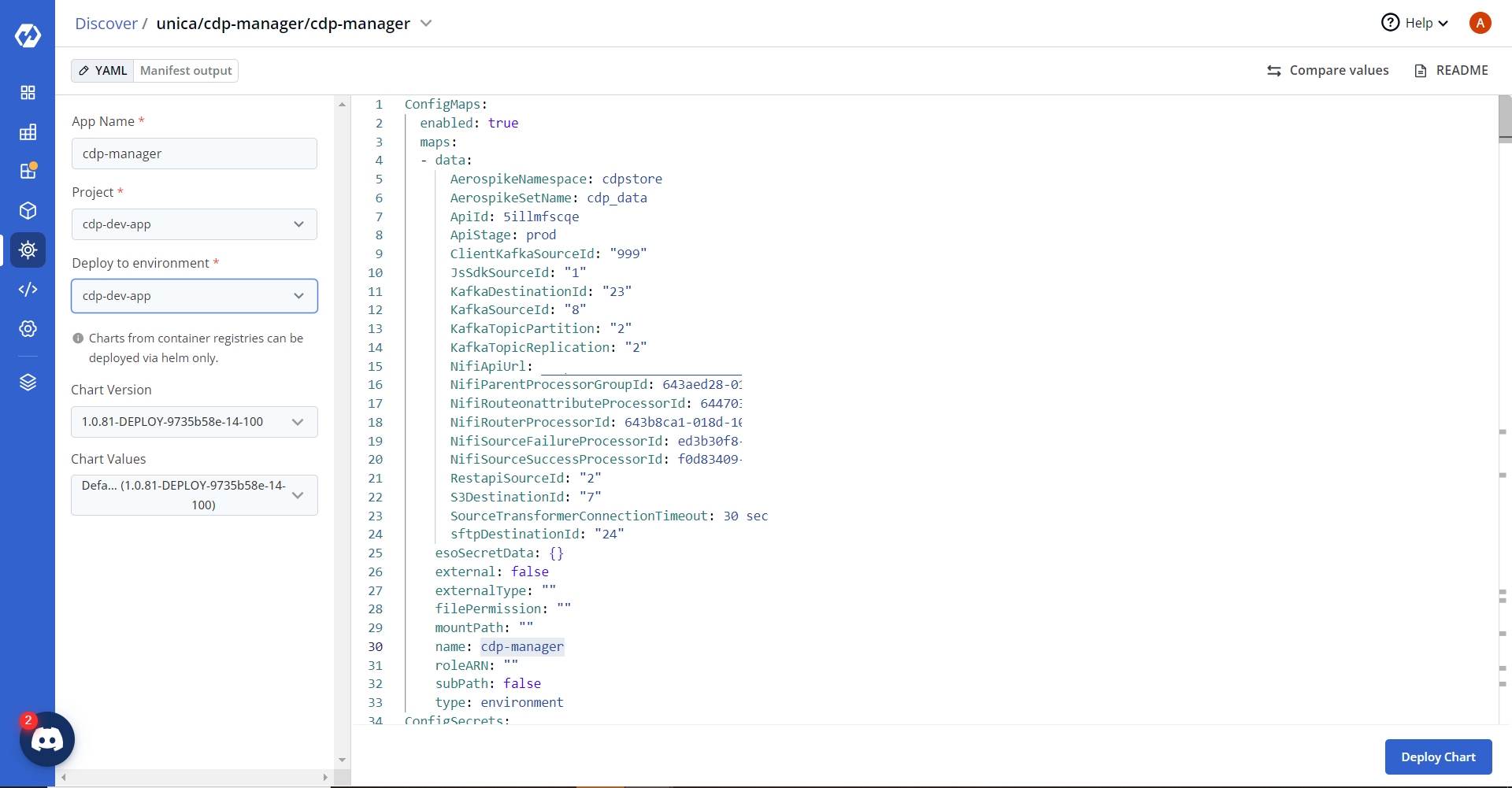
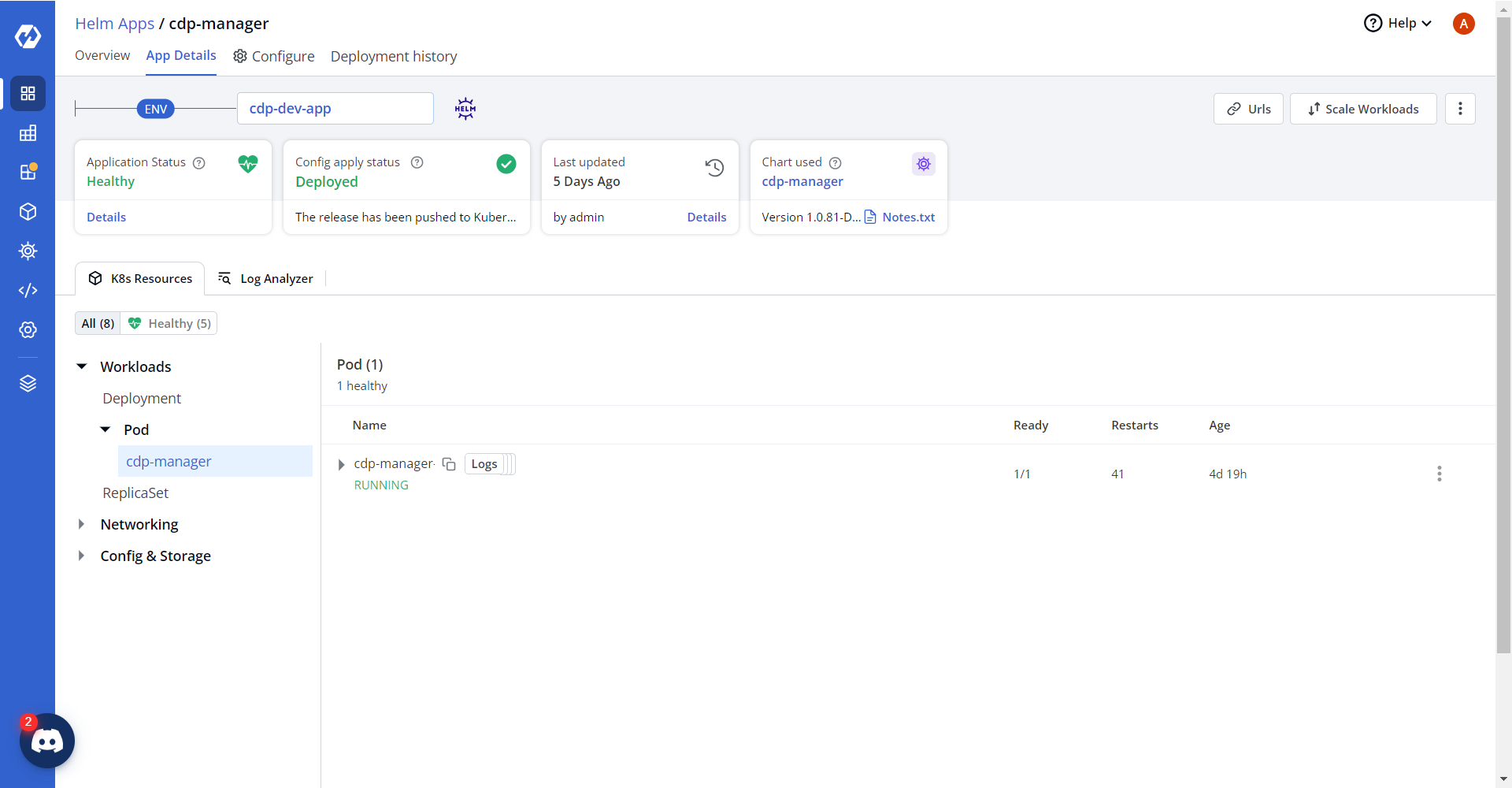
- On successful deployment, validate the deployment as shown below.