Deploying CDP DI API
This section provides detailed instructions on how to deploy HCL CDP DI API using the Devtron in the AWS.
Prerequisites:
Make sure to create di-api secret with required data in the AWS Secrets Manager before deploying CDP DI API.
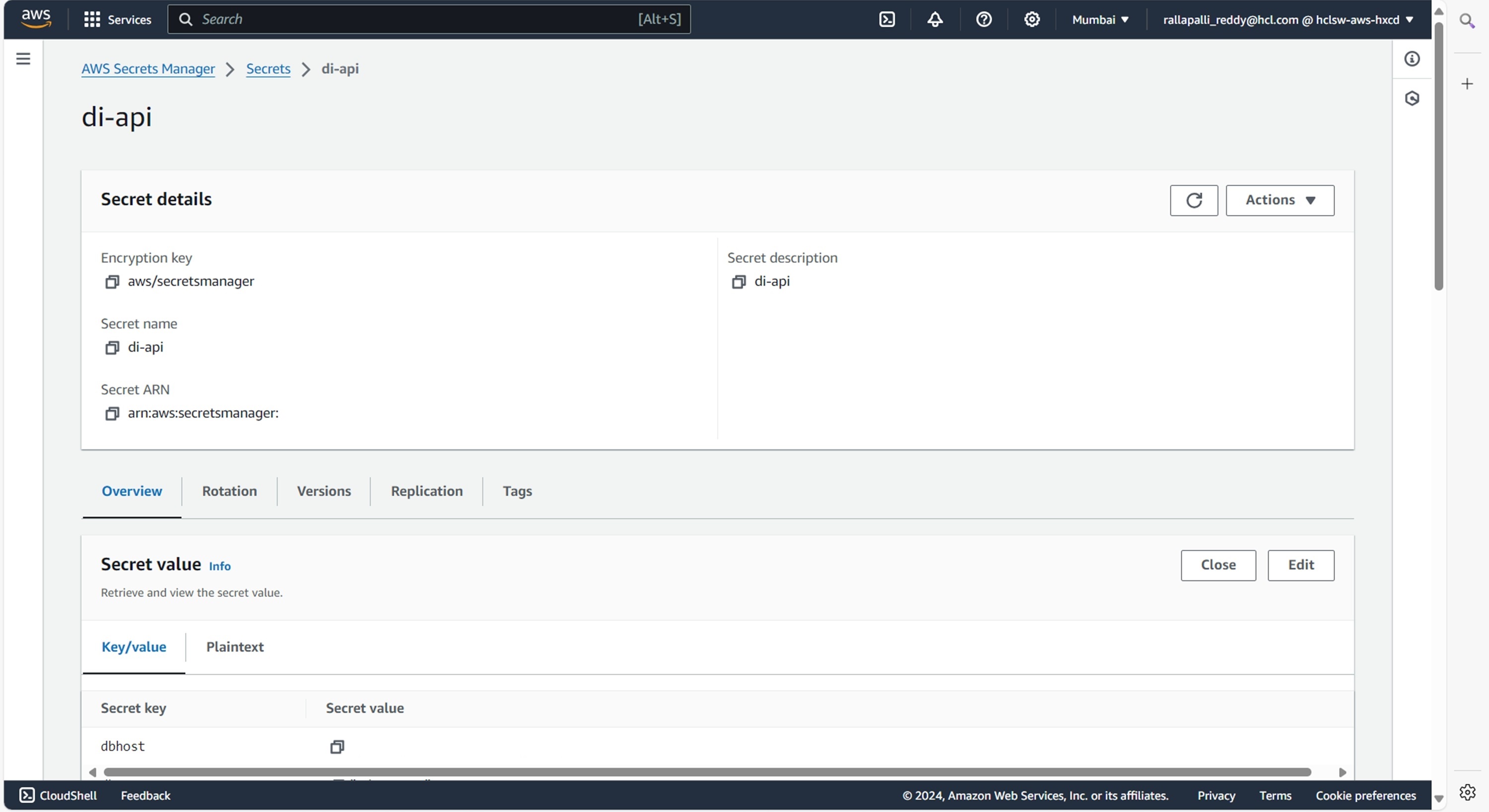
To create the di-api secret in the AWS secret manager, follow the steps below:
- Create a di-api secret sample key and value in the di-api secret, and update
ConfigMaps data with actual values.
{
  "ADV_6022_SECRET": "\"\"",
  "ADV_6022_URL": "\"\"",
  "ADV_6282_SECRET": "\"\"",
  "ADV_6282_URL": "\"\"",
  "aerospikeHostaps1": "\"<aerospikeHostaps1>\"",
  "aerospikeHostuse1": "\"\"",
  "aps1KafkaPassword": "\"<aps1KafkaPassword>\"",
  "aps1KafkaUsername": "\"<aps1KafkaUsername>\"",
  "dbhost": "\"<dbhost>\"",
  "dbpassword": "\"<dbpassword>\"",
  "dbusername": "\"<dbusername>\"",
  "kafkaconnectionStringaps1": "\"<kafkaconnectionStringaps1>\"",
  "kafkaconnectionStringuse1": "\"\"",
  "kmsUrl": "\"<kmsUrl>\"",
  "tdsbHost": "'<tdsbHost>'",
  "use1KafkaPassword": "\"\"",
  "use1KafkaUsername": "\"\""
}
Deploying CDP DI API
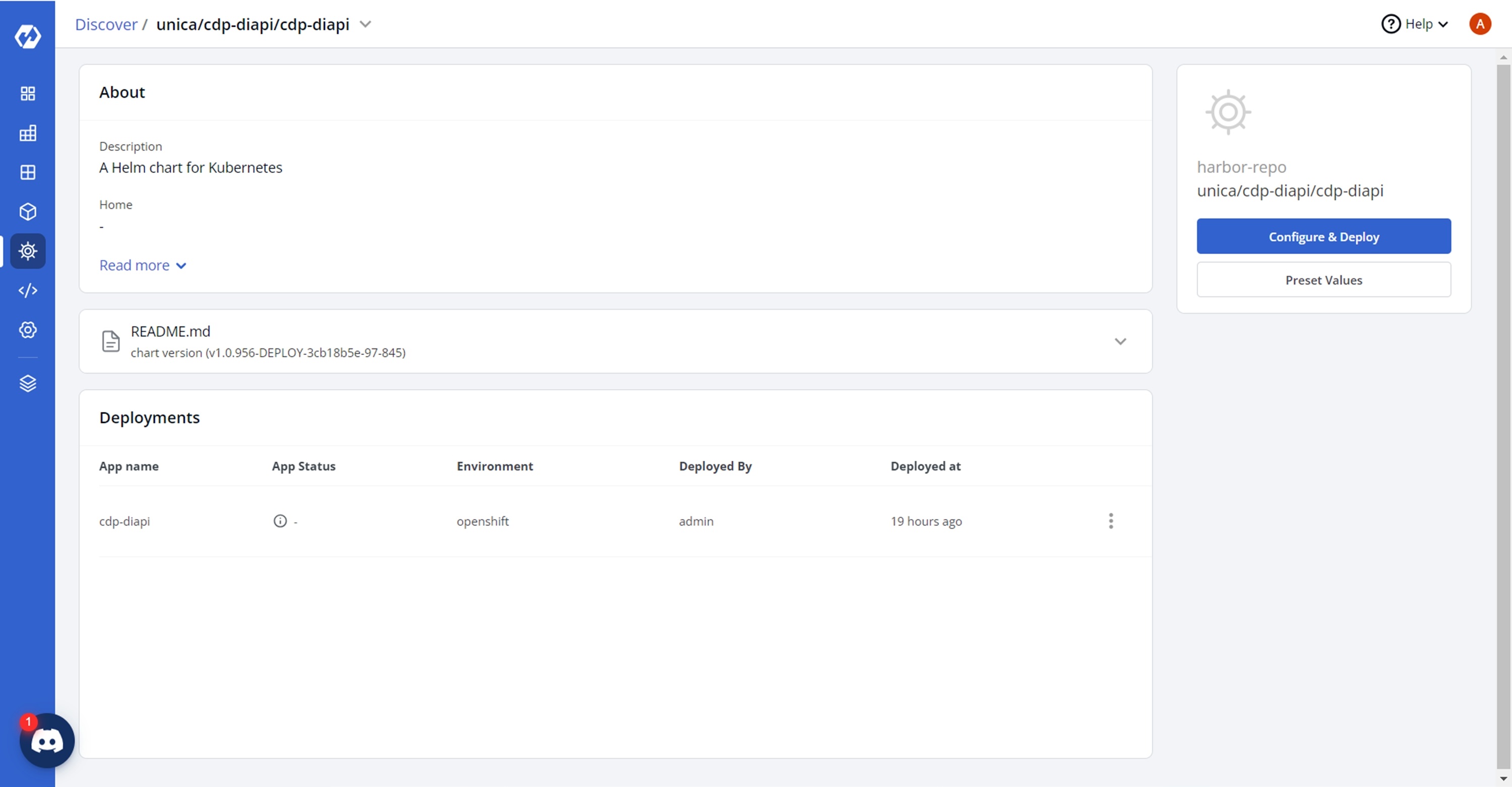
To deploy the CDP DI API, follow the steps below:
- Navigate to the Devtron Chart Store, and select the cdp-di-api chart to
deploy.
.png)
- Now, configure and deploy the CDP DI API charts.
- In the YAML section, update the ConfigMap using below details, and deploy
the
charts.
dbconnectionLimit: "<DB_CONNECTION_LIMIT>"
dbport: "<DB_PORT>"
database: <DATABASE_NAME>
use1KafkaClientId: <KAFKA_CLIENT_ID>
use1KafkaConnectionTimeout: "<KAFKA_CONNECTION_TIMEOUT_MS>"
use1KafkaAuthenticationTimeout: "<KAFKA_AUTH_TIMEOUT_MS>"
use1KafkaReauthenticationThreshold: "<KAFKA_REAUTH_THRESHOLD_MS>"
aps1KafkaClientId: <KAFKA_CLIENT_ID>
aps1KafkaConnectionTimeout: "<KAFKA_CONNECTION_TIMEOUT_MS>"
aps1KafkaAuthenticationTimeout: "<KAFKA_AUTH_TIMEOUT_MS>"
aps1KafkaReauthenticationThreshold: "<KAFKA_REAUTH_THRESHOLD_MS>"
kafkatopic: <KAFKA_TOPIC_NAME>
cdpSenderTopic: <CDP_SENDER_TOPIC>
kafkaProducerEventType: "<KAFKA_EVENT_TYPE>"
kafkasource: <KAFKA_SOURCE_NAME>
isEncryptionEnabled: "<BOOLEAN>"
kafkaSaslMechanism: <KAFKA_SASL_MECHANISM>
fromEmail: "<FROM_EMAIL>"
toEmail: "<TO_EMAIL>"
aerospikenamespaceaps1: <AEROSPIKE_NAMESPACE>
aerospikenamespaceuse1: <AEROSPIKE_NAMESPACE>
nodeProcessMemoryLimit: <NODE_MEMORY_LIMIT>
kafkaRegions: "<KAFKA_REGION_MAPPING_JSON>"
aps1KafkaSslEnabled: "<BOOLEAN>"
use1KafkaSslEnabled: "<BOOLEAN>"
CAMPAIGN_IDS: <CAMPAIGN_ID_LIST>
DEFAULT_SRC: "<CSP_DEFAULT_SRC_LIST>"
FONT_SRC: "<CSP_FONT_SRC_LIST>"
IMG_SRC: "<CSP_IMG_SRC_LIST>"
SCRIPT_SRC: "<CSP_SCRIPT_SRC_LIST>"
STYLE_SRC: "<CSP_STYLE_SRC_LIST>"
EVENTS_CAMPAIGN_LIST: "<CAMPAIGN_EVENT_TOPIC_MAPPING_JSON>"
defaultLogLevel: "<LOG_LEVEL>"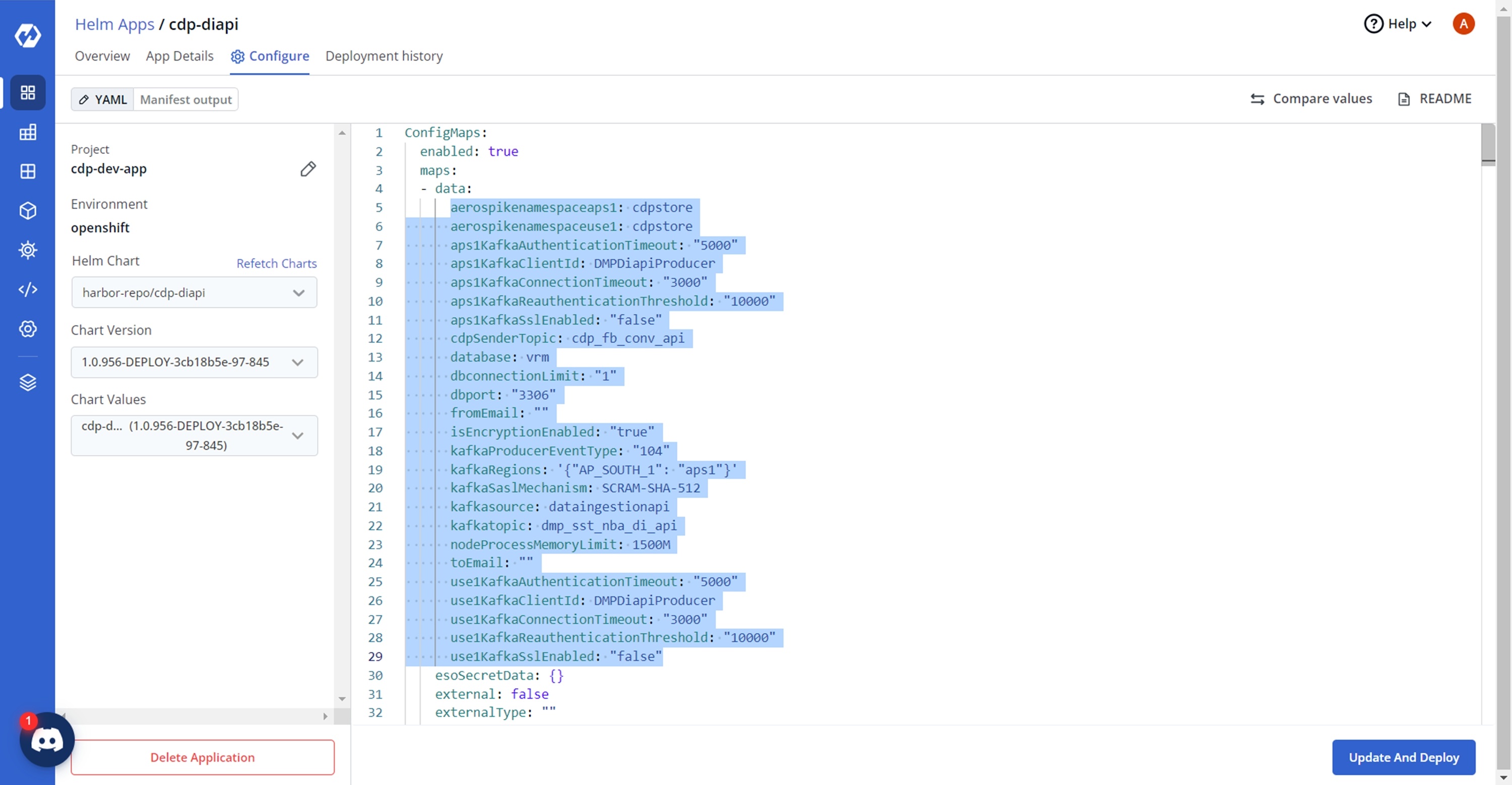
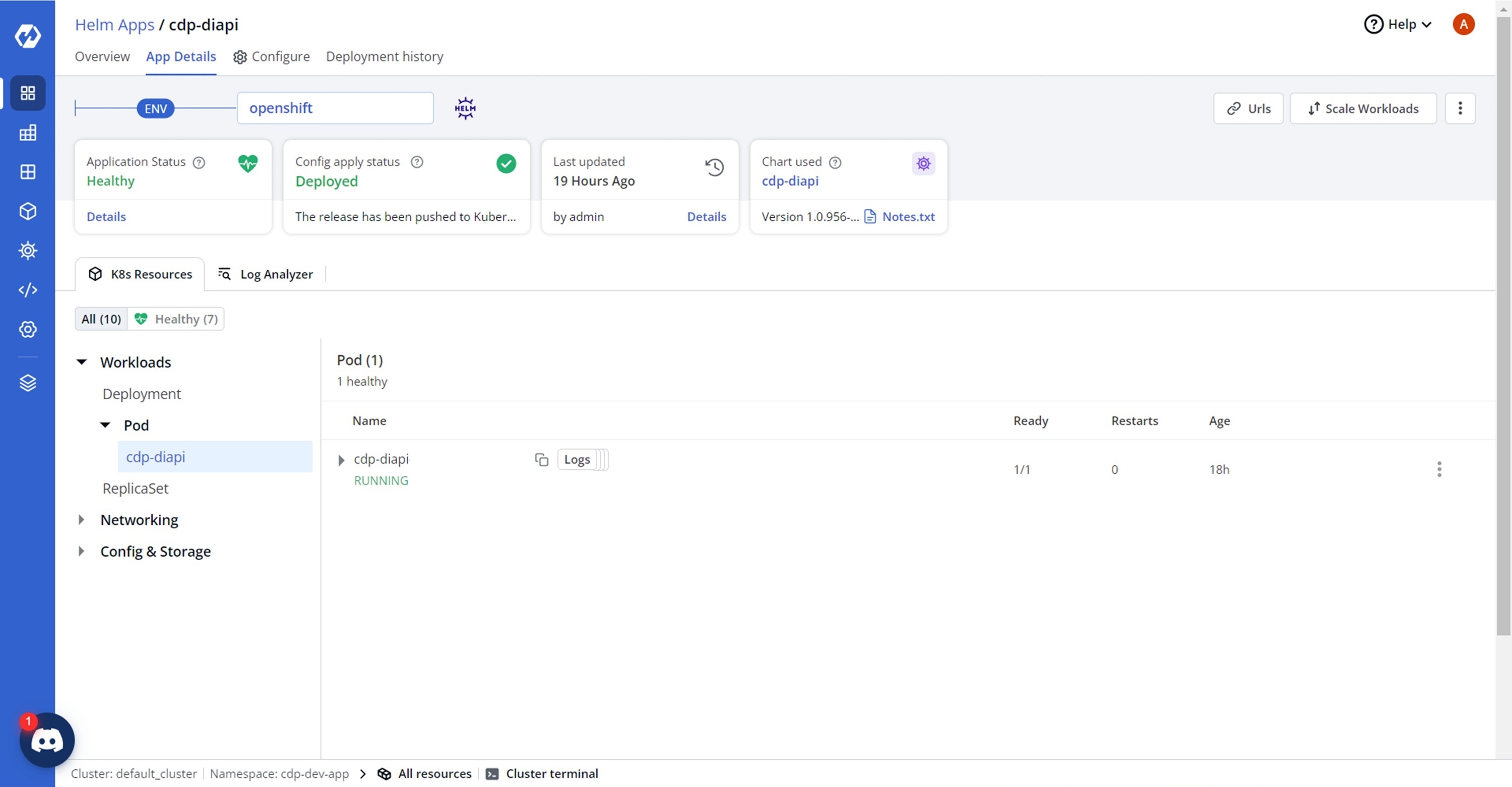
- On successful deployment, validate the deployment as shown below.