
Kafka
This page provides step-by-step instructions to configure Kafka as a destination in HCL CDP, enabling the consumption of raw events directly to your Kafka consumer.
Kafka integration allows HCL CDP to stream raw events from various data sources to your configured Kafka destination. This enables seamless real-time event processing and data streaming for further analysis and applications.
Setup Kafka as Destination in HCL CDP
- Navigate to Data Pipeline > Destinations, and click +Create
Destination.
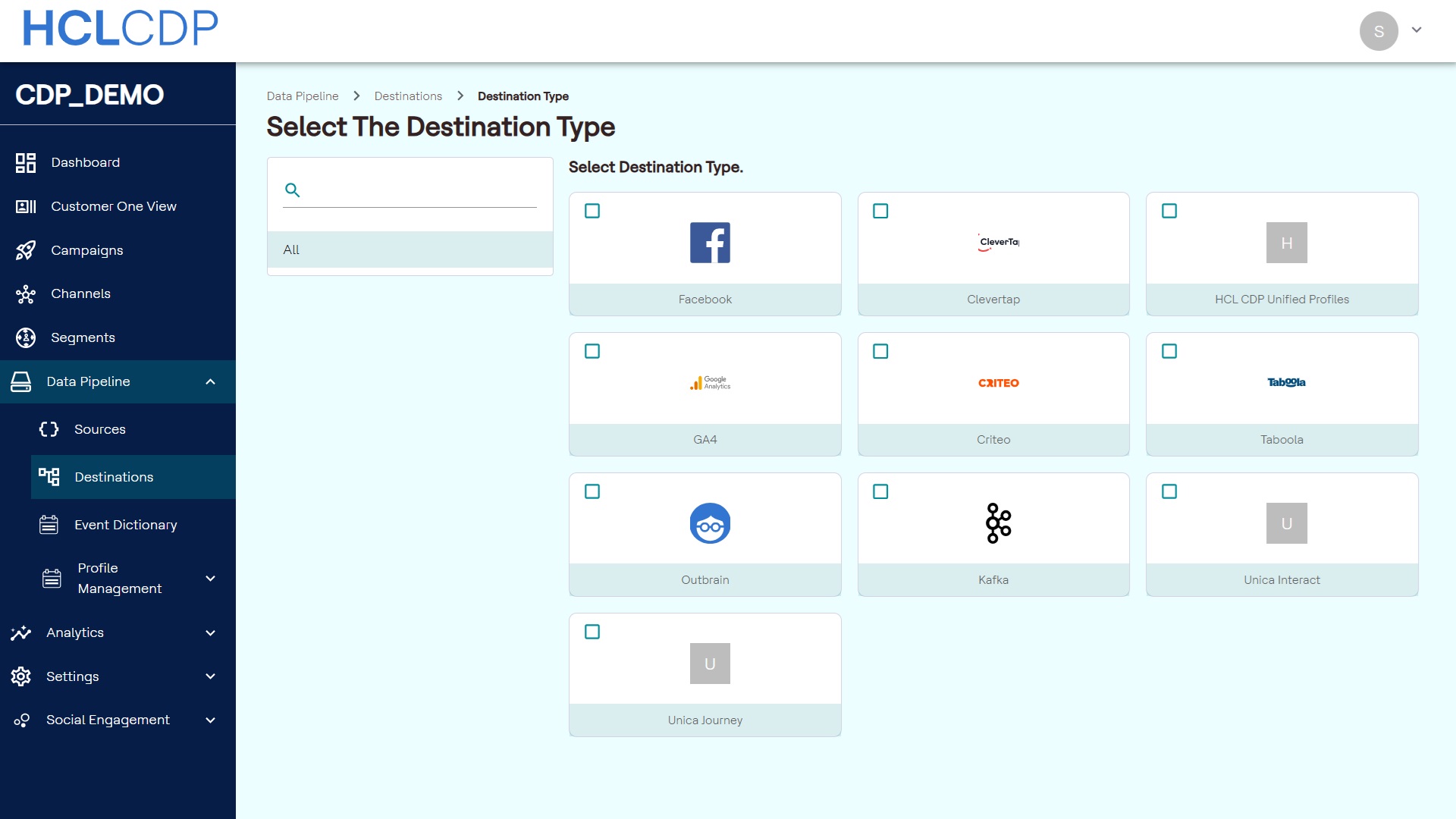
- Select Kafka from the destination list.
- Choose the source you created earlier, and click Continue.
- In the Destination Name field, enter a unique name for your destination, and click Submit.
- After creating the destination, navigate to the CONFIGURATION
tab.
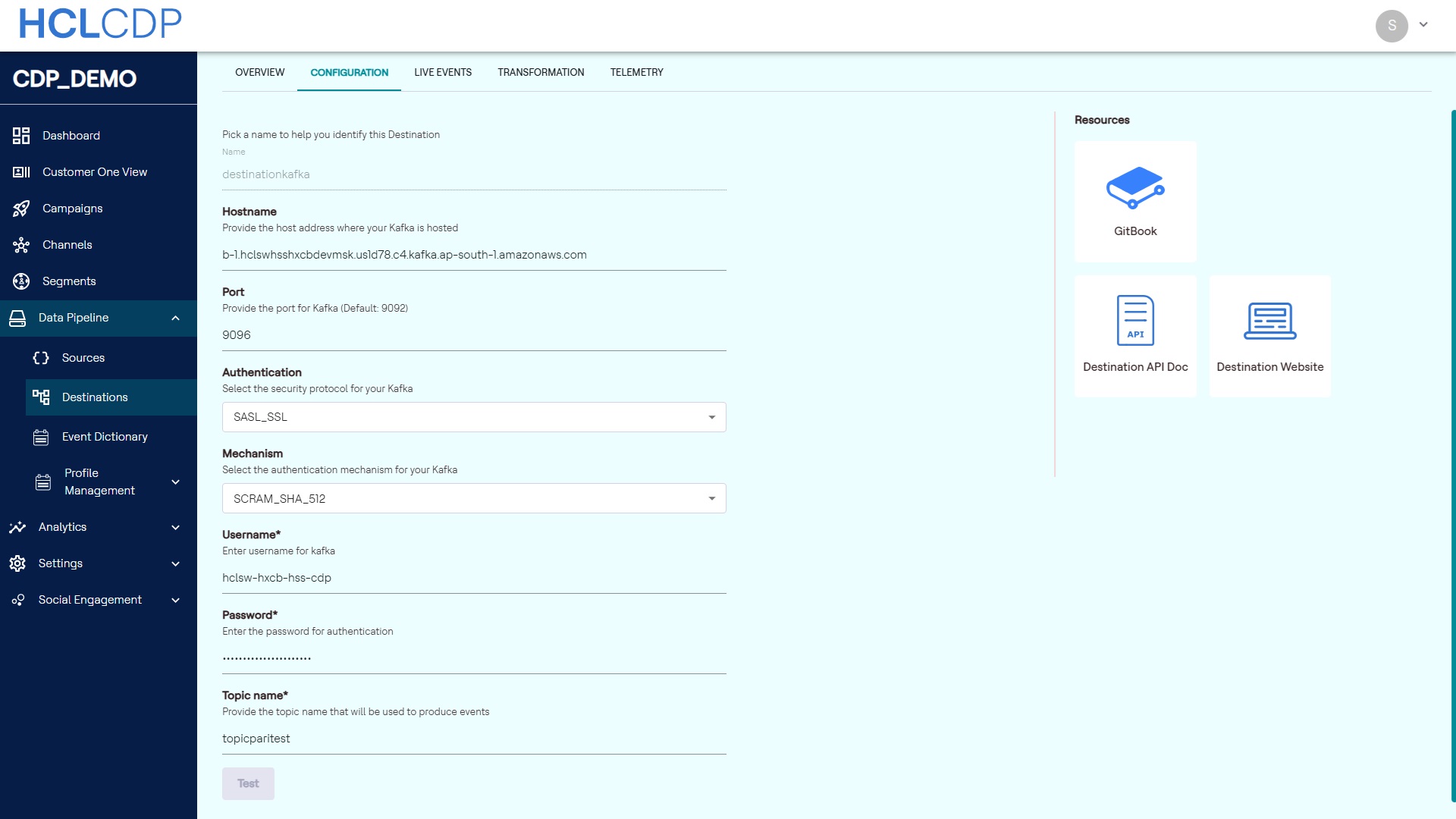
- Enter the following details to configure your destination.
- Name: Enter a descriptive name for your Kafka destination.
- Hostname: Provide the Kafka host address where your Kafka
instance is hosted.
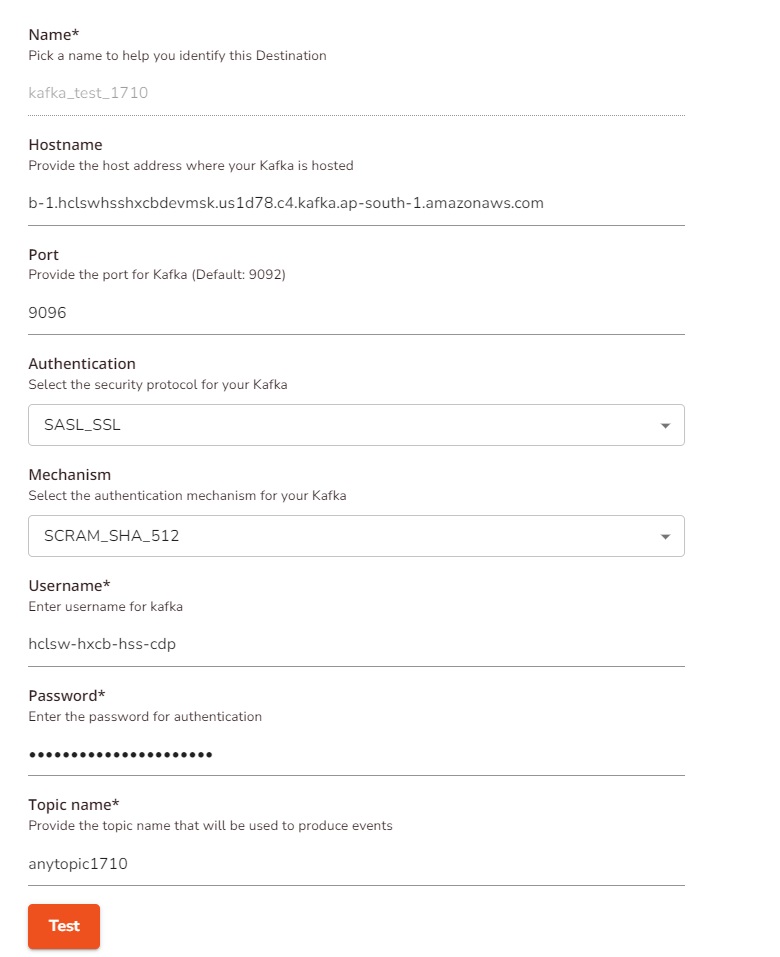
- Authentication: choose between
PLAINTEXTandSASL_PLAINTEX. If usingSASL_PLAINTEXT, select one of the three available authentication mechanisms.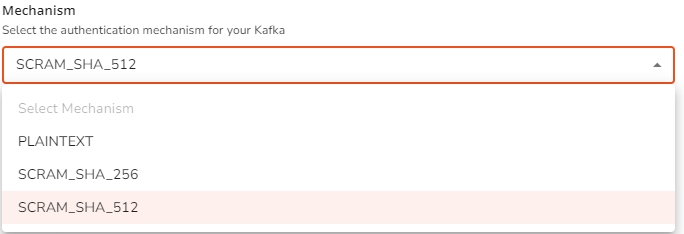
- Topic name: Enter the Kafka topic name where HCL CDP will produce the Kafka events.
- Click Test to verify the connection and ensure events can be produced to the specified Kafka configuration. If successful, a success message will appear. If not, an error message will indicate the issue.
- After a successful test, click Update to save your Kafka destination configuration.
- Toggle the activation status to enable the destination.Tip: It may take up to 30 minutes for the destination to become fully functional after activation.