Configuring Notes with OIDC login
Configuring HCL Notes with OIDC allows Notes client users to authenticate through Domino as an OIDC provider.
Procedure
- Configure Domino as an OIDC provider by following the steps in Configuring Domino as an OIDC provider.
-
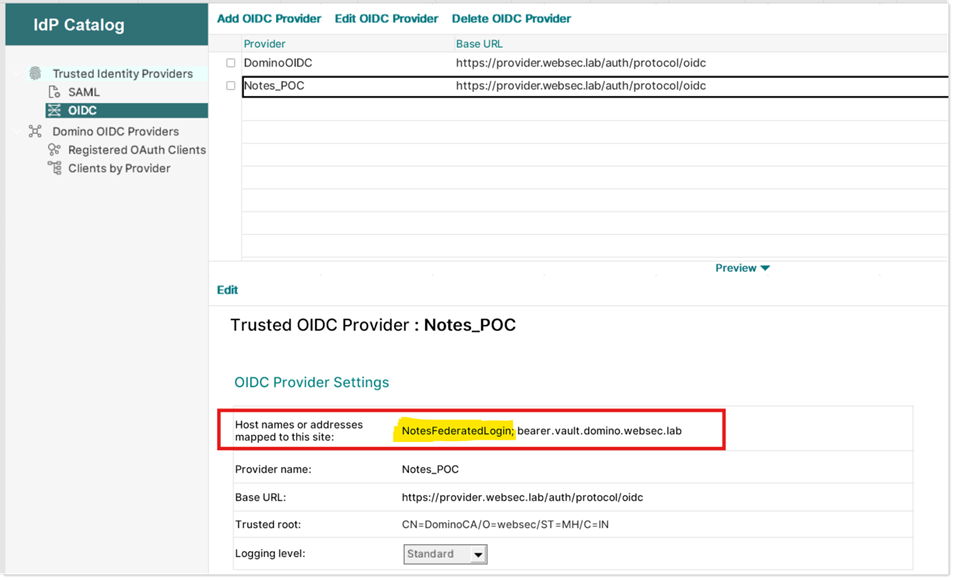
Create a trusted OIDC provider for the Notes client. In this example, the
Domino OIDC provider is named "Notes_POC" and is hosted on provider.websec.lab.
In the document you created, in the OIDC Provider
Settings section, provide the host name that is mapped to the
provider site. The host name in this example is "NotesFederatedLogin."
Note: This Trusted OIDC Provider document can be the same one that was created here: Configuring the ID vault for federated login with OIDC - you can simply add "NotesFederatedLogin" to the host name of the existing document.
See Configuring trusted OIDC providers for more guidance.
-
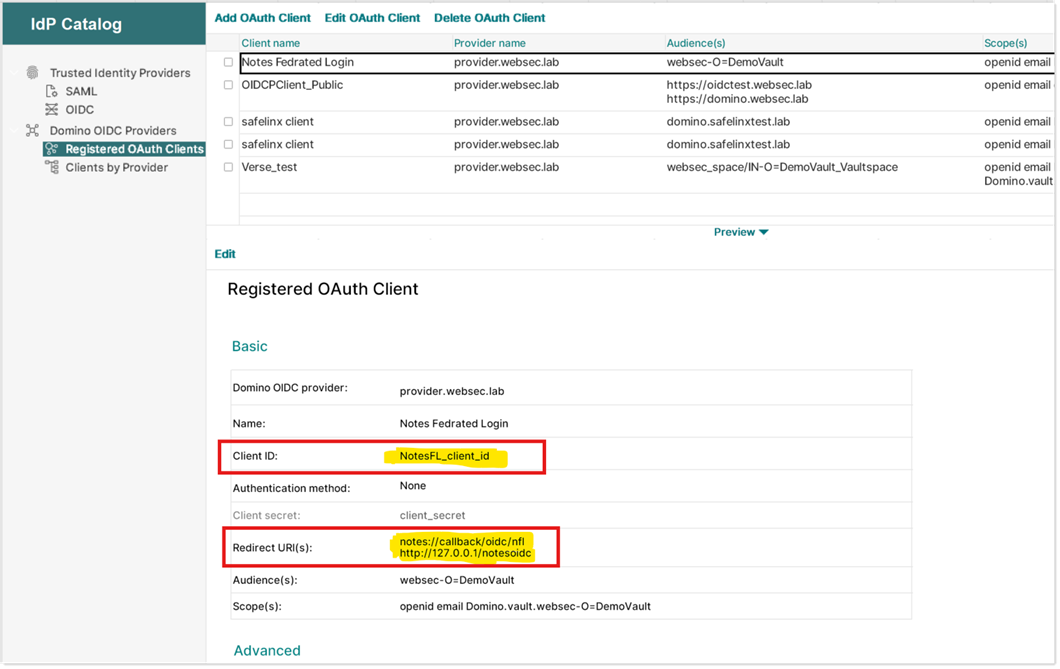
To configure the Domino OIDC provider to issue tokens to Notes clients, follow
the steps in Registering a new OAuth client.
The screenshot below shows the correct values for an OIDC provider hosted on provider.websec.labe. Please note that the Client ID must be set to "NotesFL_client_id" and the Redirect URI(s) must be set to:
- notes://callback/oidc/nfl
- http://127.0.0.1/notesoidc