Passkey Authenticator Metadata
Setting the notes.ini PASSKEY_FIDO_METADATA_DOWNLOAD=1 causes the Domino server to automatically download published metadata from the FIDO Metadata Service once per month.
Alternatively, administrators can manually download passkey metadata from the FIDO Alliance Metadata Service web page and place the resulting blob.jwt and root.pem files in the Domino server's data directory.
The signed metadata blob is generally updated on the first day of each month. If the FIDO Metadata is present and a matching aaguid is found for the passkey being created, that authenticator's metadata will be used to populate the name of the authenticator and its root certs will be used to verify "Packed" and "TPM" attestations.
Existing passkey documents can be updated by setting the notes.ini PASSKEY_DATABASE_FIXUP=1
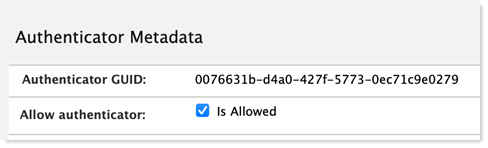
Metadata acquired from the FIDO Metadata Service can be viewed via the Metadata view in the passkey.nsf database. Administrators can select one or more authenticators from the view level and use the Enable Selected and Disable Selected buttons to allow or deny creation of passkeys with the selected authenticators. By default, all authenticators are allowed.

Individual authenticators can also make this change at the document level by selecting the Allow authenticator checkbox.