
File system
Understanding the file system structure in a dev container helps you organize your work effectively and maintain compatibility across different development environments.
File system tree
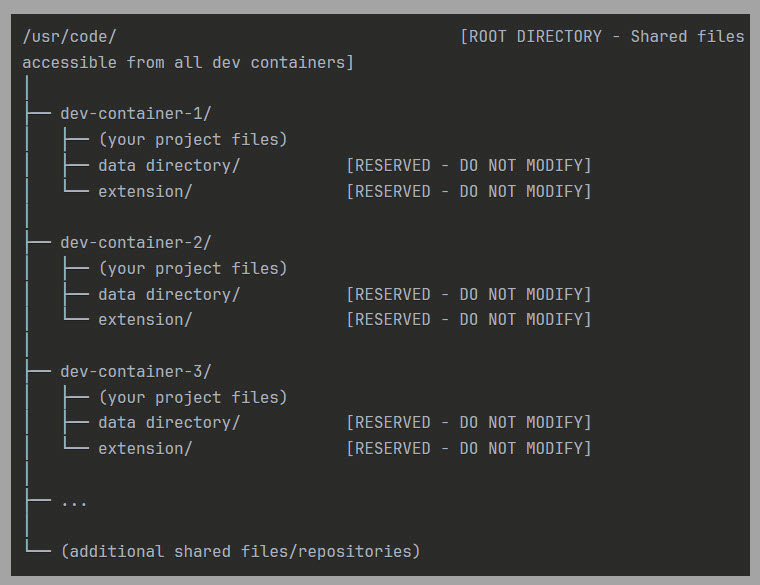
You can store your files in or below the /usr/code root directory. This works like a shared directory across all dev containers, ensuring your files remain persistent and accessible.
Container-specific directories
You will find each dev container has its own subdirectory under /usr/code where you can create and organize your project files, source code, configurations, and cloned repositories.
You will see two system-managed directories in each container:
- data directory: Contains system-managed data
- extension: Contains system-managed extension filesNote: You must not modify these directories as changes may cause your dev container to malfunction.
Shared files
You can place files directly under /usr/code to make them accessible from any dev container. This is useful for common configurations, shared libraries, or cross-environment projects.