
Scripted Reports
With Scripted Reports, you create scripted reports: reports that you write in HTML with embedded BigFix Relevance expressions and optional JavaScript or CSS. Scripted reports let you design advanced, interactive reports beyond the standard Report Builder charts.
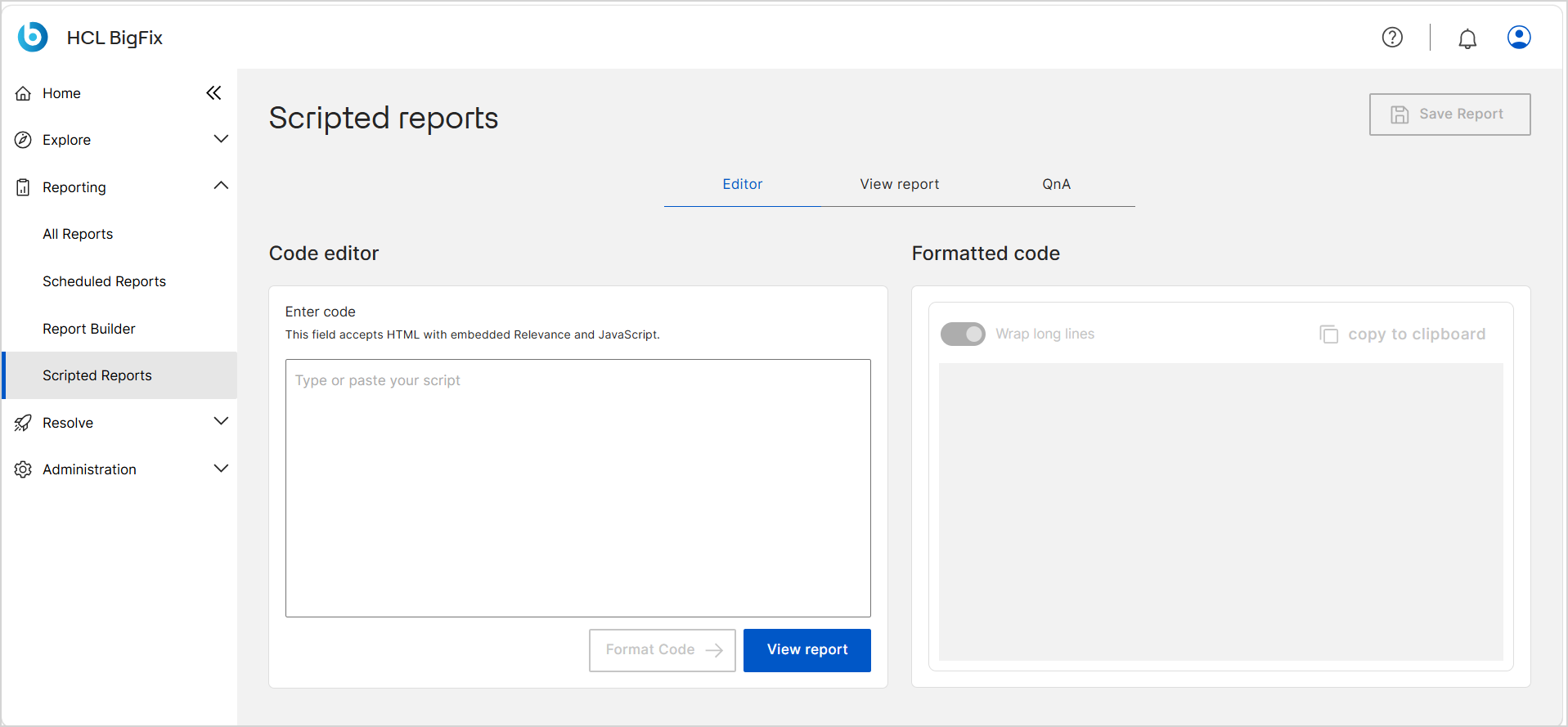
To open Scripted Reports, expand Reporting in the side navigation, and then select Scripted Reports.
Settings values in the
AppConfig.yaml file. For the list of settings, see Scripted Reports reference.Before you begin
Access to this application is controlled by the role that your administrator assigns to you. If your role does not grant the application, it does not appear in the side navigation, and the actions described in this topic are unavailable or dimmed.
- Your role must grant access to the Reports application with the Can use scripted reports option selected. See Managing Roles.
- Scripted Reports features are disabled by default. Your administrator must
enable them in the
AppConfig.yamlfile. See Scripted Reports reference. - Your operator permissions determine which actions you can complete. For a description of each permission, see Permissions reference.
Tabs
Scripted Reports include three key sections within the BigFix UI:
- Editor – Create and edit scripted reports by using your own code.
- View report – Preview and verify your report output.
- QnA – Evaluate Relevance expressions in real time before embedding them.
Editor panes
The Editor tab is divided into two panes:
- Code editor – The Enter code field where you type or paste your script.
- Formatted code – A read-only pane that displays the formatted version of your script after you click Format Code.
Until you enter code, the Save Report, Format Code, and View report buttons remain disabled.
For a description of every control on these panes, see Scripted Reports reference.
Report management
When you save a scripted report, it is added to the All Reports page and is listed with Scripted Report in the App column. Reports that you create here are stored in the BigFix UI database and are managed as part of All Reports, where you can modify or delete them at any time.
For the procedure, see Create and manage a scripted report.