Identity management
The Identity management app in BigFix UI is the central place to manage global settings for all applications running within BigFix UI. From here, administrators manage users, roles, account policies, and identity provider configuration.
Accessing Identity management
To open the app, expand Administration from the side navigation, and then select Identity Management. The Identity management landing page displays the Identity and access group of cards.
The cards and the side navigation items that you see depend on the account you log in with.
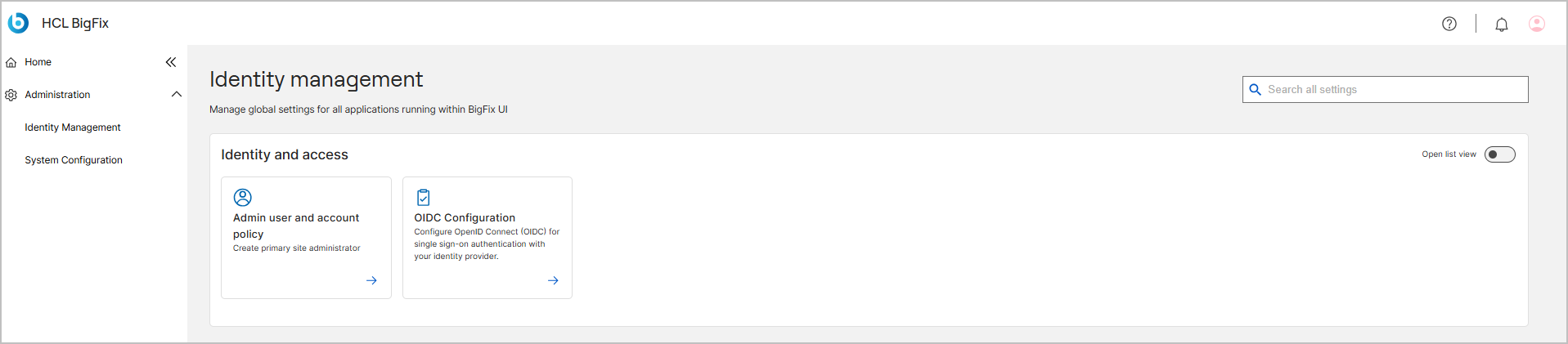
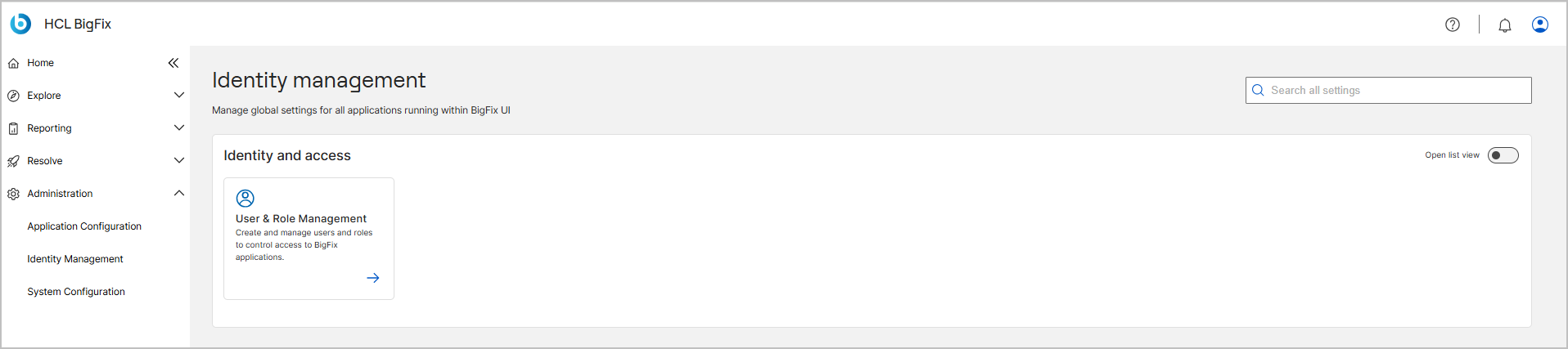
Use the Search all settings field to find a setting by name. Turn on Open list view to display the cards as a list.
Identity and access
Select a card to open the corresponding settings area. The cards that are displayed depend on how you are logged in. The instance admin sees the Admin user and account policy and OIDC Configuration cards. Administrators see the User & Role Management card.
| Card | Description | Visible to |
|---|---|---|
| User & Role Management | Create and manage users and roles to control access to BigFix applications. For details, see User & Role Management. | Administrators |
| Admin user and account policy | Create the primary site administrator and configure account security policies. For details, see Admin user and account policy. | Instance admin only |
| OIDC Configuration | Configure OpenID Connect (OIDC) for single sign-on authentication with your identity provider. For details, see OIDC Configuration. | Instance admin only |