Admin user and account policy
The Admin user and account policy area of Identity management lets the instance admin create the primary site administrator and define the account security policies that govern how all users authenticate and maintain their sessions in BigFix UI.
Note:
The Admin user and account policy
card is visible only to the instance admin. It does not appear for other
administrators.
Accessing Admin user and account policy
To open this area, expand Administration from the side navigation, select Identity Management, and then select the Admin user and account policy card. The page opens on the Administrator tab.
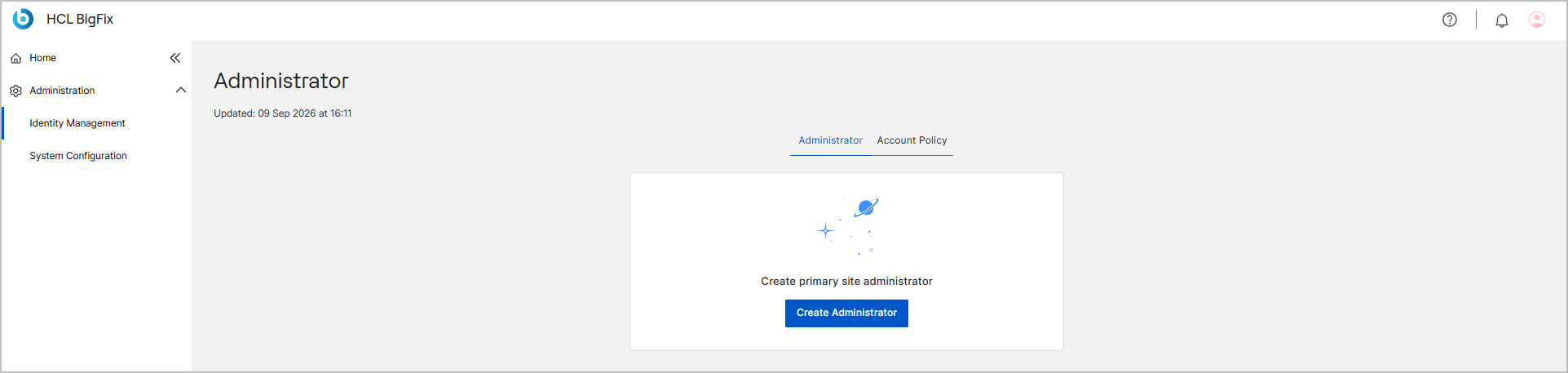
Tabs
The page is organized in two tabs.
| Tab | Description |
|---|---|
| Administrator | Shows the primary site administrator. Until an administrator exists, the tab displays Create primary site administrator with a Create Administrator button. For details, see Creating the primary site administrator. |
| Account Policy | Defines the legal notice message, session settings, password policy, and account lockout settings that apply to all users. For details, see Account Policy Settings. |
Typical workflow
After the BigFix UI setup, the instance admin completes the following tasks from this area:
- On the Administrator tab, create the primary site administrator and bind it to a BigFix Master operator. See Creating the primary site administrator.
- On the Account Policy tab, configure the session, password, and lockout policies to match your organization's security standards. See Account Policy Settings.
- Share the login URL and password with the primary site administrator through a secure channel. The administrator can then use User & Role Management to create users and roles. See User & Role Management.