
Schedule periodic executions of the Environment Setup task
This means automating the task at regular intervals to continuously validate and update the compliance status of endpoints. This ensures that compliance checks are consistently performed, logs and results remain up to date, and any deviations or non-compliance issues are promptly identified and addressed.
About this task
- From the Security Configuration Domain, go to .
Figure 1. Environment Setup Task in CIS Checklist for Apache Server 2_4 on Linux 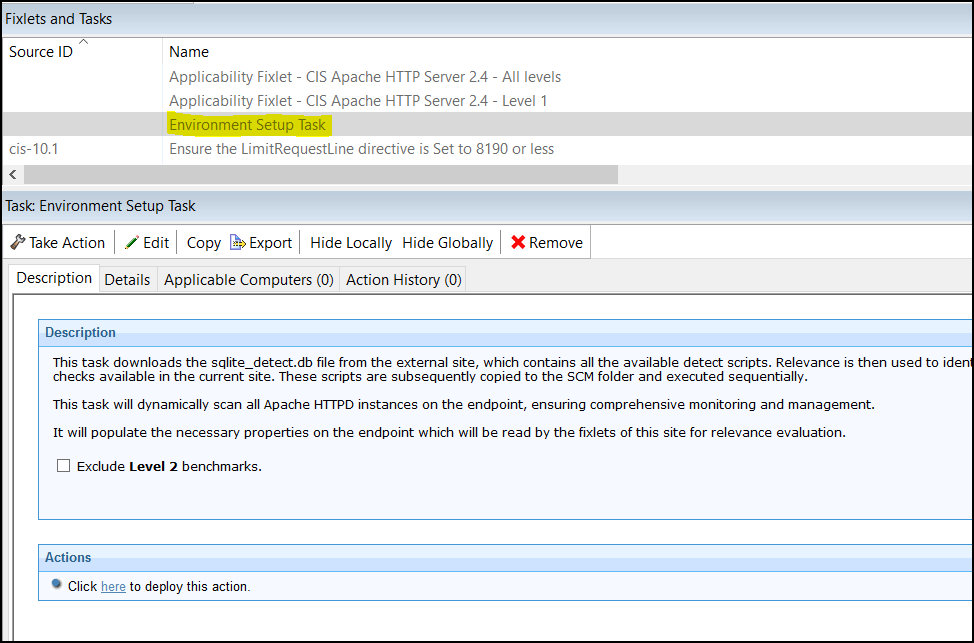
- Select a checklist and click Fixlets and Tasks.
- In the List panel, find and select the Environment Setup Task.
- Click Take Action on the Environment Setup Task.
- Choose the appropriate endpoints in your environment.
- Click the Execution tab.
Figure 2. Take Action - Execution tab 
- Configure the Environment Setup Task to run as needed, and click OK.