Environment Setup task options depend on checklist
This means that the available configurations and execution parameters of the
Environment Setup Task vary based on the specific compliance checklist being
used.
Oracle Checklist
This Oracle checklist includes two different Environment Setup Tasks.
Environment Setup Task(OracleWallet)
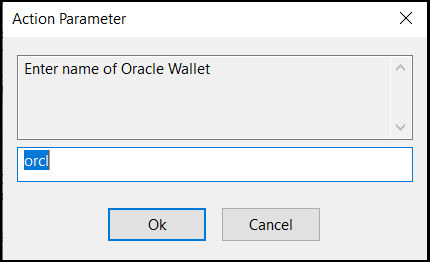
Run Environment Setup Task using oracle wallet
Pop up will be coming to enter wallet name and privilege
scan all available databases which is having same wallet name
Figure 1. Action Parameter
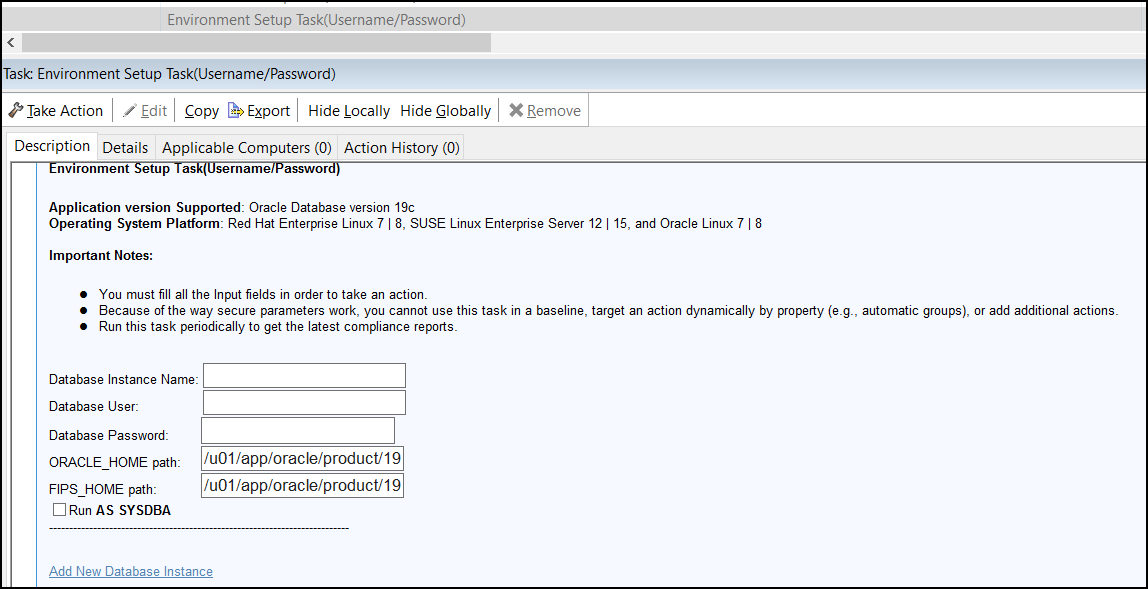
Environment Setup Task (Username/Password)
You have to enter credentials before taking the action
You can add multiple databases and credentials
Figure 2. Credential page in Oracle traditional Environmental Setup task
MSSQL Checklist
In the MSSQL Checklist, there is a single Environment Setup Task with multiple execution
options:
Option 1: Run as NT Authority\System
Executes the Environment Setup Task using the default BigFix user, ensuring it has
the minimum required permissions specified in the checklist for successful
execution.
Option 2: Run as Windows Use
Runs the Environment Setup Task as a custom Windows user with the necessary
permissions for both Windows OS and SQL, as outlined in the checklist.
Figure 3. Environment Setup task in MSSQL
Apache Checklist
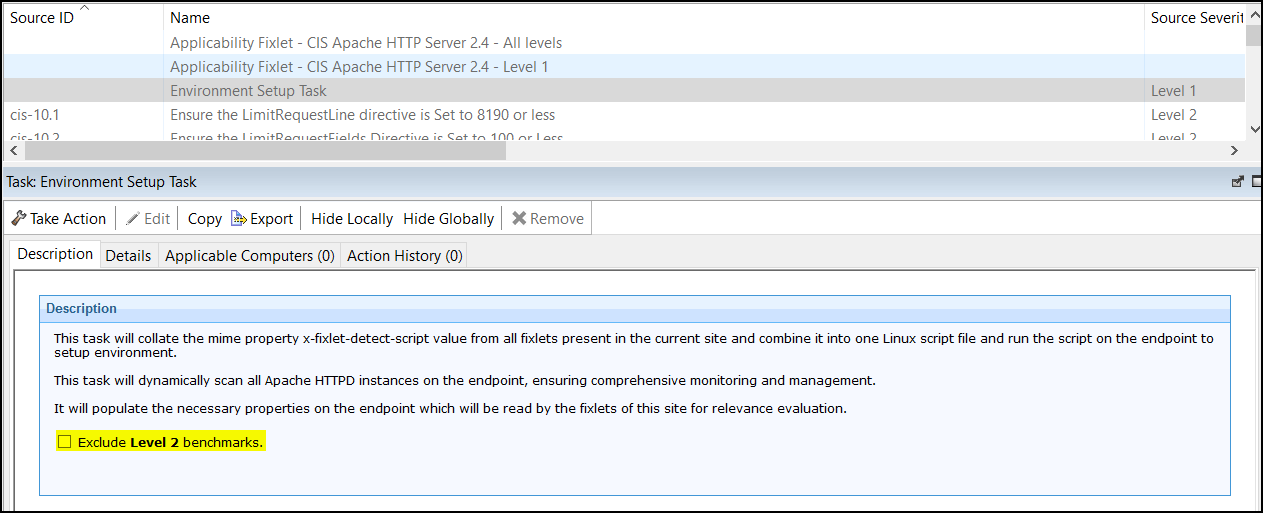
In the CIS Apache checklists, a checkbox is available to exclude Level 2 checks. If
selected, the Environment Setup Task will execute only Level 1 checks.Figure 4. Environment Setup task in CIS Apache Checklist
Oracle MySQL Checklist
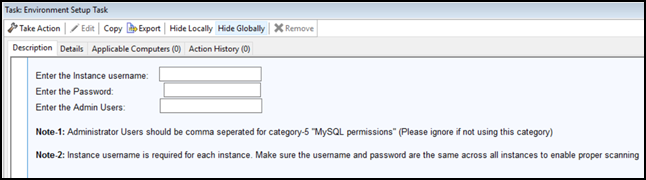
For this environment setup task, provide a single username and password for all MySQL
instances. The system will use this same set of credentials to scan each instance in the
series. In a separate field, enter a list of administrator usernames, separated by commas.
This list is only for the Category 5 series.Figure 5. Environment Setup task in Oracle MySQL Checklist
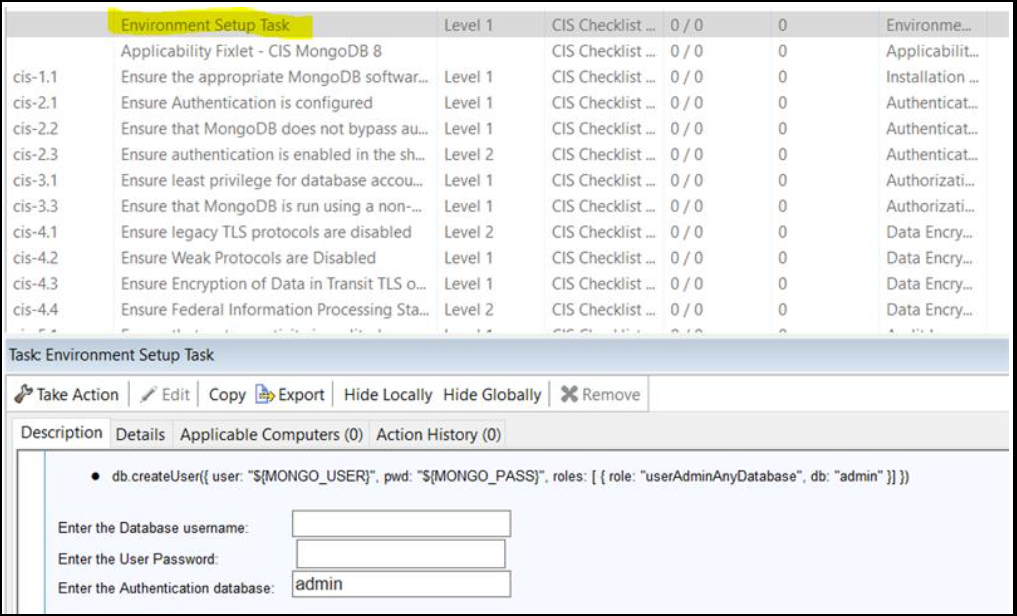
MongoDB Checklist
For this environment setup task, provide a single username, password, and corresponding
database name (default: admin) for all MongoDB instances. The system will use this same set
of credentials to scan each instance in the series.Figure 6. Environment Setup task in MongoDB Checklist