
Environment Setup Task
The Environment Setup Task is a crucial component of middleware checklists. It plays a key role in determining the compliance status of each check in the checklist.
Under normal conditions, once an endpoint subscribes to the site, the Environment
Setup Task becomes relevant, enabling you to click Take
Action. When executed, this task downloads the sqlite_detect.db
file from an external site, which contains all the available detection scripts. Using
relevance, the task identifies and extracts the scripts corresponding to the checks available
in the current site. These scripts are then copied to the SCM folder and executed
sequentially.
During execution, individual logs are generated in the Logs directory, while the results are saved in the Results folder. Additionally, a comprehensive log file, Environment_Setup_Task.log, is created to record all execution details.
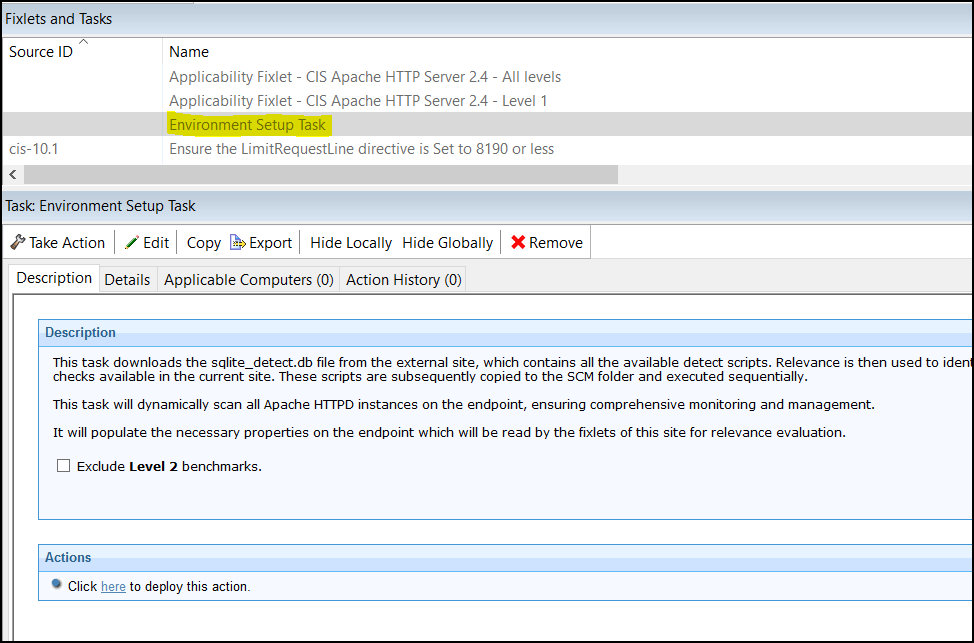
The check Fixlets from the site will display the latest results only after the Environment Setup Task is completed.
To ensure regular compliance validation, schedule periodic executions of the Environment Setup Task.